58
10.4.
ActiveSync Communication
To synchronize, ActiveSync 4.1 or higher must be installed and configured for the appropriate
communication type on the host workstation and the Handy Terminal. Handy Terminals ship with
ActiveSync already installed. Therefore, if ActiveSync is already installed on the host workstation,
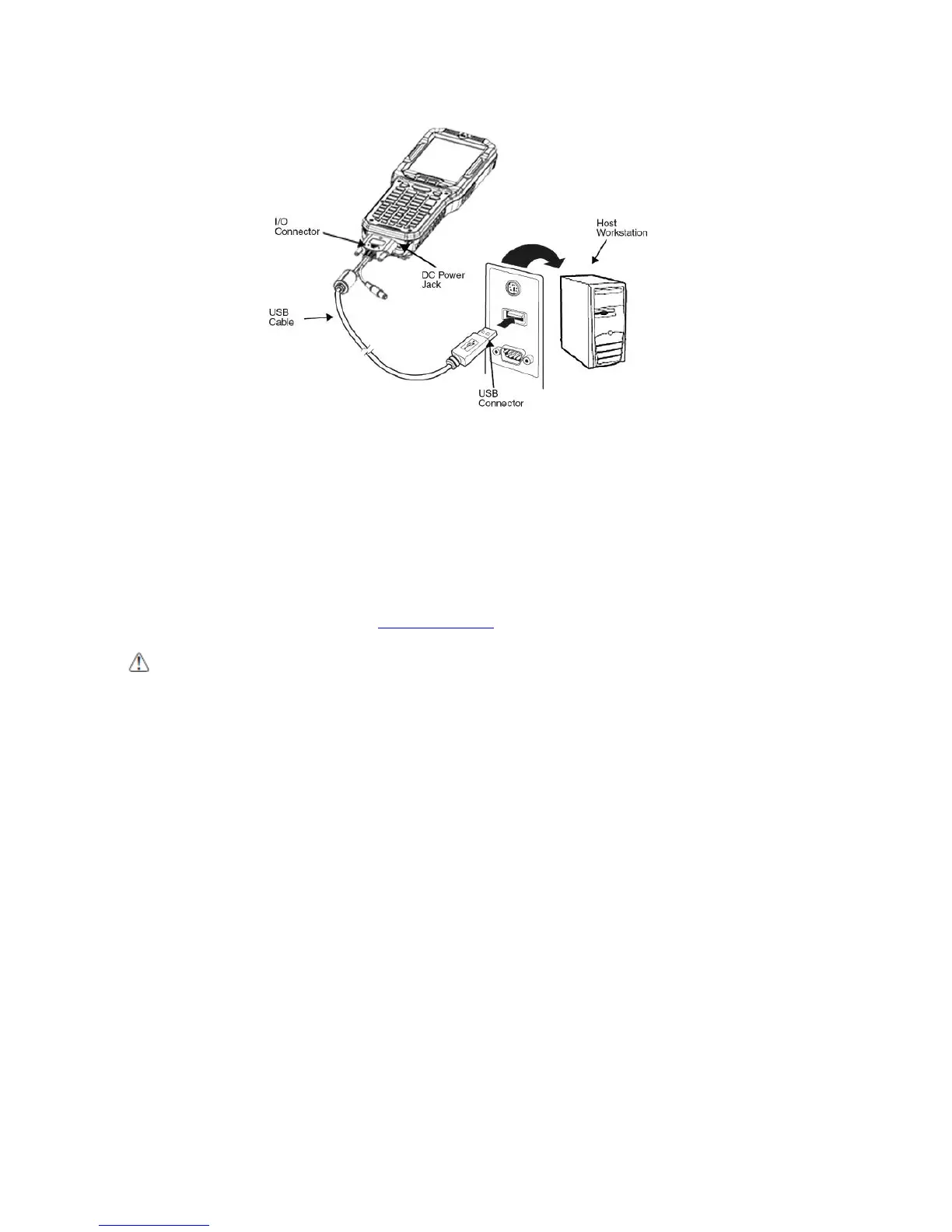
you just need to connect the Handy Terminal to the host workstation (via Handy Terminal
peripheral) to initiate communication.
☞NOTE: You can download the most current version of ActiveSync (for Windows XP) or Windows Mobile Device
Center (Windows Vista, 7) from www.microsoft.com.
WARNING: When communicating via ActiveSync, your terminal is designed to be connected to the host
workstation with a Pointmobile communication peripheral. We recommend use of Pointmobile peripherals, power
cables, and power adapters. Use of any non-Pointmobile peripherals, cables, or power adapters may cause damage
not covered by the warranty.
AVERTISSEMENT : Lors de la communication via ActiveSync, votre terminal est conçu pour être connecté à une
station de travail hôte avec un périphérique de communication Pointmobile. Nous recommandons l'utilisation des
périphériques, câbles d'alimentation et les adaptateurs électriques fournis par Pointmobile. L'utilisation de tout autre
périphérique peut causer des dommages non couverts par la garantie.
10.5.
Communication Type
The HANDY TERMINAL supports the following type of communication via ActiveSync through its I/O
connector on the bottom panel:
USB The USB cable and hardware peripherals allow the Handy Terminal to communicate with a
workstation through a USB port or to a network through a USB hub. The Handy Terminal supports
high -speed USB communication (USB 2.0); maximum data transfer rate is 480 Mbps. The Handy
Terminal defaults to USB communication out of the box.
10.6.
Hardware Requirements for Setup
• AC Adaptor (if needed)
• USB ActiveSync Cable (for USB communication)



 To Next Page