Items Description
Items Description
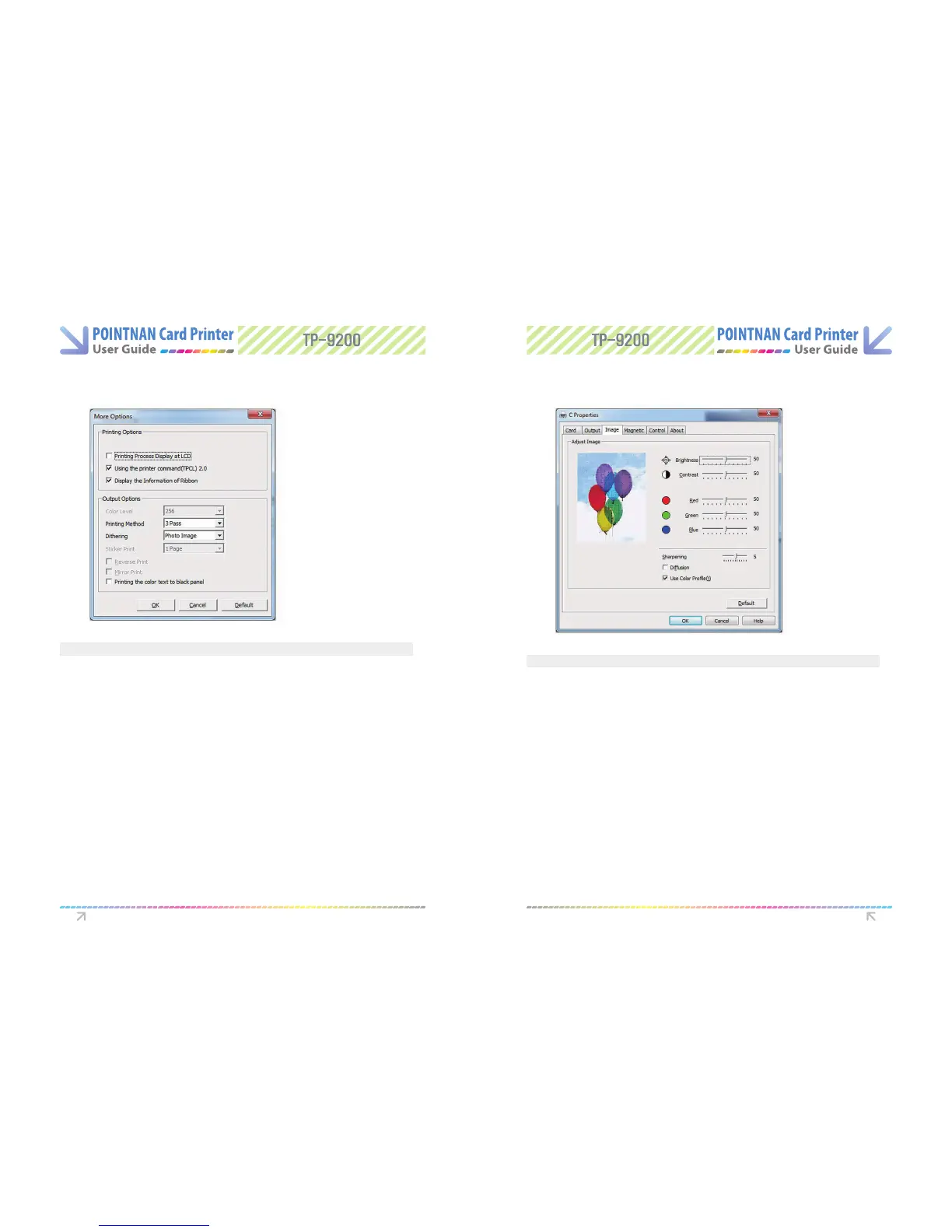
More Options Image Tab
- Using the Spooler, Sets the method of transmitting data to the printer
- Printing Process Display on LCD, Displays printing process on LCD
- Display the information of the ribbon, Displays residual counts of ribbons.
The information can be displayed if the ribbon has an RFID tag and the count is
below 40
- Color Level, when printing this sets the number of colors
- Printing method, During Printing, the print mode for color ribbon movement cab
be set.
1 Pass, Transfer all data for YMCKO then prints
3 Pass, Transfer data for each panel then prints
- Dithering, this is applied to the data transmitted to the black panel of the
ribbon (YMCKO)
- Reverse print, Reverses RGB and prints
- Mirror print, Mirrors the printing data and print.
- Printing the color text to the black panel, if color text is required in black
- Brightness - Sets the whole brightness of the printed card.
- Contrast - Sets dark areas as darker and bright areas as brighter
- RGB control
The default RGB setting value is 50 and the controllable value step is 1-100
Because the actual value steps of RGB (RED/GREEN/BLUE) is 0-255,
1 step on this control section means 2-3 level
You can see how the printing color will be changed with the control of RGB on the
pictures left, balloons, but you can’t see any change on the application S/W.
- Sharpening - The adjustable value steps of Sharpening is 1-10, and1 step on this
control section means 1 .5 level.
- Diusion - Mixes the pixels of an image and makes it blurred
- Use Color Prole - Sets the color adjustment
Printer Driver Settings Printer Driver Settings



 To Next Page