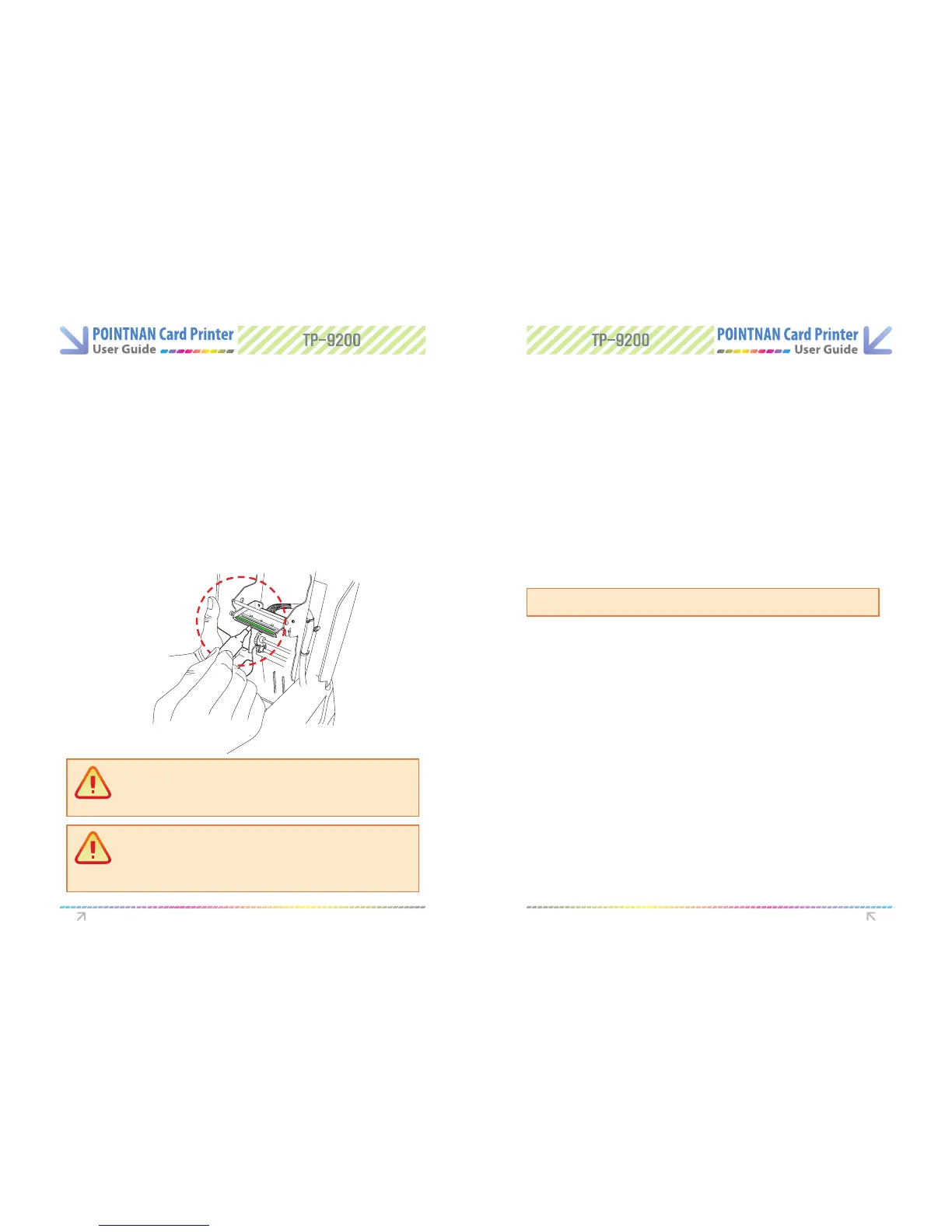
You can remove ink, dirt and contaminations buildup on the thermal printhead and sensors
with a cleaning pen and a alcohol swab.
The blue cleaning roller will remove dirt and contamination on cards. Wash the roller with
every new ribbon or every load of new cards. (The blue cleaning roller is the basic accessory
of your printer package.)
Make sure the alcohol has evaporated before turning on the power, the thermal print
head may be damaged if you used when wet.
3
When dry, place the blue cleaning roller in the printer.
3
Turn o the printer and open top cover.
1
Remove a blue cleaning roller from the printer.
1
Use a thermal printhead pen or an alcohol swab on thermal printhead and sensors.
(Press the tube of alcohol swab to force the alcohol to impregnate the foam head)
2
Wash the cleaning roller under running water.
2
Cleaning the printer regularly will improve printing and extend lifetime.
Instructions on Maintenance Instructions on Maintenance
7.3 Thermal Print Head Cleaning Pen and
Alcohol Swab
7.4 Washing the Blue Cleaning Roller
Caution
Ensure that the head of the swab is pointed away from your face Use alcohol
impregnated foam head to clean the TPH. Clean only the part below the two
marked lines. Do not touch the head with your ngers.
Caution
You should recap of the cleaning pen for the reuse. Cleaning Pen is included
only in the advanced cleaning kit. You can purchase a thermal printhead
pen only from your reseller or the manufacturer, POINTMAN.



 To Next Page