7.2 How to Clean the printer
Intermediate clean when changing the ribbon (1,000 pass) or each month, whichever occurs
rst.
You can clean the inside of your card printer with using CR-80 Cleaning Card.
You can clean the all rollers of your printer including feeder roller with long T-shaped Card.
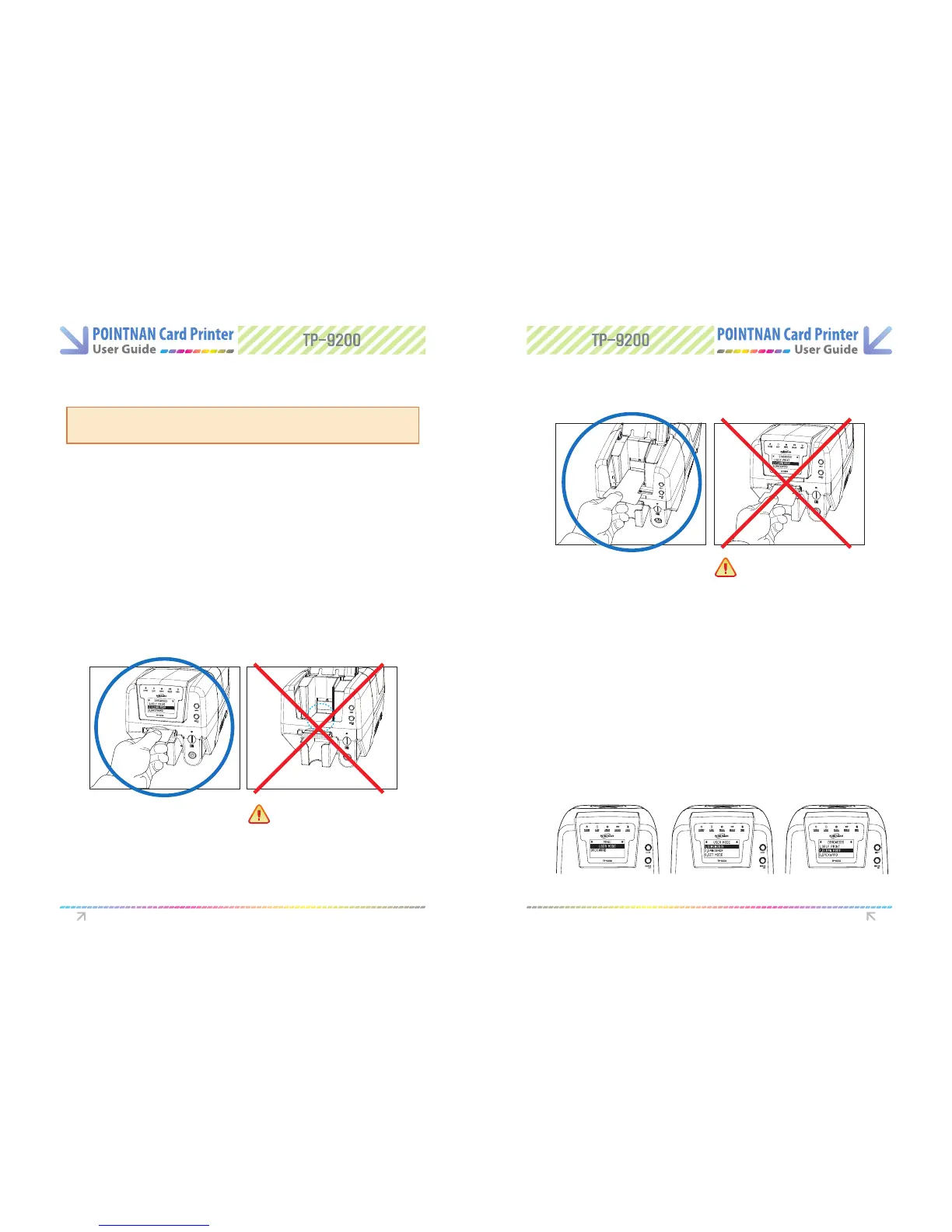
Please attention to (check carefully) below pictures on how to insert cleaning card.
How to insert a CR-80 Card: Using the single card feeding slot
How to insert a long T-shaped Card : Using the auto card feeder
Please insert a 1/3 of long T-shaped Card
into printer brfore operating cleaning
Cleaning the Inside Transport Rollers
Using the Cleaning Card
CR-80 Cleaning Card or Long T-shaped Card
1) Standalone Mode (No PC connection)
Dirt or embedded contamination on rollers may cause printer problems.
Follow the recommended maintenance procedures below.
Turn on the printer. After initializing, “Push EJECT and RIBBON SET button together”
at the same time until the LCD displays “USER MODE”
3
Go to “Self-Print menu: USER MODE ->1.DIAGNOSIS -> 2.CLEAN MODE”
4
Turn o the printer, remove the cards and ribbon inside the printer and shut the printer
lid.
1
With TP-9100/9200, insert a CR-80 cleaning card into a single card feeding slot or a long
T-shaped card into the card feeder. For TP-9000 card printer, insert each the cleaning
card into the front feeding slot.
2
User Mode Diagnosis Clean Mode
Instructions on Maintenance Instructions on Maintenance
Caution : No single card feeding slot
Caution : No auto card feeder



 To Next Page