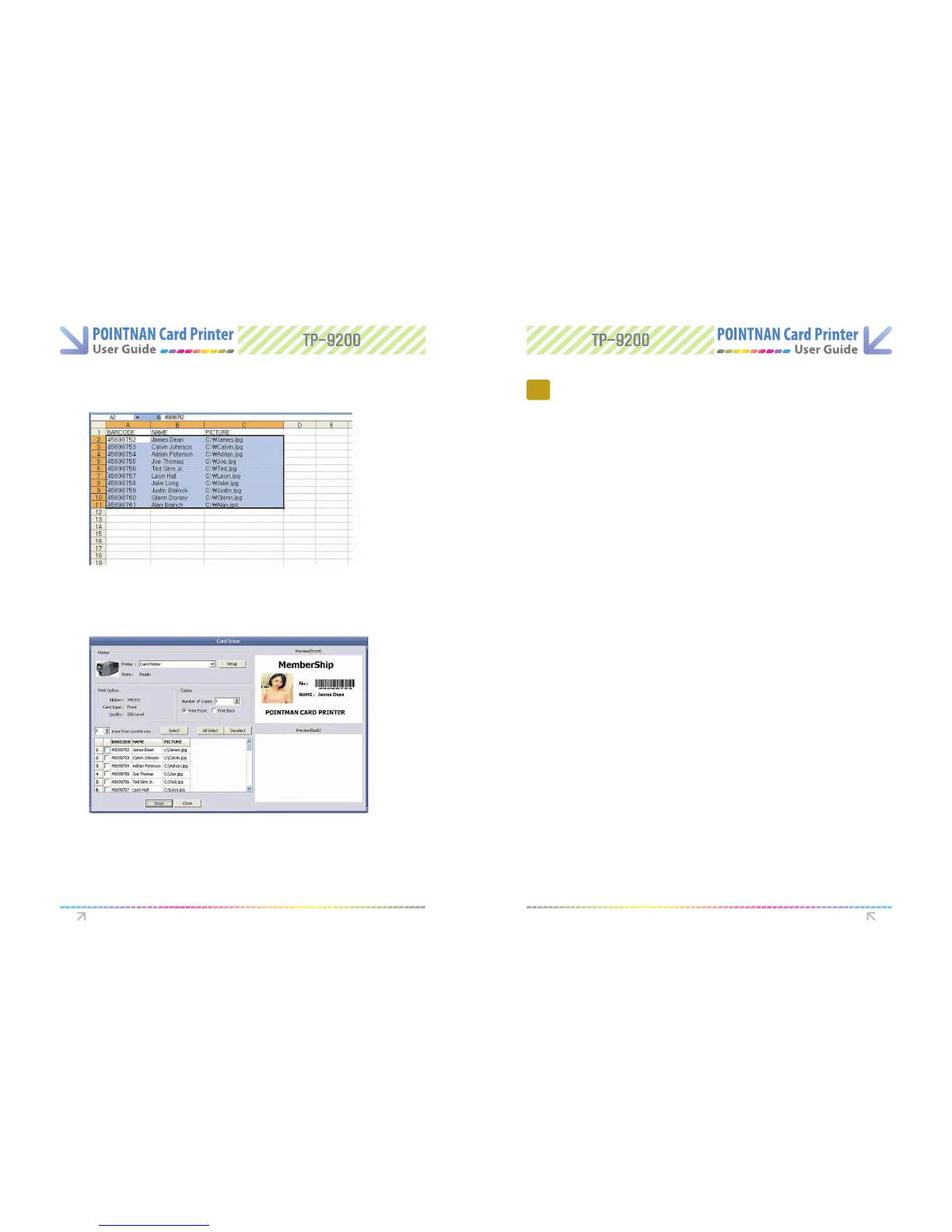
When you use Microsoft Excel worksheet (Copy&Paste) mode. “Click Paste button or
click the marked area” with mouse right button and click Paste at pop-up menu. then
data will show up.
3
Execute Microsoft excel -> Select the data area and copy them.
2
Check at the left of data which you will print and “Click issue” to make a print.
4
7.1 Maintenance of Product
7
Instructions on Maintenance
Choosing the right Cards
Card Size
- Standard (ISO CR80-ISO 7810)
= 53.98mm W × 85.60 mm L I 3.375” × 2.125”
Card Thickness
- Minimum - 0.40mm.
- Standard - 0.76mm
- Maximum - 1.2mm
Card should be:
- Glossy white.
- Free from the dirt and grease.
- Free from surface contamination.
- Free from pits and bumps in the surface
- Free from burrs at the edge of the card
- Completely Flat
Card should not be
- Heavy damaged card
- Card with heavy dirt
- Card with scratch
- Bended or deformed card
Software Operations Instructions on Maintenance



 To Next Page