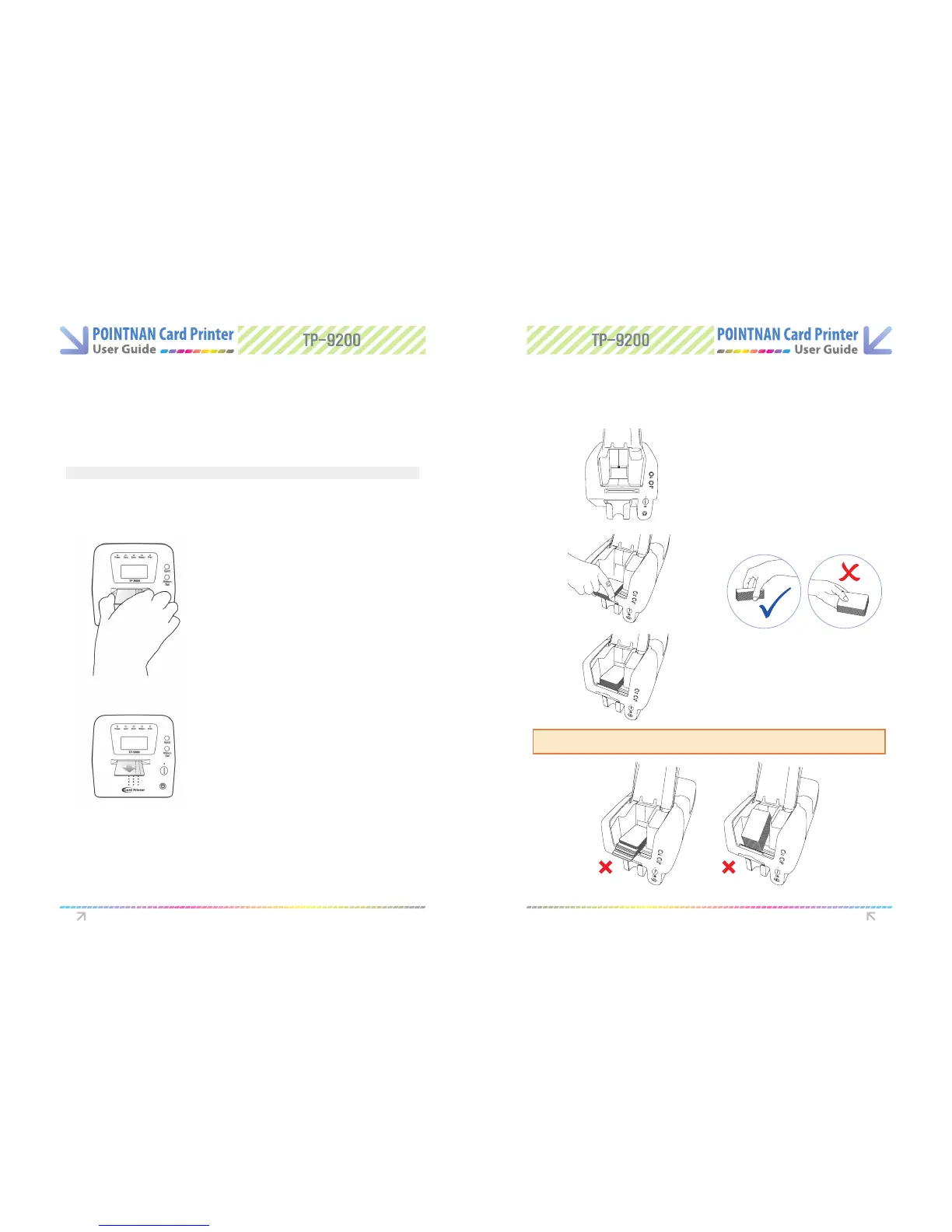
1.6 Single Card Feeding 1.7 Loading Cards
Inserting Cards
Cards are inserted one at a time into the slot at the front of the printer. The card is printed on
the top surface and is ejected through the same slot.
Open the card feeding lid.
Note: Handle the cards only by the edges
This gure shows the encoding orientation for contact smart-cards and cards with a magnetic
stripe, on a TP-9000 printer.
If printing is desired on the side of the magnetic-stripe, the card should be inserted with the
stripe on the top surface and to the right.
For contactless smart-cards, orientation is not important.
Insert card, one at a time, into slot at front of
printer. In the case of magnetic stripe card, the
stripe should be on bottom and to the right.
1
Card will be ejected through the same slot after
printing.
2
Open the card feeding lid.
1
Load new cards to print at the
input hopper well as shown in
the picture.
2
Please be sure to stack cards in hop-
per as per pictures.
3
Wrong Card Stacking could be a cause of card feeding error.
Getting Started Getting Started



 To Next Page