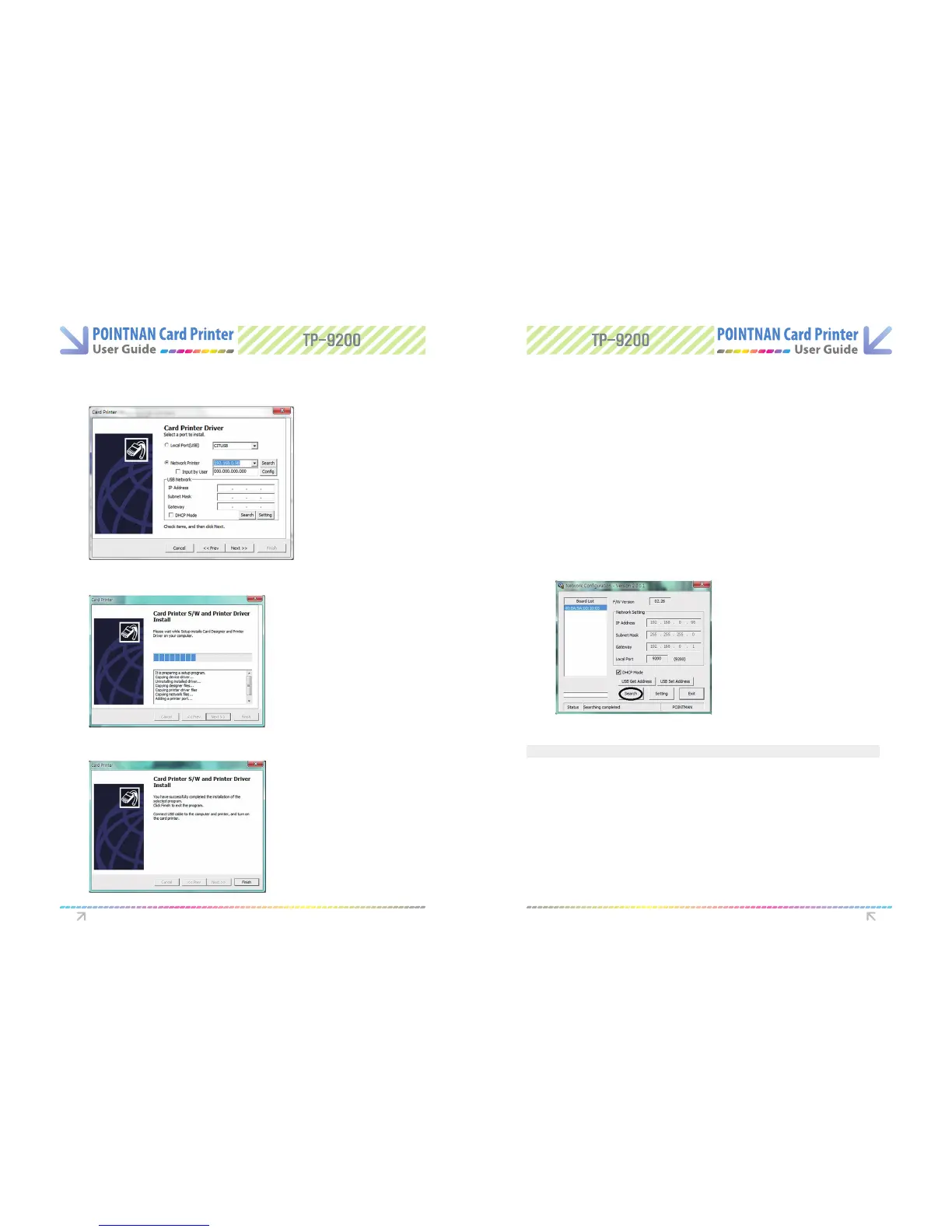
If you want to connect to the Network using USB, manually input the IP address, Subnet
Mask, and Gateway and set DHCP mode.
6-3
Card Printer S/W and Printer Driver Install window.
7
Please “Click Finish” for the completion of the Printer Driver Install.
8
Network Conguration (Congure.exe)
Network Setting–Auto Setting (DHCP supported)
If you want to set up the Network after printer installation, set up with Network
Conguration.
Info) TP-9200, 9100 and 9000 - Any networks that have a TCP/IP network connection, can be
congured in DHCP mode and the IP Address will be supplied by the network.
Search the connected Network Board by “Clicking Search”.
1
Go to “Start -> All Programs -> POINTMAN -> Network -> Network Setting”
1
Printer Driver Settings Printer Driver Settings
Items Description
Board List – lists the searched network printers
F/W Version – show F/W version of the selected network board
IP Address – shows IP address of the selected network board
Gateway – shows gateway address of the selected network board
Local Port – sets a printing port through network printer. Please select 9200



 To Next Page