DIAGRAM designing
MAGNETIC designing
IC Card
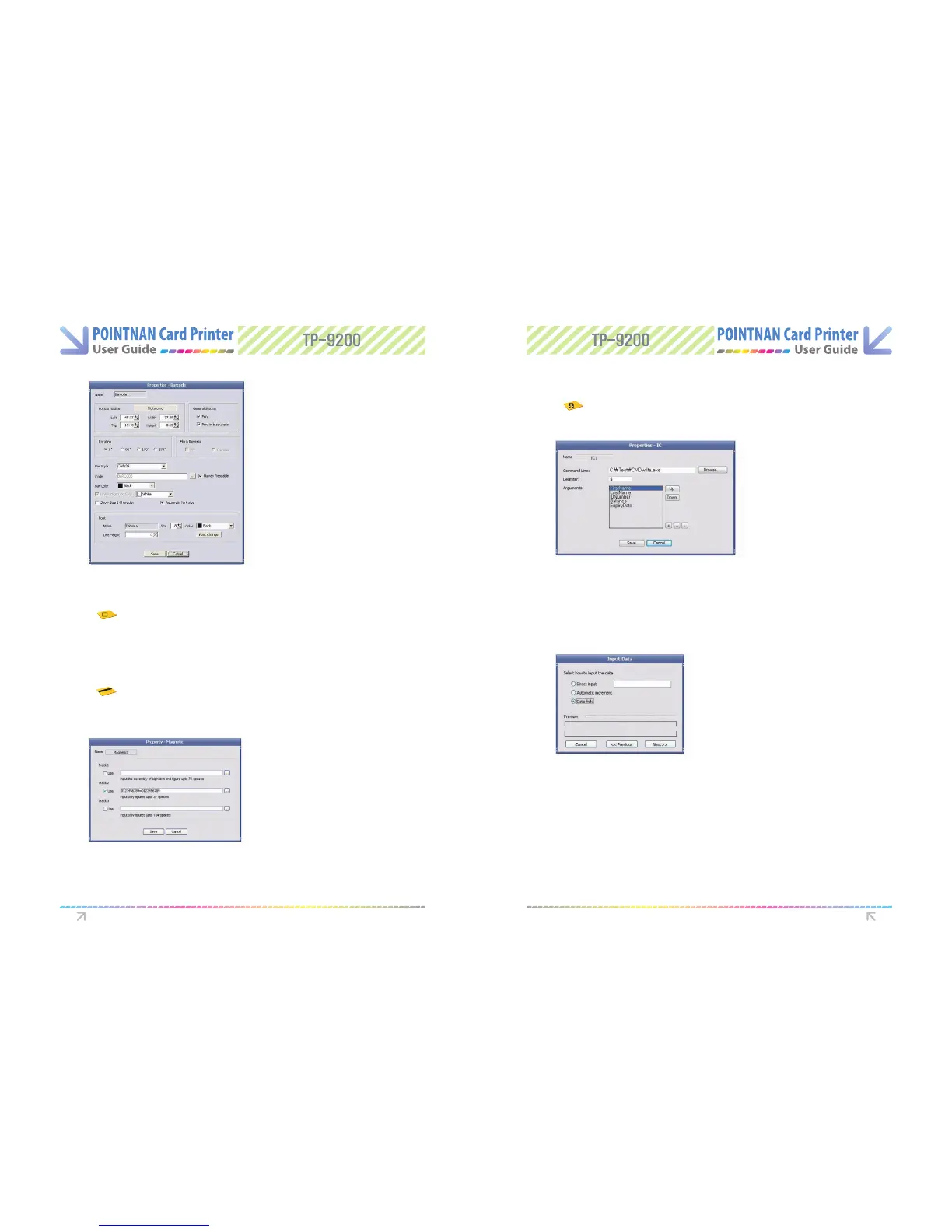
3) Select the IC encoding program le which will be used for IC encoding by clicking
[Browse... ] button.
4) Input Delimiter for each Argument at Delimiter box. (1 byte).
5) You can add or delete the arguments with ”+” and “
-
” button.
- You can add the arguments with ([ +]) button or change the property of the argument
with ([...]) button
- You can delete the arguments with ([-]) button.
6) When you print and encode a IC chip with calling the IC encoding program on Card
Designer. the arguments will be sent in the format as the example below.
[Calling example] C:\Test\CMDWrite.exe FirstName$LastName$1DNumber $Balance$ExpiryDate
1) Select icon to start diagram designing in Card Designer.
2) You can draw Diagram; Circle. Rectangle. Oval.
3) If you wish to change properties of the diagram. double click on the diagram.
1) Select icon to start diagram designing in Card Designer.
2) Magnetic stripe is displayed within the range of card.
3) If you wish to input data into magnetic stripe, double click the magnetic stripe and
input data in the relevant track.
1) Select icon to start diagram designing in Card Designer.
2) IC chip is displayed within the range of card. Set each item you want to write in the
IC properties.
Software Operations Software Operations



 To Next Page