PN-0908073 Rev. 11 49-92
PS 164-2
THE ART OF WELDING
PS 164
0->12H
10:31:20pm 08-24-96
PS 164
0->12H
10:31:20pm 08-25-96
C
PS 164
0->12H
10:31:20pm 08-25-96
CU
PS 164
0->12H
10:31:20pm 08-25-96
CU
(...)
PS 164
0->12H
10:31:20pm 08-25-96
CUSTOMER
PS 164
0->12H
10 31 : 20pm 08 -25- 96
CUSTOMER
01 NANT E S
27
5. 3. 9. Saving, loading a program
5. 3. 9. 1. Saving a program on a memo card
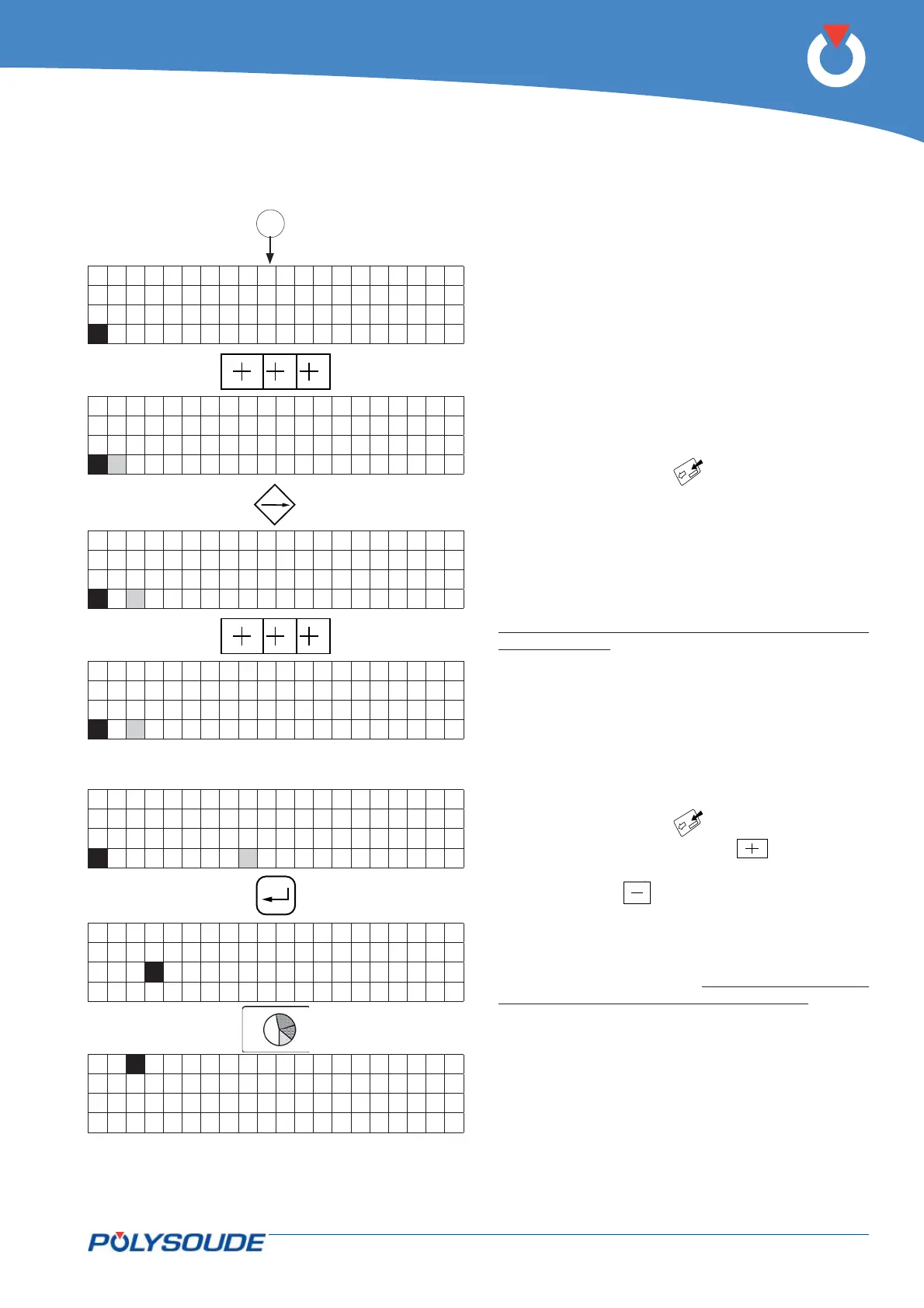
Each program can be saved on a memo card, 16
programs per card is possible. The procedure is de-
scribed in the programming manual. A brief summa-
ry is given below.
2 possibilities:
◊ Saving a single program
Check that the key switch SY 26 is in the position
"Modifi cation authorised".
Insert the memo card.
Choose the number of the program to be saved with
the switch BT 4 on the remote control pendant.
Press the transfer button to save the information on
the memo card (symbol
).
If the name of the program to be saved already ex-
ists on the memo card, the name of this program is
displayed with a question mark.
If you validate the saving with the button SY 23,
the program which has been stored on the memo
card will be replaced by the new one. The indicator
corresponding to the saving function will illuminate.
Wait for the indicator to extinguish before removing
the memo card.
If the memo card is full, the error code ! 77 ! is
shown on the display SY 25.
◊ Saving several programs
Check that the key switch SY 26 is in the position
"Modifi cation authorised".
Insert the memo card.
Press the transfer button to save the information on
the memo card (symbol
).
Press the button "plus" (symbol ), the charac-
ters 0 -> 15 ? are shown on the display. The button
"minus" (symbol
) enables to come back to the
loading function of a single program.
If you validate the saving with the button SY 23, all
the programs which are in the memory of the power
source will be saved and the indicator corresponding
to the saving will illuminate. Wait for the indicator to
extinguish before removing the memo card.
5. 3. 8. Entering / modifi ying the company name



 To Next Page