System Installation
RUBY-9715VG2AR User’s Manual 3-9
Intel Matrix Storage Manager. The Intel® Matrix Storage technology supported by
the ICH7R chip allows you to create a RAID 0 and a RAID 1 set using only two
identical hard disk drives. The Intel® Matrix Storage technology creates two
partitions on each hard disk drive to create a virtual RAID 0 and RAID 1 sets. This
technology also allows you to change the hard disk drive partition size without
losing any data.
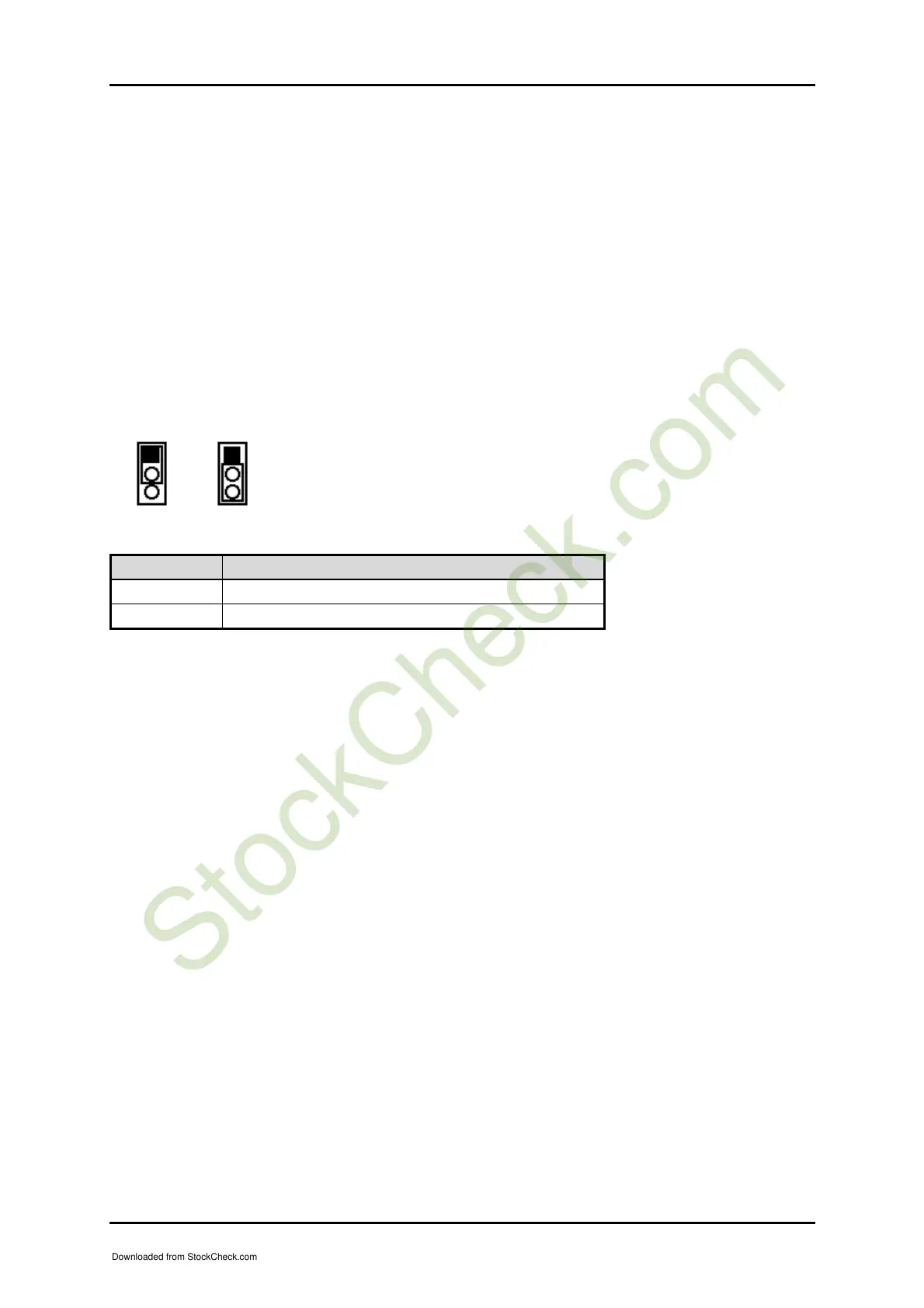
3.4 Clear CMOS Operation
The following table indicates how to enable/disable CMOS Clear Function hardware
circuit by putting jumpers at proper position.
Normal Clear
JP9 Function
1-2 Short Normal Operation Ì
2-3 Short Clear CMOS contents
3.5 WDT Function
The working algorithm of the WDT function can be simply described as a counting
process. The Time-Out Interval can be set through software programming. The
availability of the time-out interval settings by software or hardware varies from
boards to boards.
RUBY-9715VG2A allows users control WDT through dynamic software
programming. The WDT starts counting when it is activated. It sends out a signal to
system reset or to non-maskable interrupt (NMI), when time-out interval ends. To
prevent the time-out interval from running out, a re-trigger signal will need to be
sent before the counting reaches its end. This action will restart the counting process.
A well-written WDT program should keep the counting process running under
normal condition. WDT should never generate a system reset or NMI signal unless
the system runs into troubles.
The related Control Registers of WDT are all included in the following sample
program that is written in C language. User can fill a non-zero value into the Time-
out Value
Register to enable/refresh WDT. System will be reset after the Time-out
Value to be counted down to zero. Or user can directly fill a zero value into Time-out
Value Register to disable WDT immediately. To ensure a successful accessing to the
1
2
1
2
Downloaded from StockCheck.com














 To Next Page