Troubleshooting
RUBY-9715VG2AR User’s Manual 5-1
Chapter 5
Troubleshooting
Chapter 5 provides not only useful tips or information to help you to set up your
system without any conform but also troubleshoot system as any problem
encountered. As for basic hardware installation has been addressed in Chapter 2,
this chapter will basically focus on system integration issues, in terms of BIOS
setting, and OS diagnostics.
5.1 Hardware Quick Installation
CPU Installation
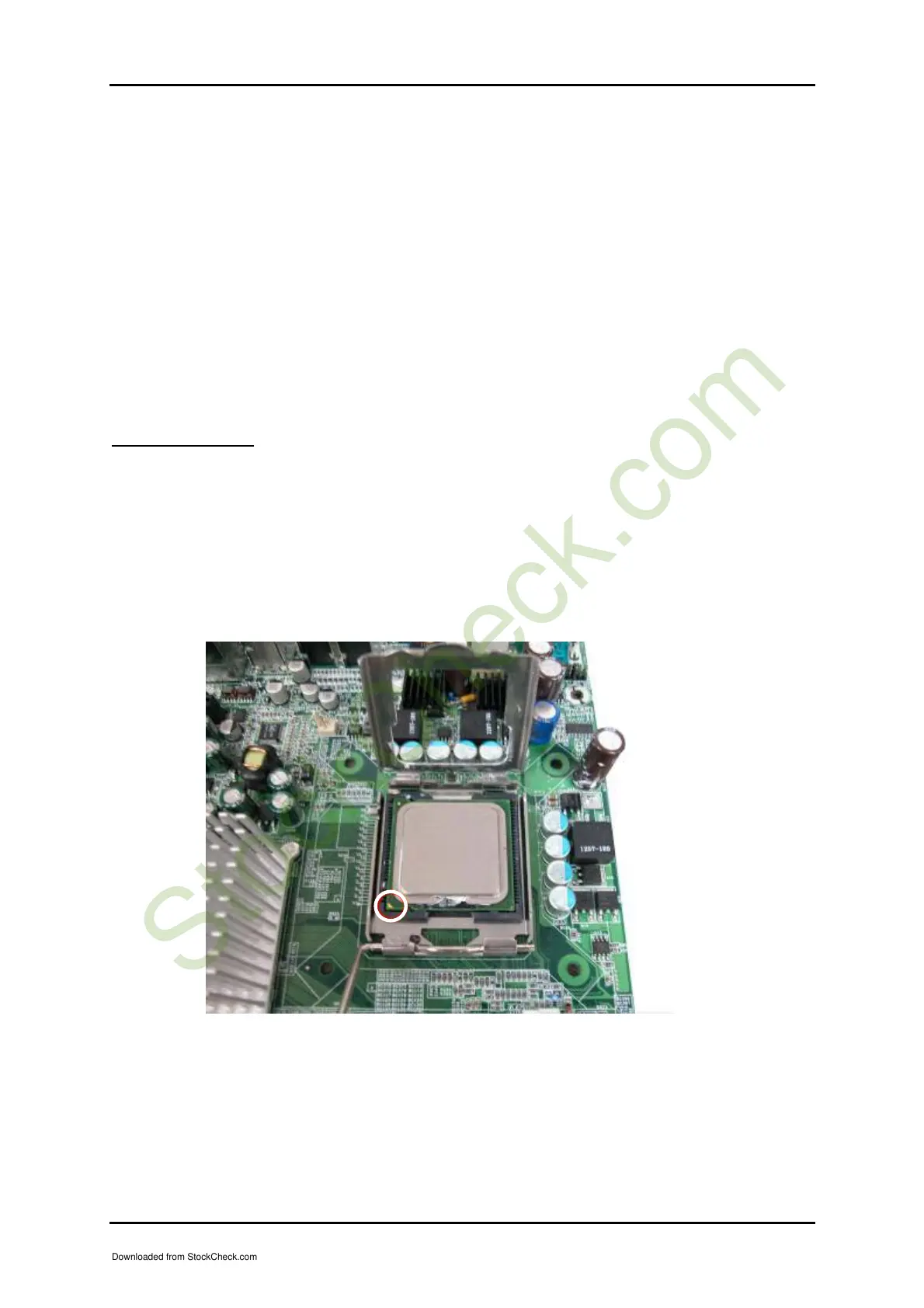
RUBY-9715VG2AR support Intel Pentium P4 775 LGA series CPU. Be careful of CPU
orientation when you plug it into CPU socket.
(1) Pull up CPU socket cover and lever to 90-degree angel.
(2) Locate Pin 1 in the socket and look for a cut edge on CPU upper interface. Math
Pin and cut edge, then insert the CPU into the socket as Figure 5-1.
(3) Press down the CPU socket lever and finish CPU installation.
Figure 5-1
Downloaded from StockCheck.com














 To Next Page