Troubleshooting
RUBY-9715VG2AR User’s Manual 5-2
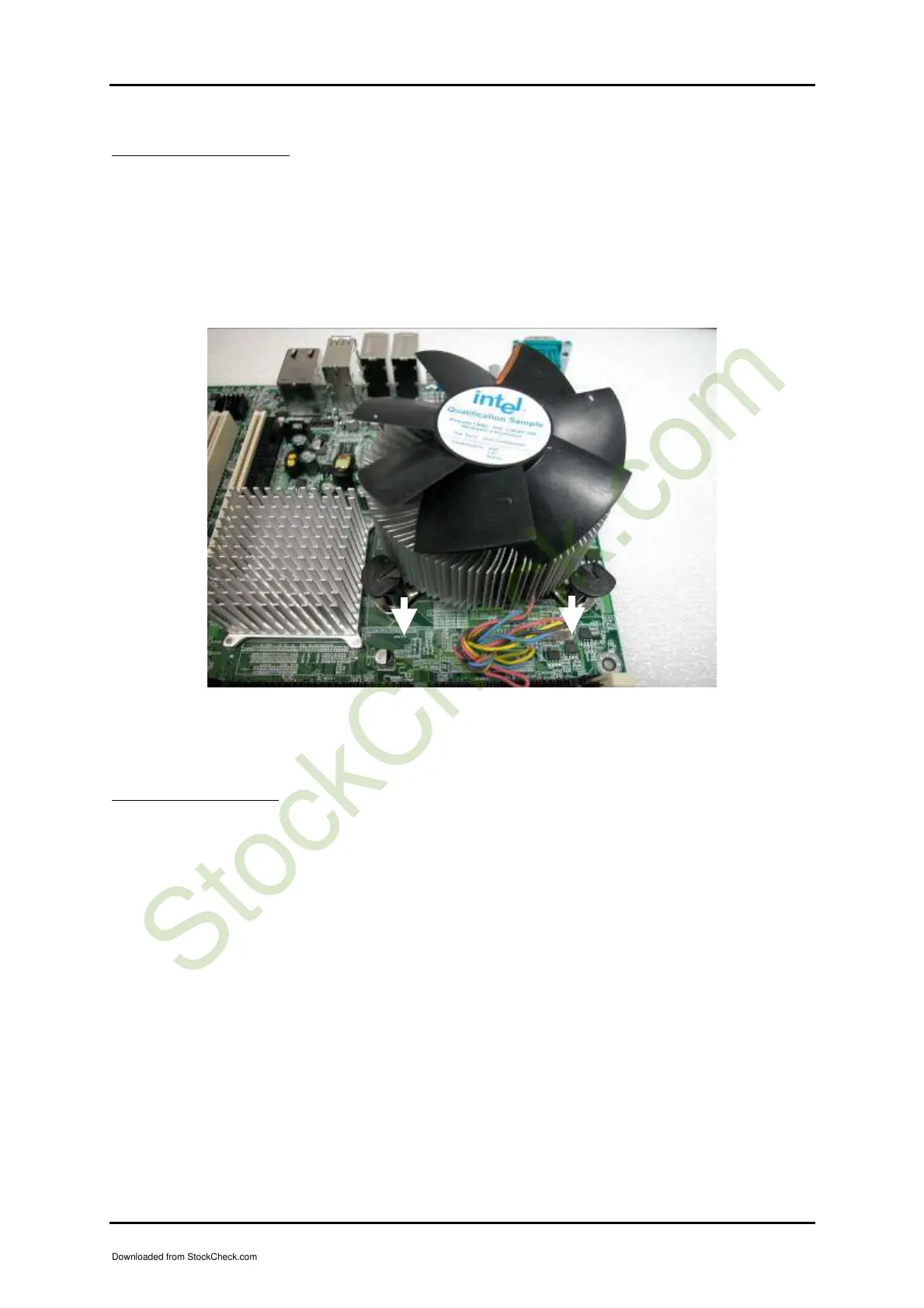
CPU Fan Installation
(1) Gently put the CPU FAN down on four corners correctly.
(2) Press down the four screw with force one by one, and then rotate them in a
clockwise direction.
Please make sure CPU and Fan are combined tightly, otherwise it can shutdown
automatically after running 1 minute.
Figure 5-2
P4 Power connector
Due to the high power consumption of LGA775 type CPU, to use ATX 2.03 power
supply is highly suggested. In fact, the easiest way to distinguish the difference is to
check ATX Power Connector—24 pins for ATX 2.03 and 20 pins for ATX 2.0, even so,
it doesn’t mean ATX Power 20 pins connector cannot be used with RUBY-
9715VG2AR. The problem could be met is the minimum loading of 5V Standby,
which must be 0.1 A at least. However, please see the following instruction to
connector ATX 2.03 and 2.0 with RUBY-9715VG2AR.
Downloaded from StockCheck.com














 To Next Page