Troubleshooting
RUBY-9715VG2AR User’s Manual 5-9
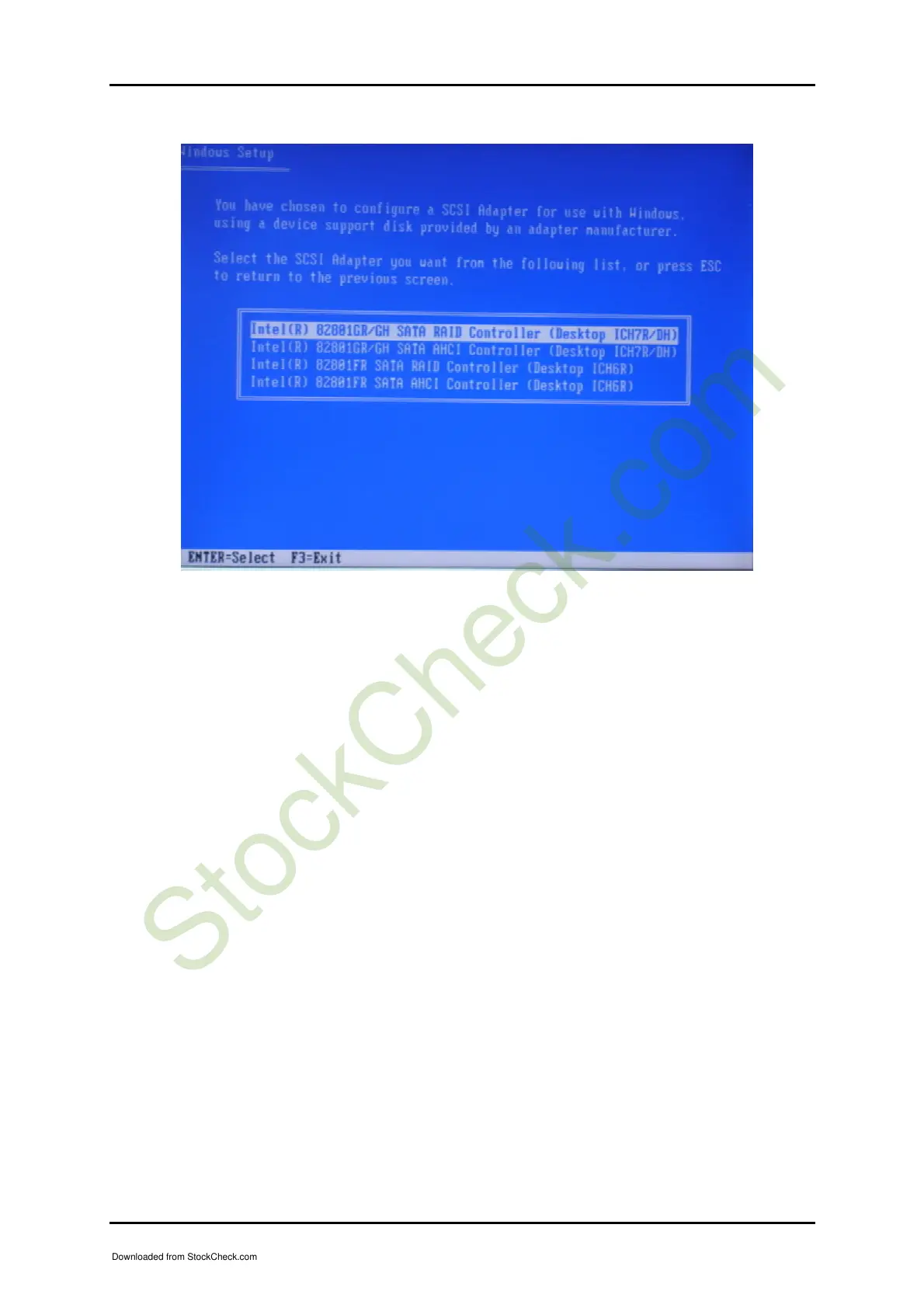
As you see the above picture, please select “Intel® 82801GR/GH SATA RAID
Controller (Desktop ICH7R/DH)”, and now you are ready to start your Windows
XP storage partition configuration.
5.2 BIOS Setting
It is assumed that users have correctly adopted modules and connected all the
devices cables required before turning on AT or ATX power. CPU, CPU Fan, DDR2
SRAM, keyboard, mouse, floppy drive, IDE hard disk, printer, VGA connector,
device cables, ATX accessories or 12V 4-pin power cable are good examples that
deserve attention. With no assurance of properly and correctly accommodating these
modules and devices, it is very possible to encounter system failures that result in
malfunction of any device.
To make sure that you have a successful start with RUBY-9715VG2A, it is
recommended, when going with the boot-up sequence, to hit “DEL” key and enter
the BIOS setup menu to tune up a stable BIOS configuration so that you can wake up
your system far well.
Downloaded from StockCheck.com














 To Next Page