Chapter 3: Setup and Use Q8 Series User’s Manual
7
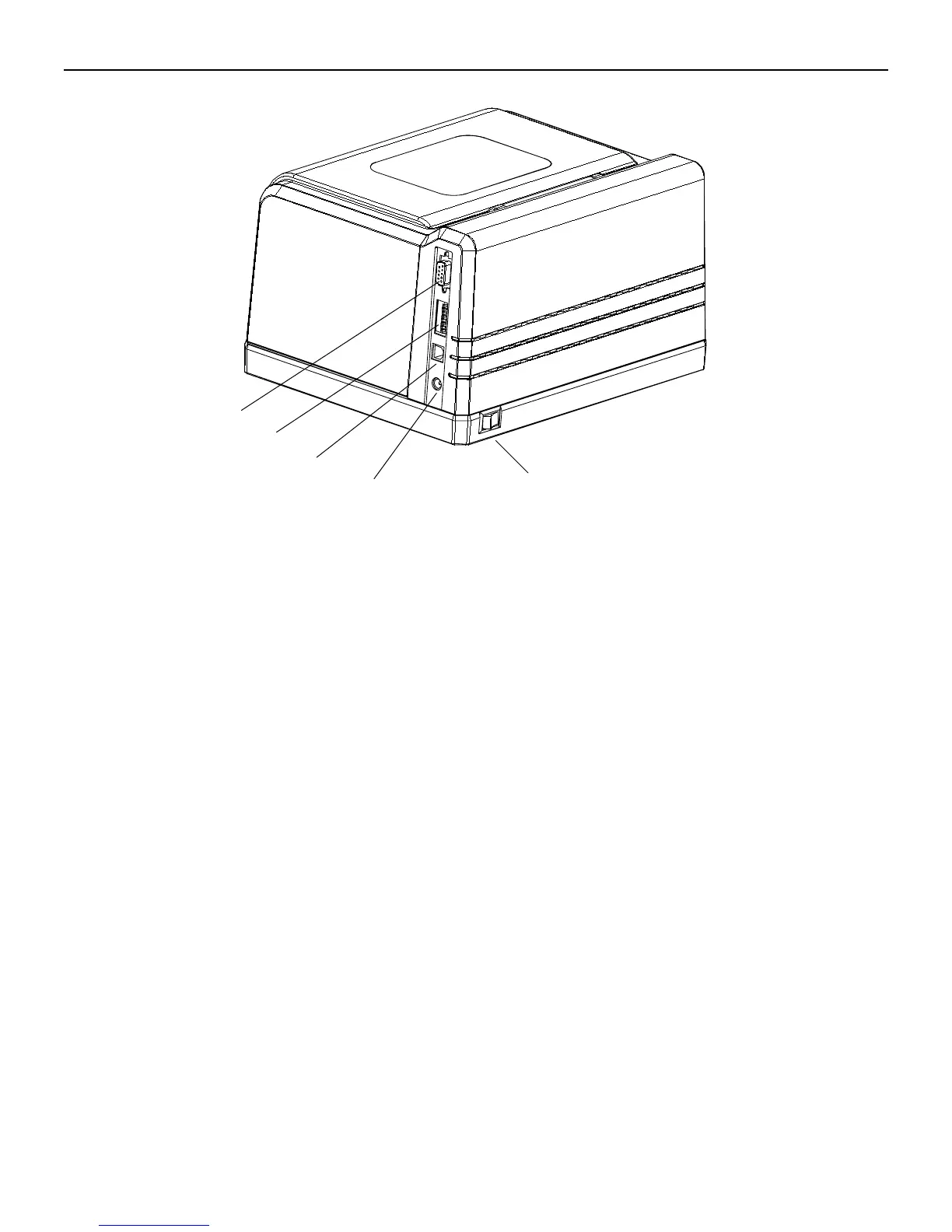
Figure 4
1.RS-232 Serial Interface 4.Power Jack
2.DIP Switches 5.Power Switch
3.USB Interface
Connecting the Printer
Warnings:
(1) Using the wrong power adapter will cause damage to your printer. POSTEK assumes no liability for any damage in
such cases. The rating for the printer is 24VDC.
(2) Do not operate the printer near heat sources, liquids or corrosive chemicals.
1. Make sure the printer is powered OFF.
2. Connect the power cord to the power adapter.
3. Connect the power adapter’s DC input plug to the power jack.
4. Plug the power cord into a live wall outlet.
3



 To Next Page