Page 38 of 80 Instruction Manual for AURORA CDD BCG.00613_AA
Part 4 Operations Guide
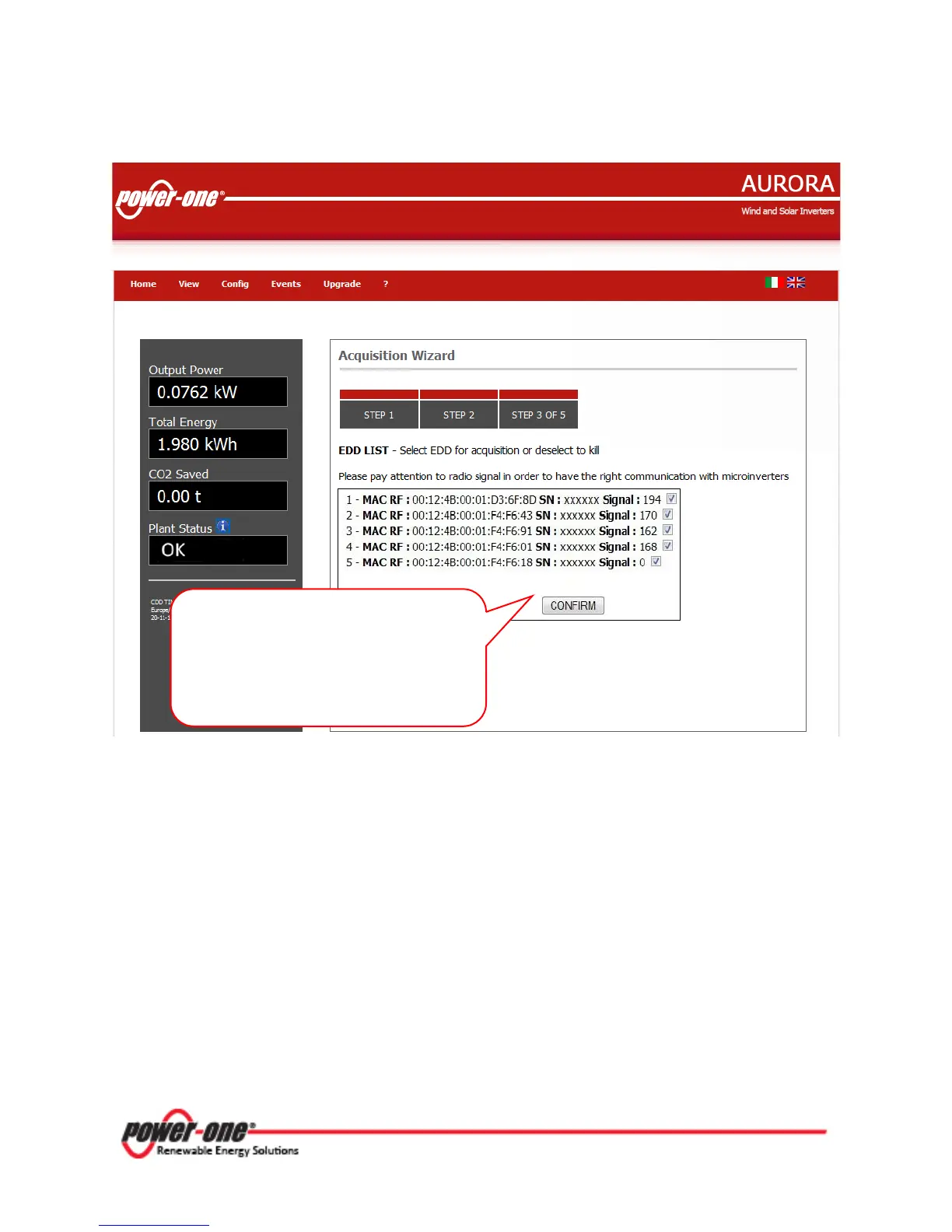
During acquisition of the system the installer must check that all the MICRO Inverters installed have
been recognized successfully. This can be done by comparing the MAC addresses detected with the
ones indicated on the cover or the carrier box of each inverter, or using the system map created
with the removable adhesive labels.
MICRO Inverters with a signal less than 25 should not be assigned, as they would be too
weak. In this case it is necessary to assess whether to install the CDD in a new position or to
use a signal repeater (REP).
If the MICRO Inverter has the Serial Number xxxxxx this means that the CDD has not yet
acquired the Serial Number for that MICRO Inverter. Wait a few minutes and then repeat the
scan by going back to the Configuration menu and selecting Start Acquisition.
In this example five MICRO Inverters
have been found. Select the MICRO
Inverters to be associated with the
CDD (or deselect using the check box)
and press CONFIRM.









 To Next Page