Page 47 of 80 Instruction Manual for AURORA CDD BCG.00613_AA
Part 4 Operations Guide
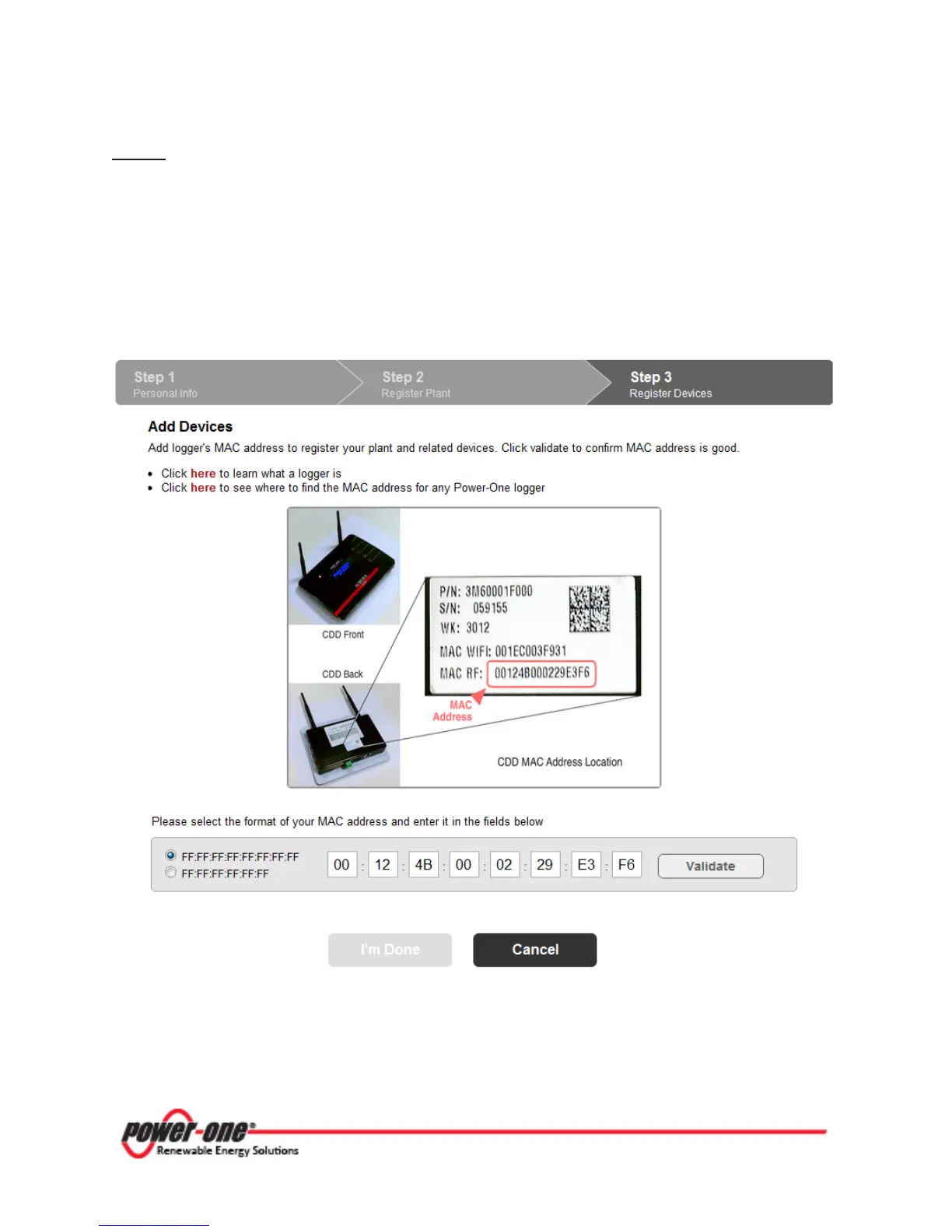
Step 3
The Add Devices page appears. To complete the registration process, link the CDD to your
account. The CDD requires that you provide the CDD’s RF MAC address which is located on
both the CDD as well as the packaging for the CDD.
To link the CDD:
A. Make sure the CDD is connected to the internet
B. Enter the CDD’s RF MAC address in the 8 display fields
C. Click on the Validate button
If the CDD is validated, the logger and all configured MICRO Inverters will be displayed.
Click I’m Done to complete the registration process you will receive an e-mail confirming that
the registration has been successfully completed.









 To Next Page