Page 60 of 80 Instruction Manual for AURORA CDD BCG.00613_AA
Part 4 Operations Guide
4.5.2 DESCRIPTION OF THE LED DISPLAY MENUS
The display (consisting of 2 lines with 16 characters per line) can be used to navigate the menu
using the buttons UP, DOWN, ESC and ENTER and enables you to:
• View the operating status of the inverter and the statistical data;
• View service messages for the operator;
• View warning and breakdown messages.
• Modify the settings of the inverter
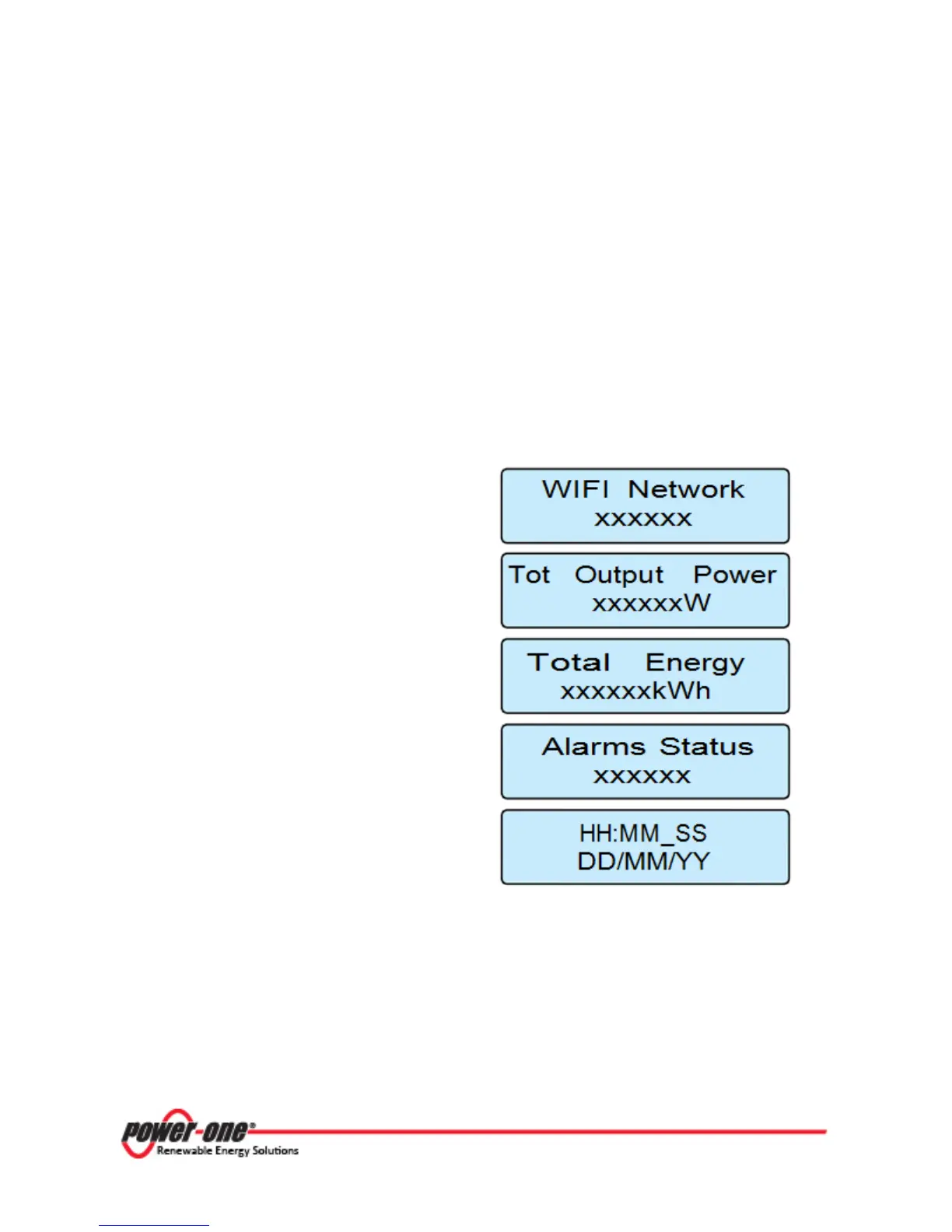
During the normal functioning of the plant the display cycles through the following information:
Name of the WiFi network to which the CDD is
connected
Power level of the MICRO Inverters that make
up the plant
Total energy produced by the plant from the
time it is put into operation
Presence or absence of alarms on the plant,
(see section 4.5.5 to view the alarm present on
the inverter).
Time and date set on the CDD
Figure 4- 1: CDD General Information Display









 To Next Page