Troubleshooting
53
Powerware
®
5125 Two-in-One (2400–3000 VA) User’s Guide : www.powerware.com
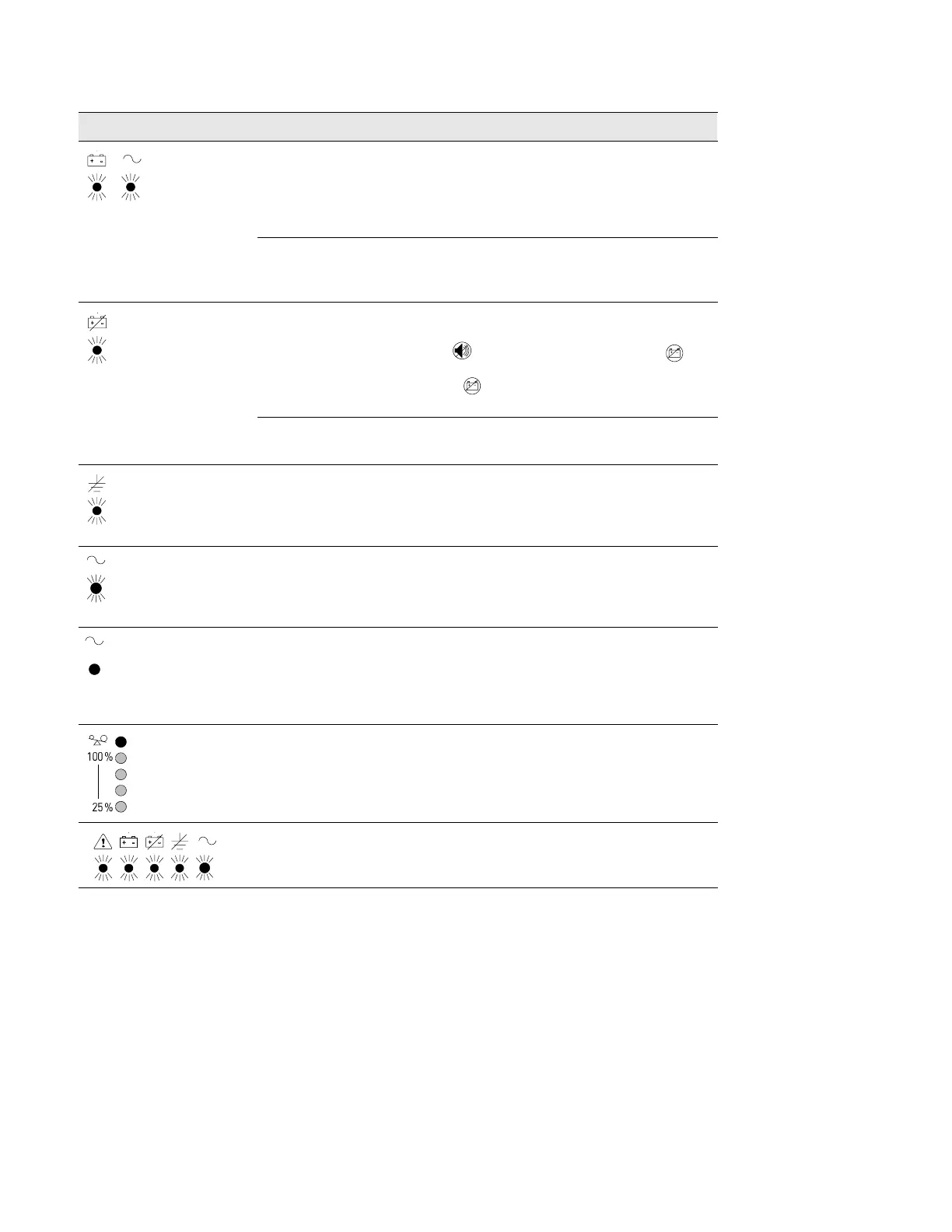
ActionPossible CauseAlarm or Condition
1 beep every 5 seconds.
The UPS is running on battery
power because the input
voltage is too high or too low.
The UPS continues to operate on battery until the
condition is corrected or the battery is completely
discharged.
If the condition persists, the input voltage in your area
may differ from the UPS nominal.
The utility line voltage and
frequency are out of
specification.
Have a qualified electrician check the wiring.
1 beep every 5 seconds.
The battery may be fully
discharged.
Plug the UPS into a power outlet for 24 hours to charge
the battery. After charging the battery, press and hold
the button for 3 seconds; then check the
indicator.
If the indicator is still on, shut down the UPS and
contact your service representative.
The battery is not connected
correctly.
Check the battery connections. Call your service
representative if the problem persists.
1 beep every 5 seconds. Ground wire connection does
not exist or the line and
neutral wires are reversed in
the wall outlet.
Have a qualified electrician correct the wiring.
1 beep every 5 seconds. Bypass is not available. Input
voltage is not within ±12% of
nominal or input frequency is
not within ±3% of nominal.
The UPS is receiving utility power that may be
unstable or in brownout conditions. The UPS continues
to supply power to your equipment. If conditions
worsen, the UPS may switch to battery power.
UPS is in Bypass mode. The equipment is transferred to utility power. Battery
mode is not available; however, the utility power
continues to be passively filtered by the UPS. Check
for one of the following alarms: Overtemperature,
Overload, UPS Failure, or Battery Service.
Power requirements exceed
UPS capacity (103 to 110% for
30 seconds) or the load is
defective.
Turn off and unplug the UPS. Remove some of the
equipment from the UPS. Wait at least 5 seconds until
all LEDs are off and restart the UPS. You may need to
obtain a larger capacity UPS.
UPS fault condition. Save your work and turn off your equipment. Turn off
and unplug the UPS. Contact your service
representative. The alarm cannot be silenced.



 To Next Page