43
Powerware 9315 (100 kVA--160 kVA) Installation
164200292 Rev. E 041500
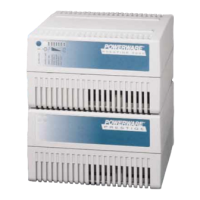
5. To check the operation of the RMP, ensure that the UPS is supplying the load
via inverter or bypass. If the indicators on the RMP show the appropriate
status, then it is operating correctly.
If the communications link between the UPS and the RMP is not present, the
RMP will self-test (all indicators flash and the horn beeps at one-second
intervals). If this occurs, check all harness connectors and the fuse for proper
seating. If all connections are secure but the RMP continues to self-test,
replacethefusewiththespareincludedinthehardwarekit. Ifthisdoesnot
correct the problem, contact your local field service office for verification that
the RMP is working correctly.
6. To test the indicator lamps, press the horn silence button and hold it for
3 seconds. Al l lamps should light, and the horn will sound continuously
until you release the button.
7. Repeat steps 1, 2, and 4 through 6 for each RMP you are installing.
8. If you are installing an RIM or SCM in addition to an RMP, proceed to Chapter
11 or 12, respectively; otherwise, secure the UPS cabinet by reversing the
steps contained in procedure “To Prepare the UPS for Wiring to an RMP, RIM,
SCM, or Remote EPO” of Chapter 3.



 To Next Page