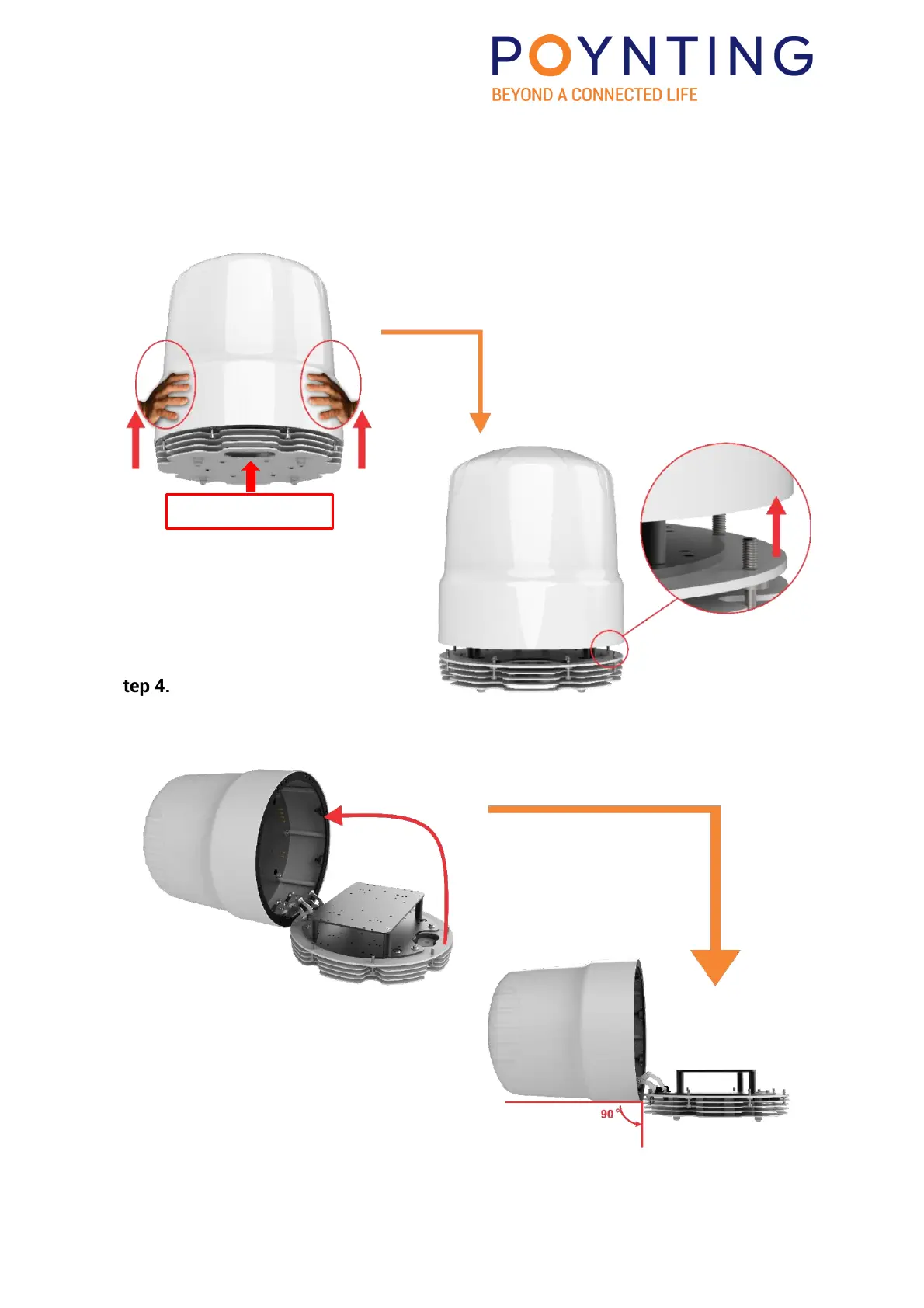
Step 3.
Locate the cable entry point in the base; the Radome hinge is on the opposite side; the
Radome rotates in the opposite direction from where the cable entry point is located.
Placing both hands on either side of the Radome, pull it upwards until it releases.
Please look at the image below and continue to the next step.
Step 4.
While lifting Radome upwards push it backwards until it reaches a 90° angle. Please look at
the image below and continue to the next step.


 To Next Page