12. CONNECTING THE RF, ETHERNET AND POWER CABLES
Before closing the Radome connect the RF Cables as per the Diagram on Pages 20 and 21.
Connect the Ethernet Cable to the appropriate Router Ports.
Connect the Power Cable as required.
13. CLOSING THE RIPPLE
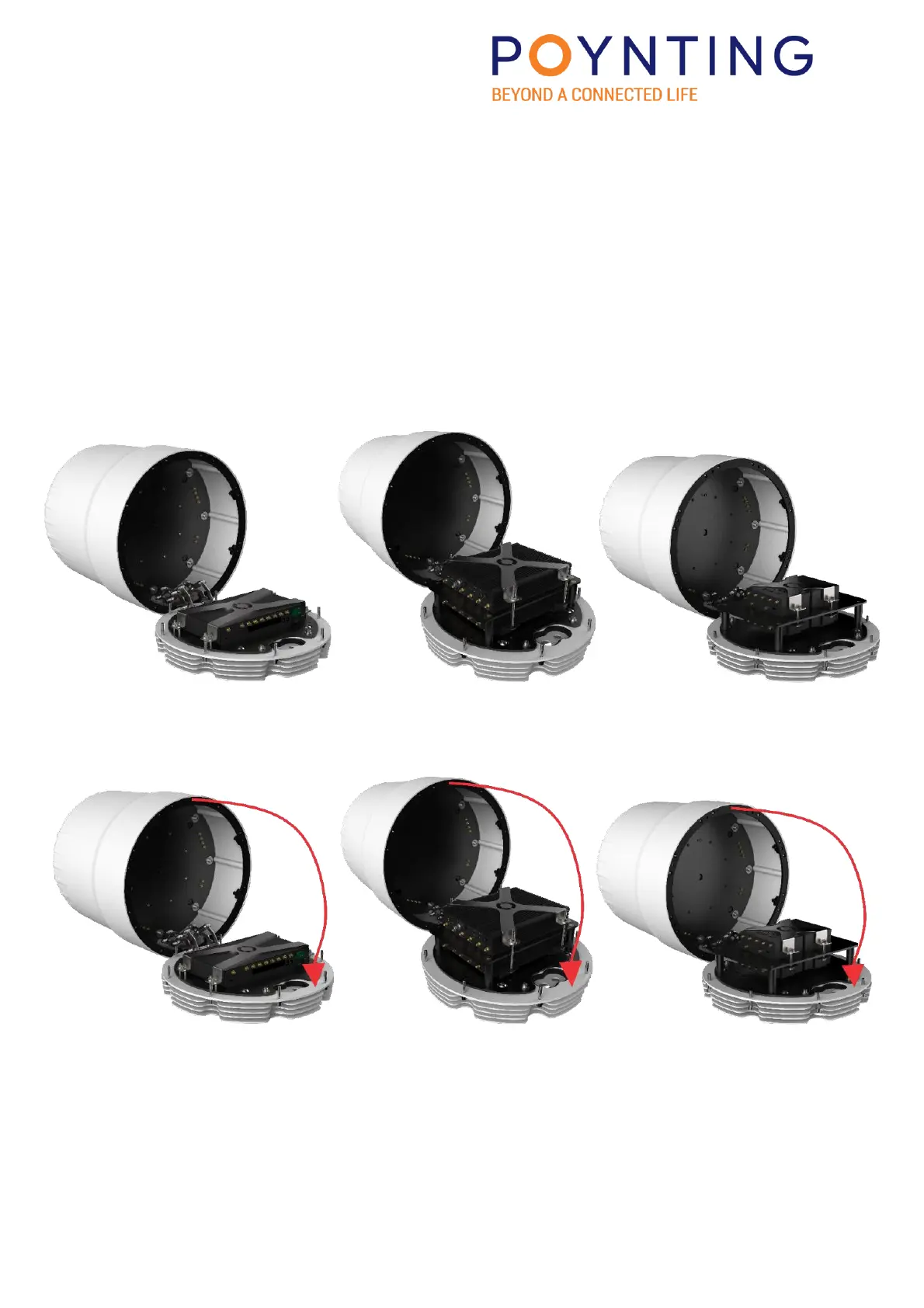
Assembled router(s) in RIPPLE.
Step 1.
Pull the Radome forward as shown below:


 To Next Page