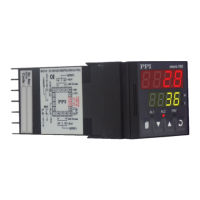
POWER-UP
Upon switching on the power to the instrument, all displays and indicators are lit on for approximately 3 seconds during which
time the instrument runs through a self-test sequence. This is followed by the indication of the instrument model name and
firmware version on the Lower Readout as , for approximately 1 second.
MAIN DISPLAY MODE
BASIC OPERATIONS
FLOREX
H/W: 1S/W: 1
Figure 2.1
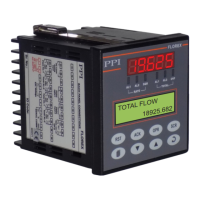
After the Power-up display sequence, the Upper Readout starts showing the measured Flow Rate and the Lower Readout
displays the accumulated Flow Total.
This is called the MAIN Display Mode and this is the one that shall be used most often. The MAIN Display Mode is depicted in
Figure 2.1.
FIRST TIME / NEW INSTALLATION
For a first-time installation of a new instrument or if the instrument is removed from one application and installed on different
application, it is recommended to subsequently observe the following sequence of parameter settings that are required for
instrument’s intended operation. (Refer Section 3 : Pages & Parameters for details on parameter settings).
1. Set the Input Configuration Parameters.
2. Set the Supervisory Parameters.
3. Set the Flow Rate Alarm Parameters (if required).
4. Set the Flow Total Alarm Parameters (if required).
5. Set the Retransmission Parameters (if required).
6. Set the Serial Configuration Parameters (if required)
Upon completion of parameters settings, the FLOREX reverts to MAIN Display Mode. The Florex, now, can be programmed to
operate in the intended Operation Modes as described below.
OPERATION MODES
The FLOREX can be operated in the following operation modes.
Flow Rate Indication
The Florex accepts DC Linear Current / Voltage Input from the Flowmeters to measure the Flow Rate. The value of the Flow
Rate is displayed in accordance with the value for Range Low / High and the Resolution selected on Input Configuration Page.
The measured value of Flow Rate can be directly displayed or by applying Square Root Function (if the Square Root Function
is enabled on Input Configuration Page).
User Manual
FLOREX
3
Section 2


 To Next Page