USER'S SETTINGS
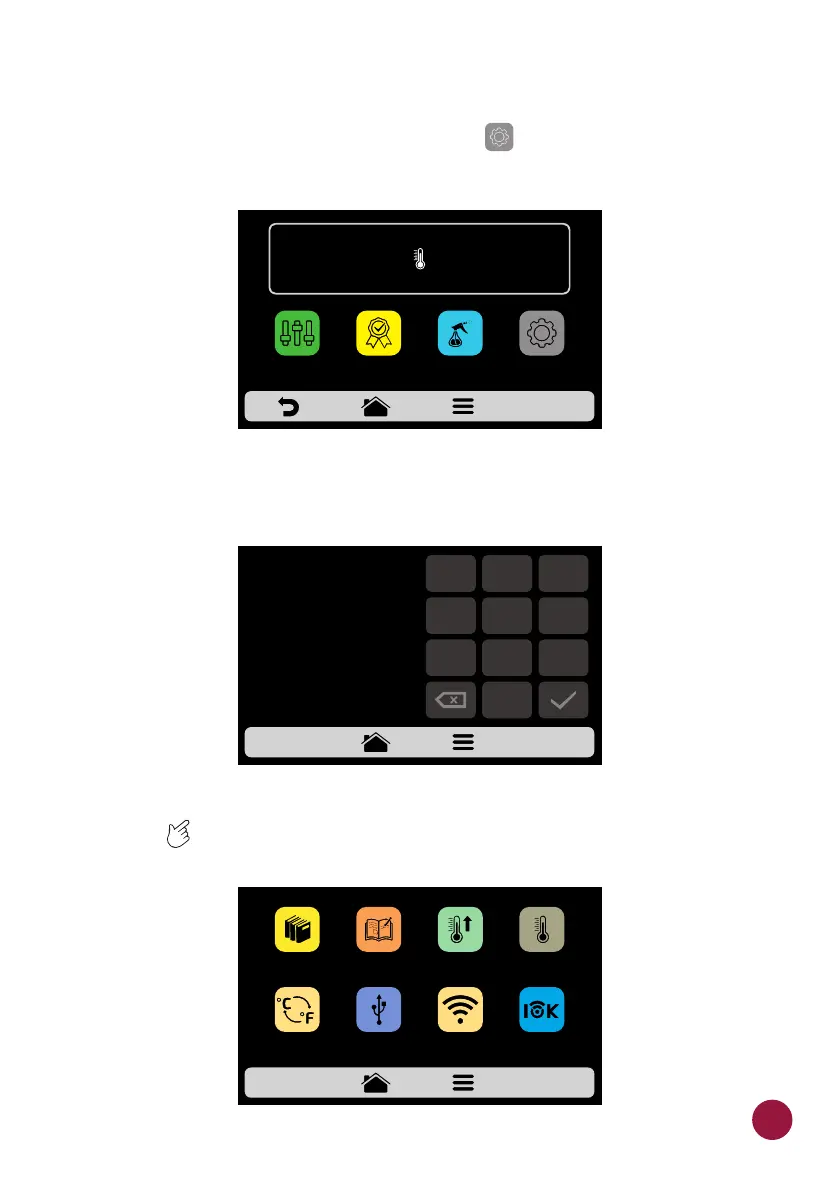
a) Inside the Options Screen, click on the icon on the screen to inform the TEC
User's Password tha will be presented.
b) The standard password for the user settings is 456789. The password
may be changed (see page 63).
c) The User Settings screen is composed by eleven items. Use the gridview,
sliding on the touch screen to access the next options screen. TEC
Understand each item in detail in the following pages.
IR
250°C
TEMPERATURE
250°C
CHAMBER
MANUAL
MODE
SETTINGSFAVORITES
DAILY CLEANING
GUIDE
ENTER PASSWORD
TO ACCESS
SETTINGS
456789
1
2
3
4
5
6
7
8 9
0
USB
EDIT
RECIPES
EDIT
GROUPS
PREHEAT
CELSIUS /
FAHRENHEIT
CURRENT
TEMPERATURE
MENU
WI-FI WEB
APP
33



 To Next Page