ORDER
a) The Order funcon , enables to change the sequence in which the groups will TEC
appear on the groups screen.
This screen is composed by three opons:
Place at the list start: The group is moved to the beginning of the
groups list.
Place at the list end: The group is moved to the end of the groups list.
Choose place in the list: The operator will be directed to the groups
screen to choose the location desired.
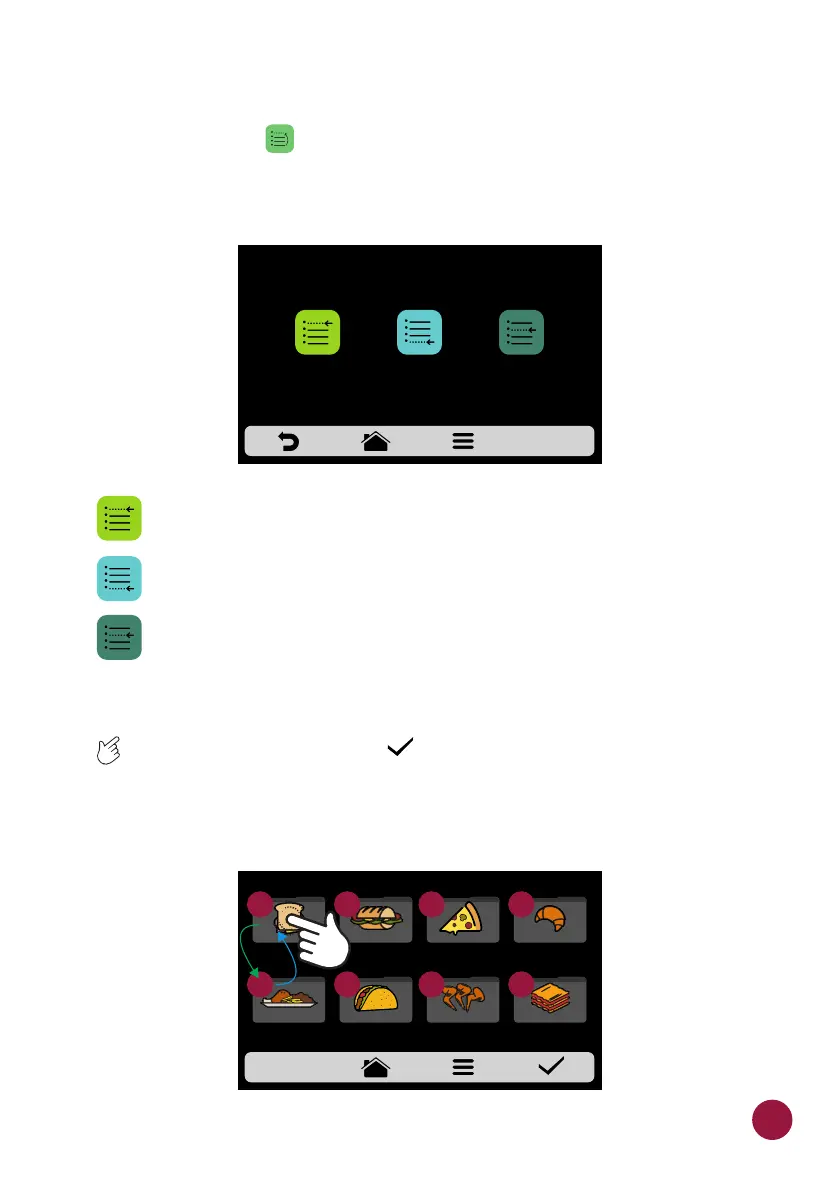
b) To change the position of a group, just click on the group to select and slide
TEC TEC to the desired position. Press to save the change.
c) If the substitution is done vertically (1-2, 3-4, 5-6 and 7-8) the two groups in
question will change position without changing the order of the other groups,
as shown in the image below:
CHANGE ORDER
PLACE AT THE
LIST START
PLACE AT THE
LIST END
CHOOSE PLACE
IN THE LIST
SELECT THE GROUP
MEAL
FINISHING
TEX-MEX CHICKEN
WINGS
GRATIN
BREAKFAST
SANDWICH
PIZZASUBS BAKERY
1
3
4
5
6
7
8
2
39



 To Next Page