WI-FI NETWORK SETTINGS
NETWORK 6 CONNECT
MY NETWORK
NETWORK 2
NETWORK 3
NETWORK 4
NETWORK 5
CONNECT
CONNECT
CONNECT
CONNECT
CONNECT
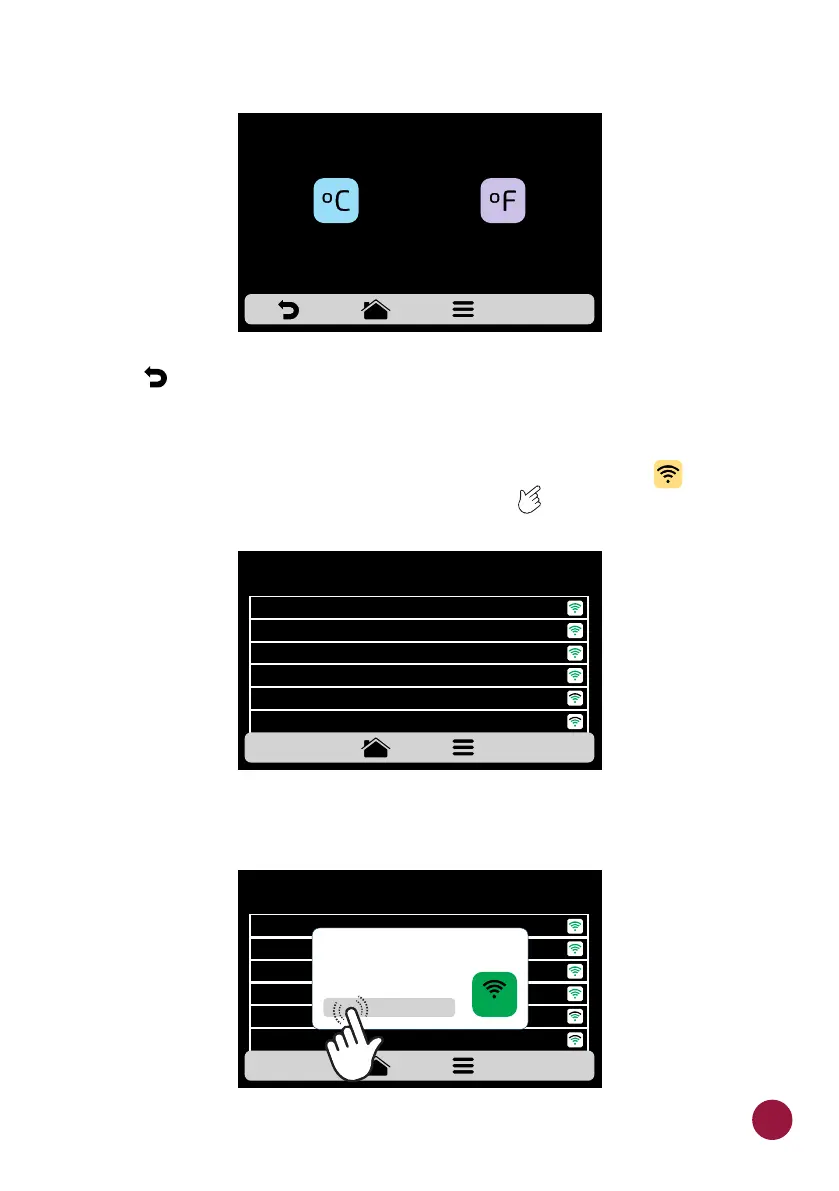
b) Use to return to the user editing options.
WI-FI
a) If you want to connect to a new wi-fi network, press the button to view TEC
the available networks. Use the gridview, sliding on the touch screen to TEC
see all networks.
b) Click on the network you want to connect and then click on "ENTER
PASSWORD":
CELSIUS/FAHRENHEIT ADJUSTMENT
CELSIUS
FAHRENHEIT
CONNECT
CONNECT
NETWORK: MY NETWORK
ENTER PASSWORD:
CONNECT
INCORRECT PASSWORD
*********
WI-FI NETWORK SETTINGS
NETWORK 6 CONNECT
MY NETWORK
NETWORK 2
NETWORK 3
NETWORK 4
NETWORK 5
CONNECT
CONNECT
CONNECT
CONNECT
CONNECT
55



 To Next Page