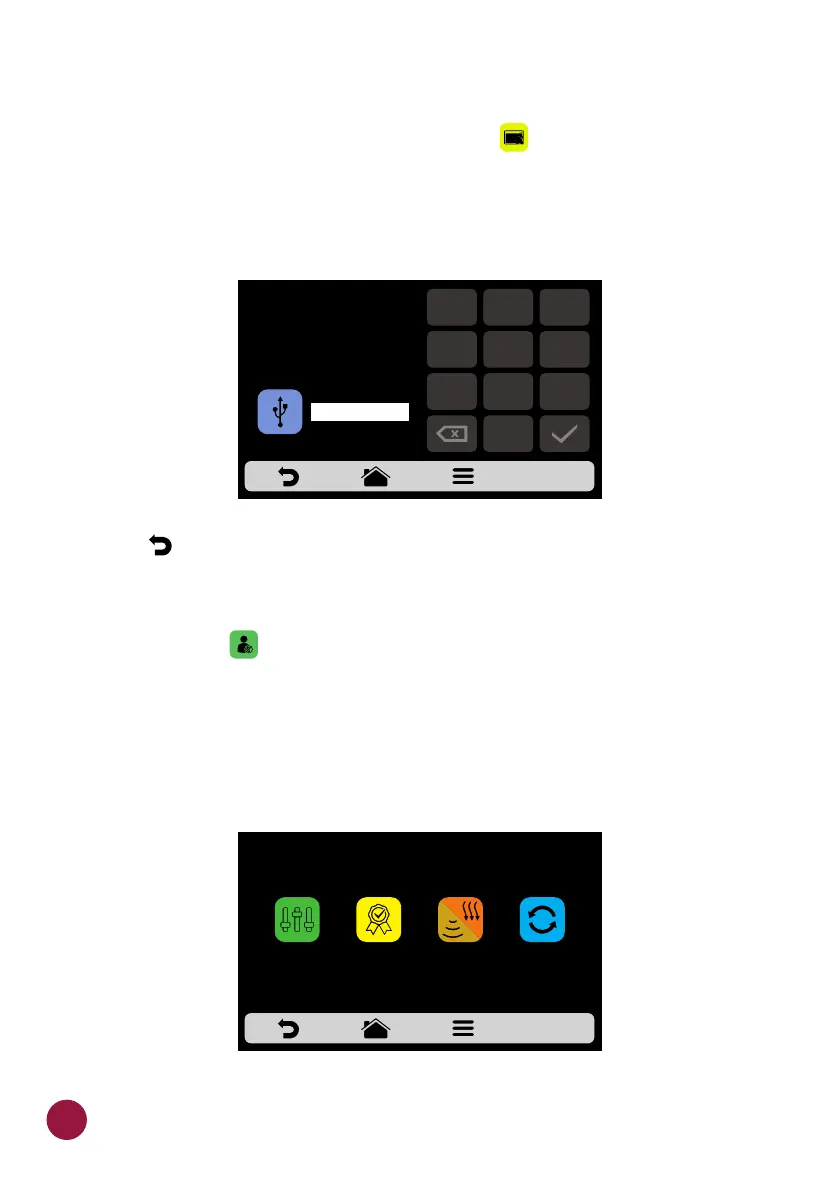
SYSTEM: RESTORE ORIGINAL SETTINGS
a) ATTENTION: The Restore Original Settings option will delete all the TEC
Groups, Recipes and their Steps, besides the Settings defined by the user.
Make sure to create a Backup through USB before proceeding. After inserting
the password and touching OK: IT IS NOT POSSIBLE TO RECOVER THE
INFORMATION.
b) Use to return to the user editing options.TEC
SYSTEM: EDIT ACCESS
a) Edit Access corresponds to the function in which you may block TEC
functions to the operator.
For example: If you desire that the Favorites and Manual Mode functions are
never accessed by the operators, just click on both of them, which will turn dark
gray, indicating that they are locked until the moment you desire to unlock
them.
b) To unlock, just click on the desired functions once more.
THIS ACTION WILL DELETE
ALL THE CURRENT GROUPS,
RECIPES AND SETTINGS.
CREATE A BACKUP OR
USE PASSWORD TO CONFIRM
USB
1
2
3
4
5
6
7
8 9
0
EDIT ACCESSES
FAVORITES
MANUAL
MODE
COOK/BROWN
MORE
REPEAT
RECIPE
64



 To Next Page