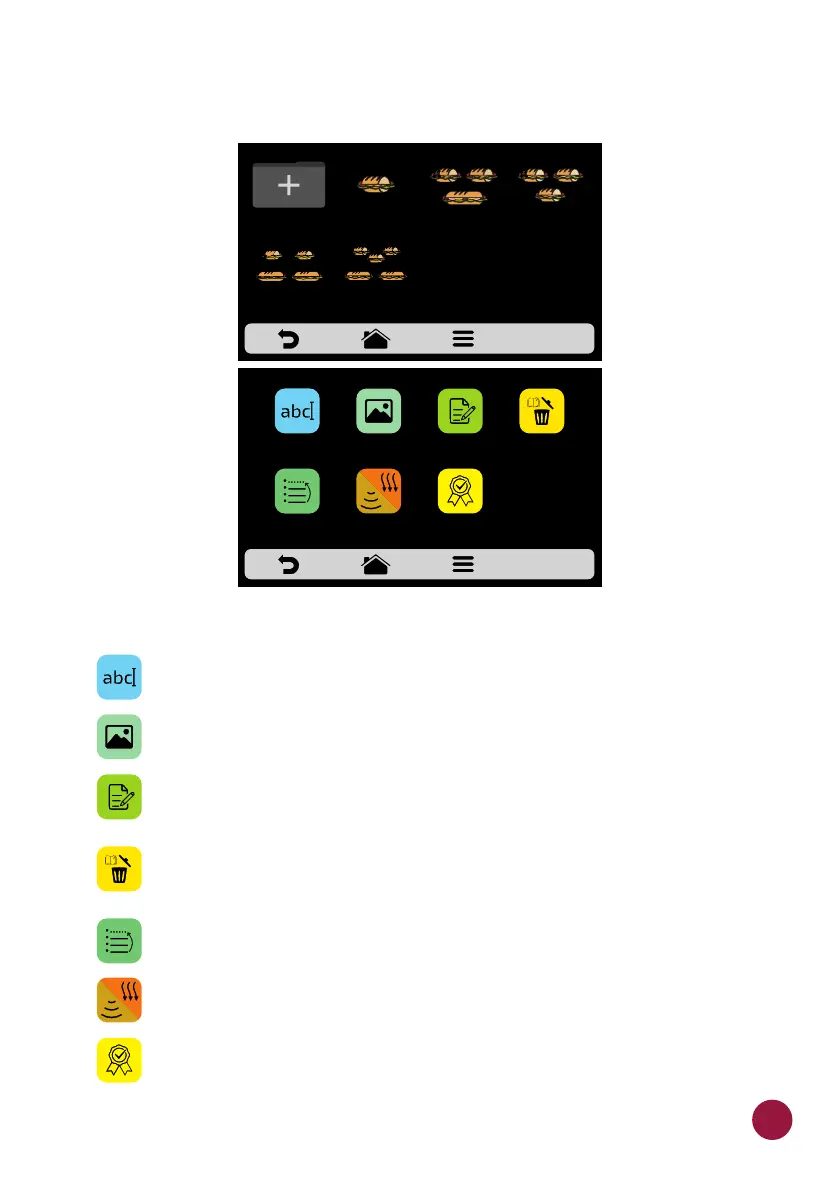
b) When accessing the recipes, it will be possible to edit an already existent
one or create a new recipe.
The available options after choosing between editing or creating a recipe will be:
Edit Name: changes the name of the recipe, you may use letters,
numbers or special characters.
Edit Image: changes the picture or icon of recipes.
Edit Steps: accesses the options for edition of the steps of the
selected recipe.
Delete Recipe: deletes all the information of the selected recipe,
including the steps.
Order: orders the location in which the recipe appears among the
other recipes of the group.
Cook/Brown More: Changes the time of Cook/ Brown More function.
Add/Remove from Favorites: Adds or removes the recipe in the
Favorites list.
2 SUB 15cm
or 2 SUB 30cm
3 SUB 15cm
2 SUB 30cm
1 SUB 15cm 2 SUB 15cm
1 SUB 30cm
3 SUB 15cmCREATE NEW
RECIPE
SELECT RECIPE - pag. 1
DELETE
RECIPE
EDIT
STEPS
ADD TO
FAVORITES
SNACKS: 1 SUB 15cm
EDIT
IMAGE
EDIT
NAME
ORDER EDIT
COOK/BROWN
MORE
41



 To Next Page