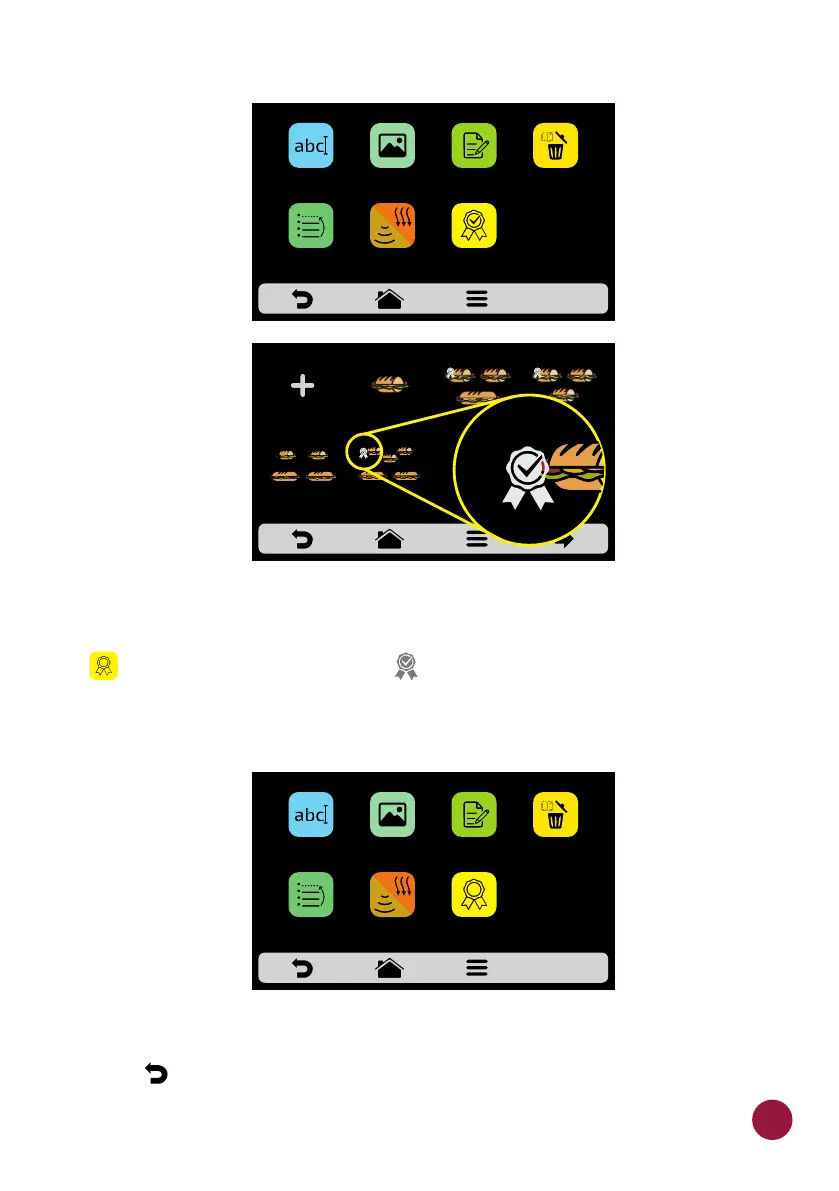
c) To remove the recipe from the favorites, just do the same process. In the
recipe edition options screen, the Remove from Favorites icon will appear:
TEC TEC, when clicking on it, the label will disappear from the icon and the
recipe will be removed from the Favorites list.
d) Use to return to the previous screen.
DELTE
RECIPE
EDIT
STEPS
ADD
TO
FAVORITES
SNACKS: 1 SUB 15cm
EDIT
IMAGE
EDIT
NAME
ORDER EDIT
COOK/
BROWN MORE
2 SUB 15cm
or 2 SUB 30cm
3 SUB 15cm
2 SUB 30cm
1 SUB 15cm 2 SUB 15cm
1 SUB 30cm
3 SUB 15cmCREATE NEW
RECIPE
SELECT THE RECIPE- page 1
RELETE
RECIPE
EDIT
STEPS
REMOVE
FROM
FAVORITES
SNACKS: 1 SUB 15cm
EDIT
IMAGE
EDIT
NAME
ORDER EDIT
HEAT/
BROWN MORE
51



 To Next Page