SX™ Operator Manual
©
Original Printed in English
MACHINE PLACEMENT
SET-UP & OPERATION
The Sharp SX™ should be placed on a smooth level
surface with access to a 115 VAC, 50/60 Hz, 10 Amp
(minimum) electrical outlet.
Locate the machine so there is adequate access to
the back and right side for loading bag rolls and rib-
bon.
Make sure unit is located at a comfortable height for
operation and product loading.
ELECTRICAL
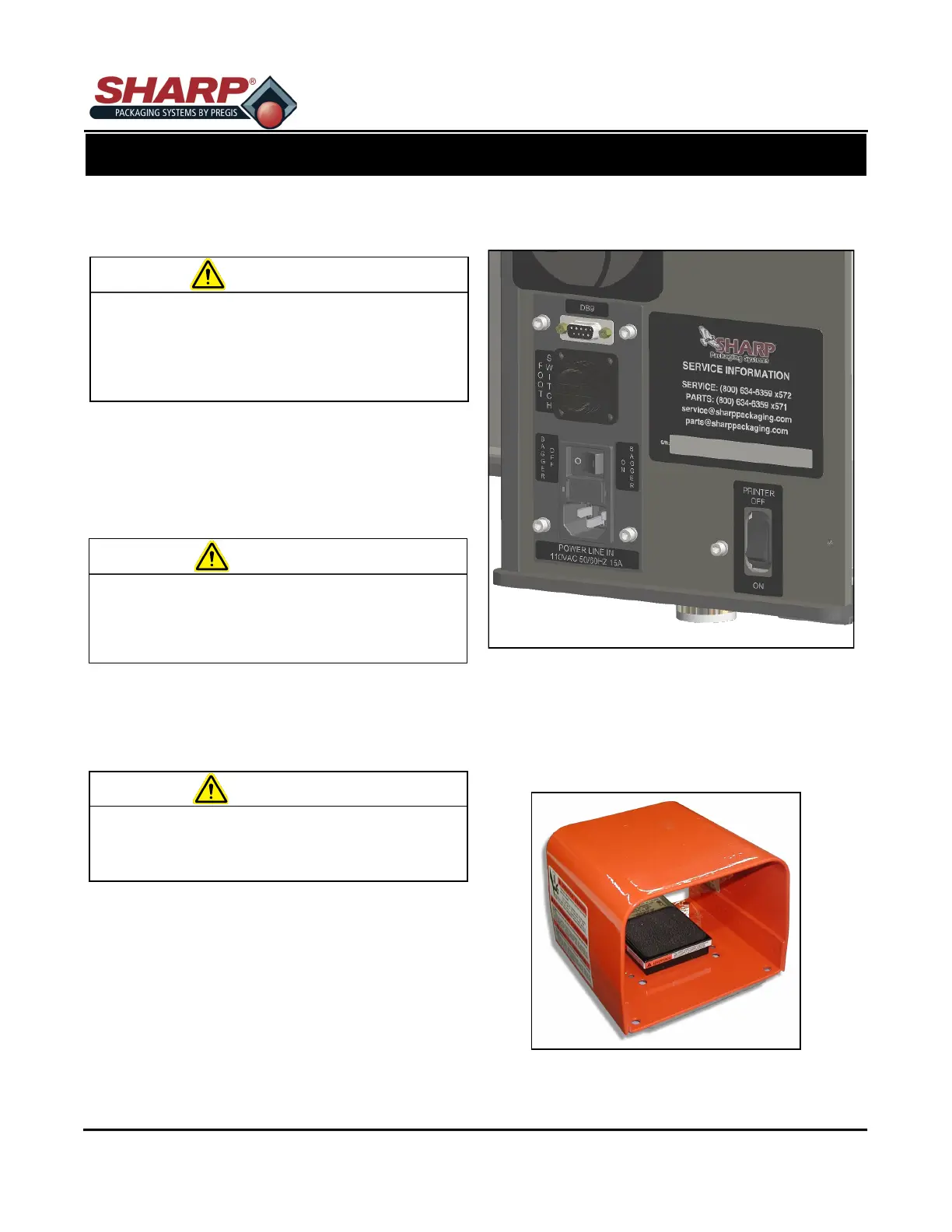
The Sharp SX™ is equipped with a 3-prong electrical
cord for standard, properly grounded, 115 VAC, 50/60
Hz, 10 Amp (minimum) service.
1. Before plugging the cord into the back of the ma-
chine, ensure that both switches are in the OFF
position.
2. Make sure the wall outlet or electrical drop is rated
for proper voltage and that the outlet is grounded.
3. Place the female end of the electrical cord provid-
ed into the back of the machine, then plug the
male end into the electrical outlet.
4. To power up the machine, flip switch to the ON
position.
5. Printer cannot be switched ON independent of the
main power switch.
FOOT CONTROL & Cycle Button
With power ‘ON’, stepping on the Foot Control or
touching Cycle Button on HMI triggers the sealing cy-
cle.
Do not use Lexan / metal guards to lift the ma-
chine. The guards are not designed for lifting.
Using the guards for lifting may cause damage
to the machine and/or result in severe bodily
injury or death.
WARNING!
Do not operate the machine in or around stand-
ing water. Failure to observe the warning may
result in damage to the equipment and/or se-
vere bodily injury or death.
WARNING!
Failure to have properly grounded outlets may
cause damage to equipment and/or severe bod-
ily injury or death.
WARNING!
2-1



 To Next Page