SX™ Operator Manual
©
Original Printed in English
SCREEN NAVIGATION
CONTROLS
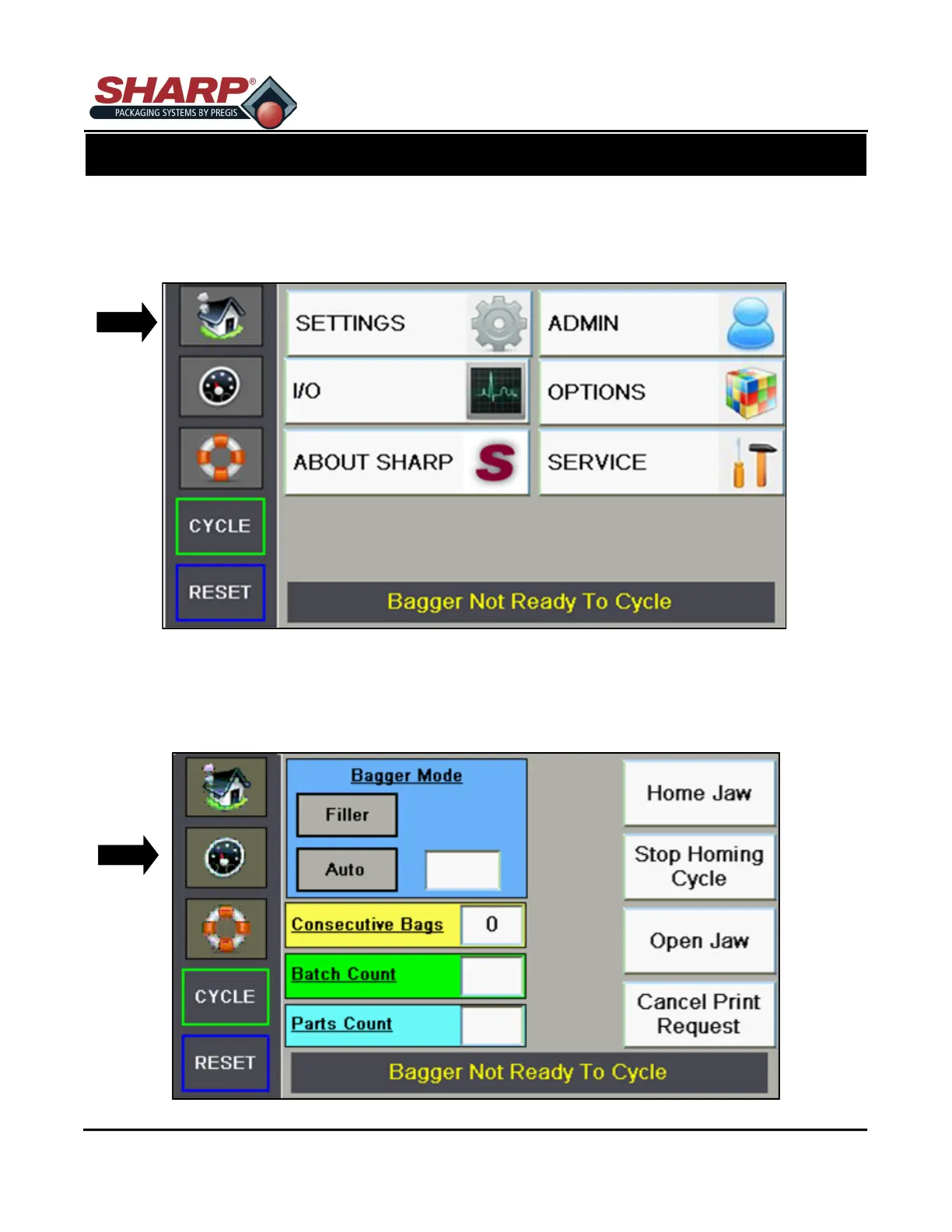
HOME SCREEN
This screen is the Main Menu. This is the starting point to gather information and to setup the machine. This
screen is access by pressing the HOME BUTTON on top left corner.
DASHBOARD SCREEN
This screen is the Dashboard. The Dashboard is the primary screen used by the operator. This screen is ac-
cessed by pressing the TACHOMETER BUTTON below the Home Button. Dashboard appearance and configu-
ration may vary based on options selected in the Settings Screen 2.
3-2



 To Next Page