APSRS_RevC_9/17
19
This remote start system is compable with manual transmission vehicles. When Manual Transmission Mode is acvated
in Feature Bank 3, Feature 10, this system will monitor mulple inputs to safely and securely remote start the vehicle.
Note: A connecon to the vehicle's parking brake and tach signal (Analog or Data) is required.
Ready Mode
When manual transmission mode is programmed on, the system will require the user to enter Manual Transmission
Ready Mode. Ready Mode is a procedure that will keep the vehicle's engine running while the user exits the vehicle to
ensure the vehicle is in Neutral.
To acvate Ready Mode:
1. With the vehicle's engine running; Set the parking brake to ON.
2. Release the vehicle's foot brake.
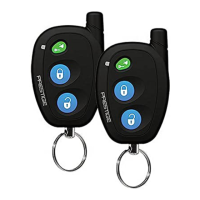
3. Acvate the Presge remote start by pressing the Start buon on the remote control. The vehicle parking lights will
illuminate to indicate the remote start is acvated. If you are using a 2-Way remote, the remote will beep four (4)
mes.
4. Without pressing the brake, set the ignion key to OFF and exit the vehicle. The engine will remain running.
5. Aer exing the vehicle, close all doors then press Lock on the remote control. The engine will shut down and the
system will sound two (2) short beeps followed by one (1) long beep to indicate Ready Mode is acvated. The vehicle
will now remote start when acvated.
What can cancel Ready Mode?
Ready mode will be canceled if the system detects any of the following:
• Open trigger zone (Doors, Hood, or Trunk).
• Ignion ON.
• Parking Brake OFF.
If ready mode is canceled the vehicle will not remote start. The user must repeat Steps 1-5 above to acvate Ready
Mode.
Easy Entry Mode
Easy Entry Mode allows the user to gain access to the vehicle without canceling Ready Mode. This can be used to retrieve
forgoen item or to congure the climate controls for the next remote start cycle.
To use Easy Entry Mode:
1. Remote start the vehicle using the remote control.
2. Enter the vehicle.
3. When ready, Exit the vehicle and close all doors.
4. Press Lock on the remote control. The engine will shut down and the system will sound two (2) short beeps followed
by one (1) long beep to indicate Ready Mode is acvated.
Manual Transmission Pit Stop Mode
Manual Transmission Pit Stop Mode allows the user to acvate the remote start and exit the vehicle with the key. When
acvated the system will keep the vehicle engine running for the runme selected in Feature Bank 3, Feature 3.
To use Manual Transmission Pit Stop Mode:
1. With the vehicle's engine running; Set the parking brake to ON.
2. Release the vehicle foot brake.
3. Acvate the remote start by pressing the Start buon on the remote control. The vehicle parking lights will illuminate
to indicate the remote start is acvated. If you are using a 2-Way remote, the remote will beep four (4) mes.
4. Without pressing the brake, set the ignion key to OFF and exit the vehicle. The engine will remain running.
5. Aer exing the vehicle, close all doors then press Lock buon then Start (Key) buon on remote control. The system
will lock all doors and remain running for the programmed remote start runme.
Detailed Descripons: System Operaon
Manual Transmission Mode (Ready Mode)


 To Next Page