32
Software developers can use this file to display status information such as error messages
and ink levels in 3rd party applications.
3E PrintHub Printer Settings
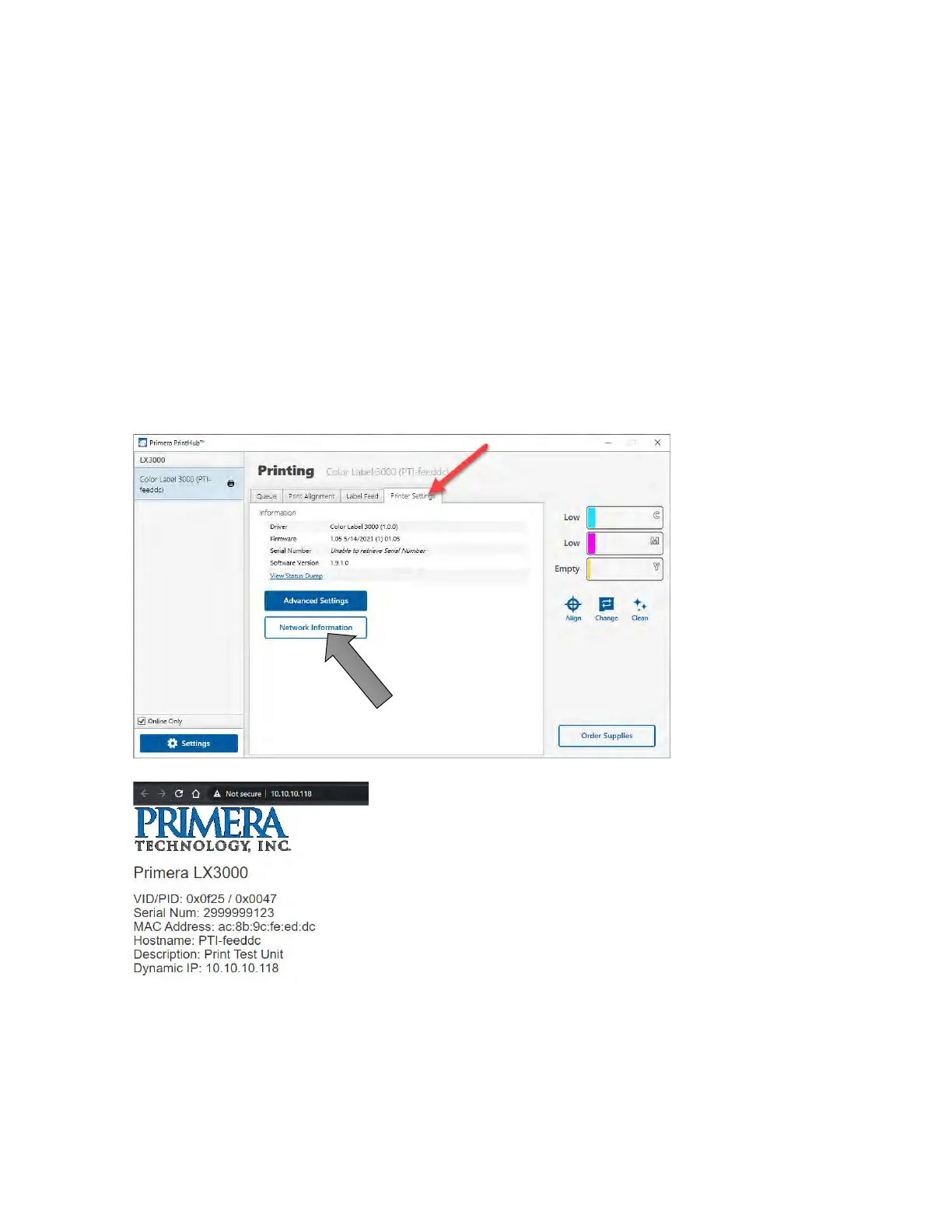
Printer settings can be found in Primera Print Hub on the Printer Settings Tab for the LX3000.
Information. This section displays all current driver, software and firmware versions.
3E.1 Network Information. This button will be displayed if you are connected to the LX3000
via Ethernet. Click this button to display printer network information in your browser.
Advanced Setting Button. Click the Advanced Settings button to view the following settings.



 To Next Page