Hardware and Software Set-Up and Testing 15
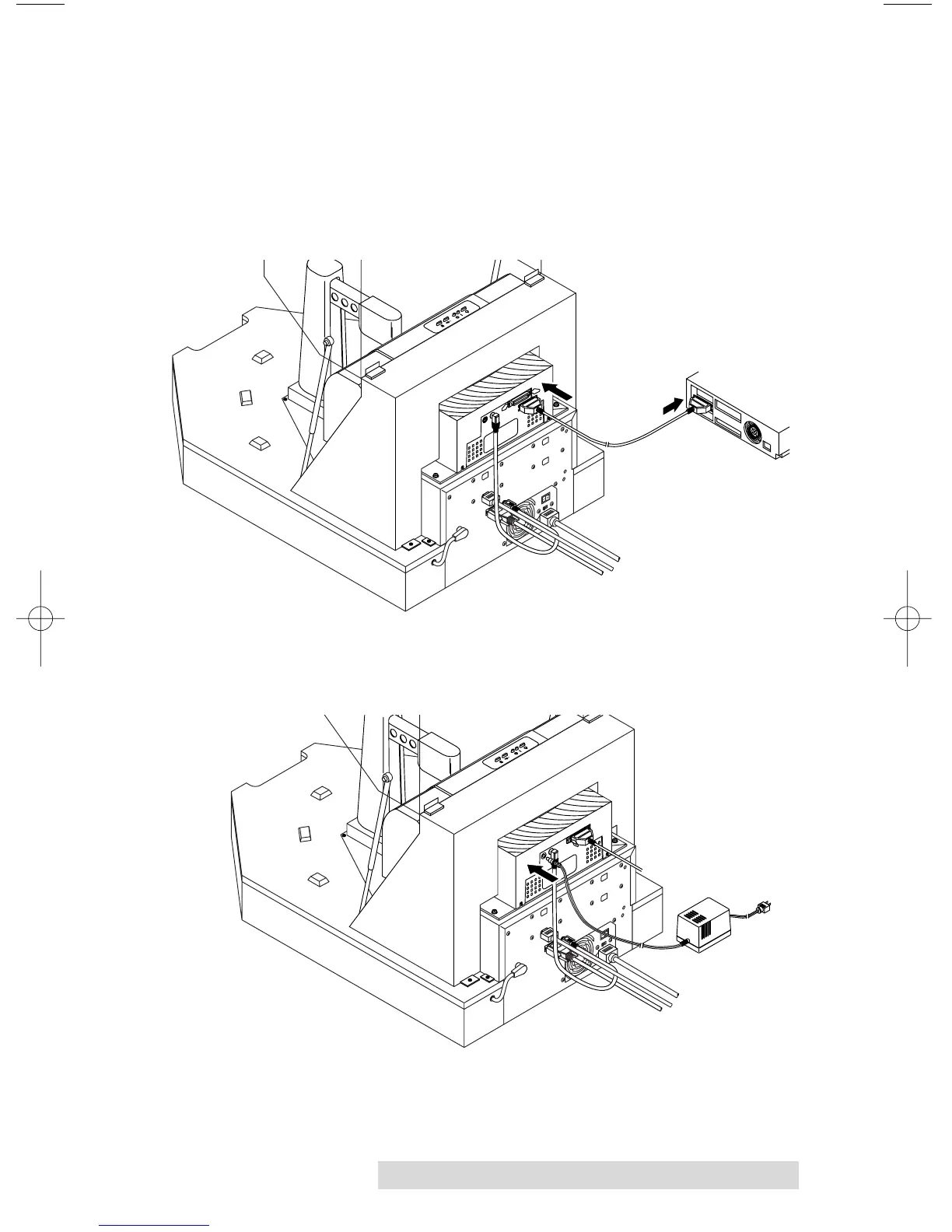
10. Connect the printer with an IEEE 1284 compliant parallel
cable. One end is connected to the parallel port on the rear
panel of the printer. The other end is connected to the
parallel port of your PC. Make sure that your PC's parallel
port is set to ECP mode. If you don't know how to check
this or how to change it, refer to set-up section of the
printer's Operator's Manual.
11. Apply power to the printer. One end of the Power Adapter
is connected to the printer's rear-panel Power Input Port.
The other end is attached to a wall outlet.
You have now completed the hardware and cabling set-up.
Continue on to the Hardware Test and Printer Alignment
procedures in the next section.



 To Next Page