91
PRIMERGY TX200 S3 User’s Guide
3
OS Installation Using ServerStart
Installing ServerStart
1 Insert the ServerStart Disc 1 CD-ROM into the PXE server.
The [ServerStart Launcher] window appears.
When the [ServerStart Launcher] window does not appear, execute "SeStSetup.exe" in the CD-
ROM.
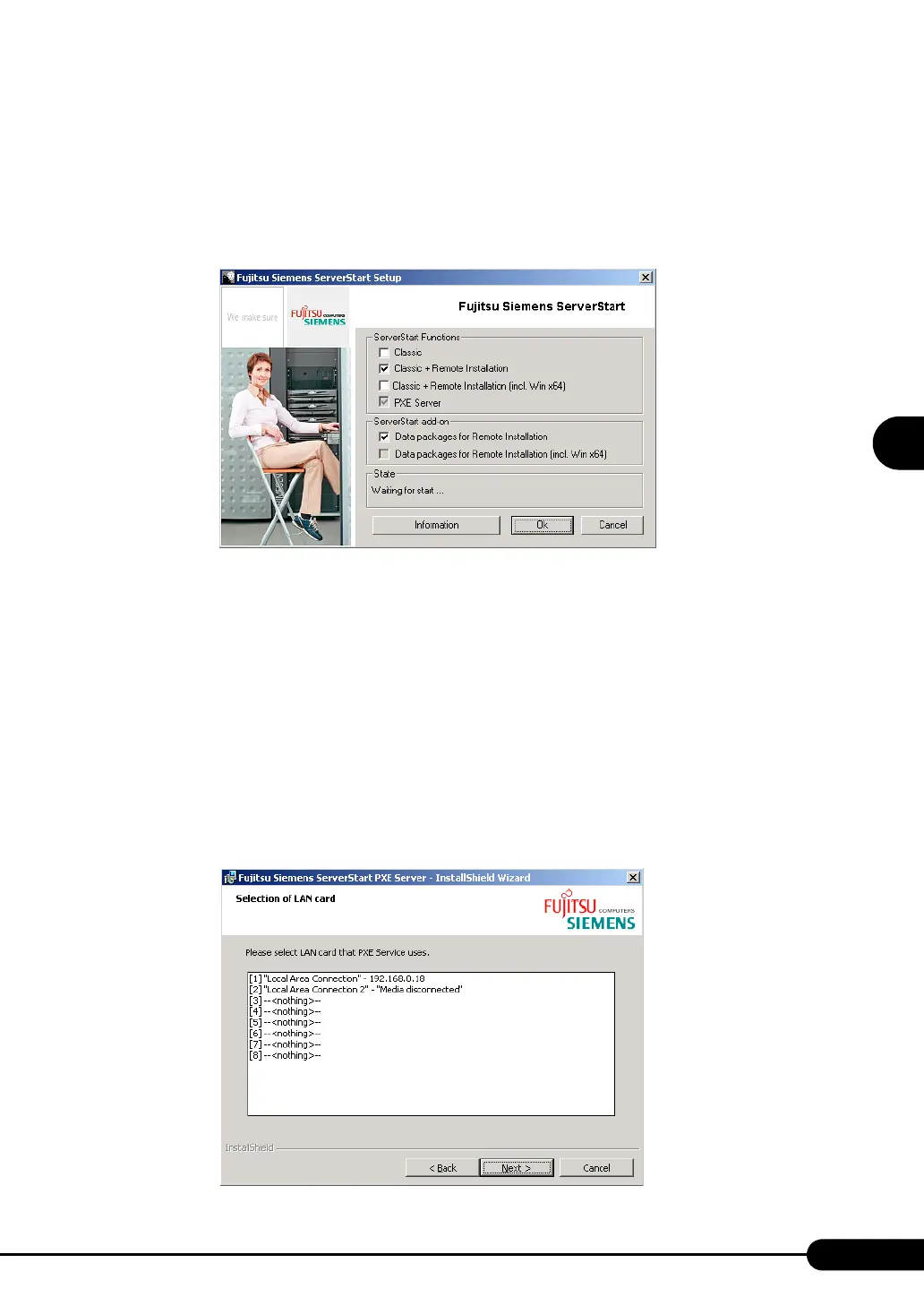
2 Check [Classic+Remote Installation (OS)], [PXE Server] and [Data packages
for Remote Installation (OS)], and click [OK].
For [Classic + Remote Installation (OS)] and [Data packages for Remote Installation (OS)],
check the items of the corresponding OS.
The setup window appears.
3 Click [Next].
The [Destination Folder] window appears.
4 Select the installation folder and click [Next].
To change the installation folder, click [Browse] and select the folder.
The [Selection of LAN card] window appears.



 To Next Page