93
PRIMERGY TX200 S3 User’s Guide
3
OS Installation Using ServerStart
12 Select the installation folder, configure ServerStart image that is required for
network booting (PXE), and click [Next].
To change the installation folder, click [Browse] and select the folder.
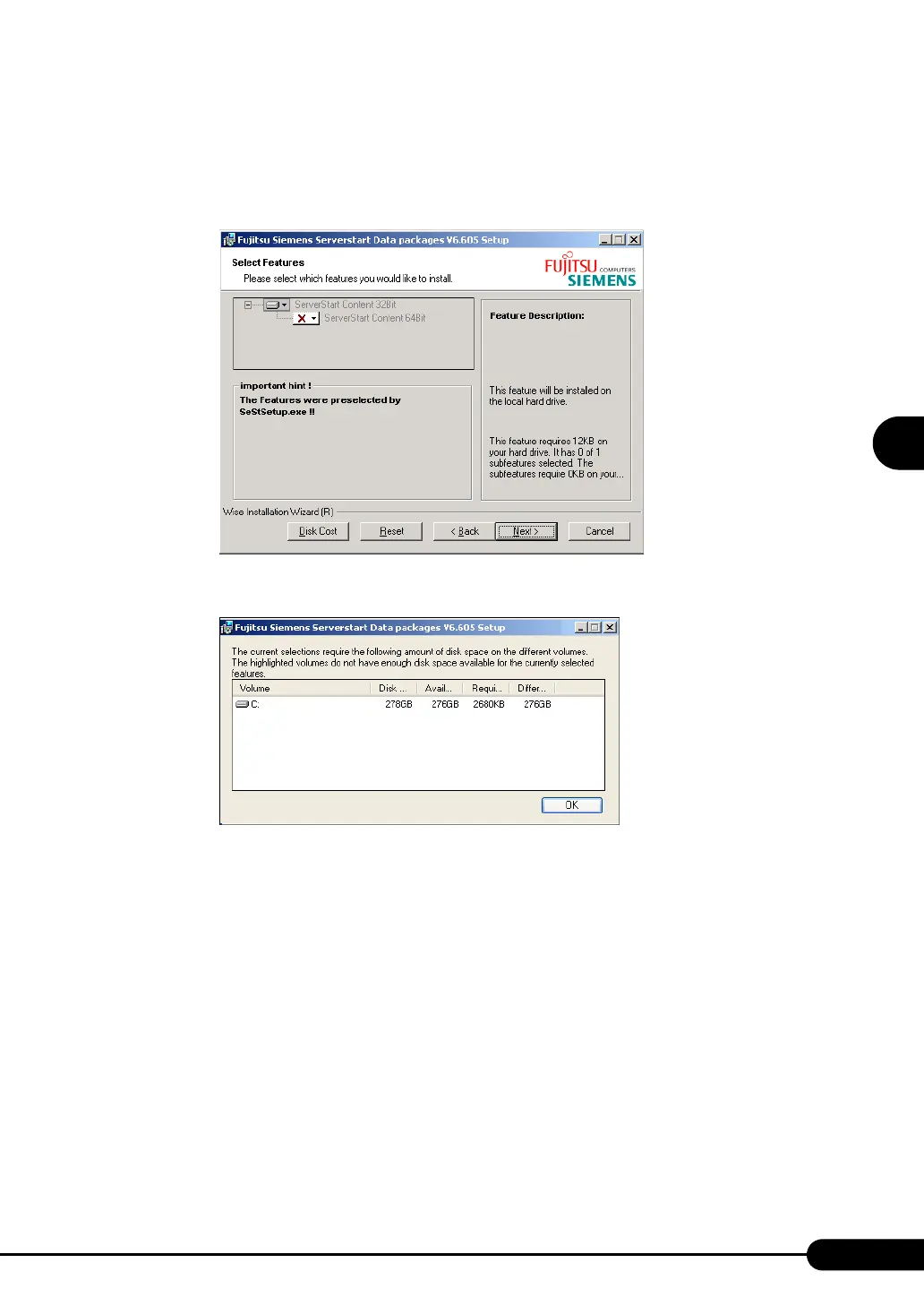
The [Select Features] window appears.
Clicking [Disk Cost] displays the following window where you can check the amount of free
space.


 To Next Page