96
Chapter 3 OS Installation Using ServerStart
Checking Services
z
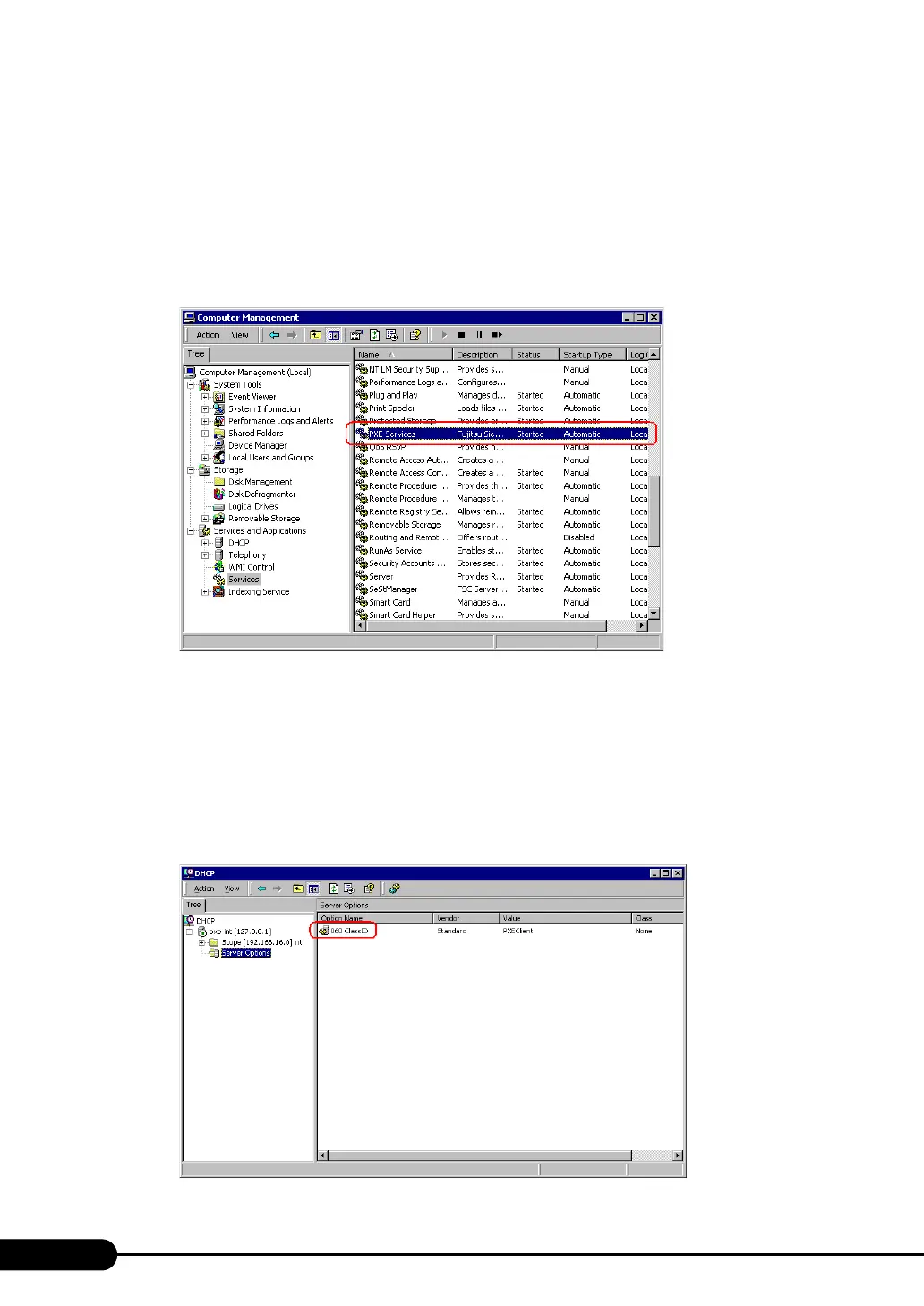
Checking [PXE Services] and [TFTP Service]
1 Right-click the [My Computer] icon and click [Manage].
2 Select [Services] from [Services and Applications].
On the Services list, check that PXE Services and TFTP Service have been installed and started.
z Checking the DHCP Service
Perform the following check only when the PXE server performs the DHCP service.
1 On the PXE server, click [Start] → [Programs] → [Administrative Tools] →
[DHCP] to start up the DHCP administrative tool.
2 Click [Server Options] and check that the "060 ClassID" server option is added.



 To Next Page