97
PRIMERGY TX200 S3 User’s Guide
3
OS Installation Using ServerStart
Setting TFTP
TFTP is an FTP service function that requires no authentication. In remote installation, the TFTP service
is used to distribute the boot image required for startup. For the TFTP path, set the appropriate access
rights for the Guest account to obtain the image via network startup (PXE).
1 Click [Start] → [Programs] → [Accessories] → [Windows Explorer] and move to
the TFTP path (the default is C:\Program Files\Fujitsu
Siemens\DeploymentService\tftp).
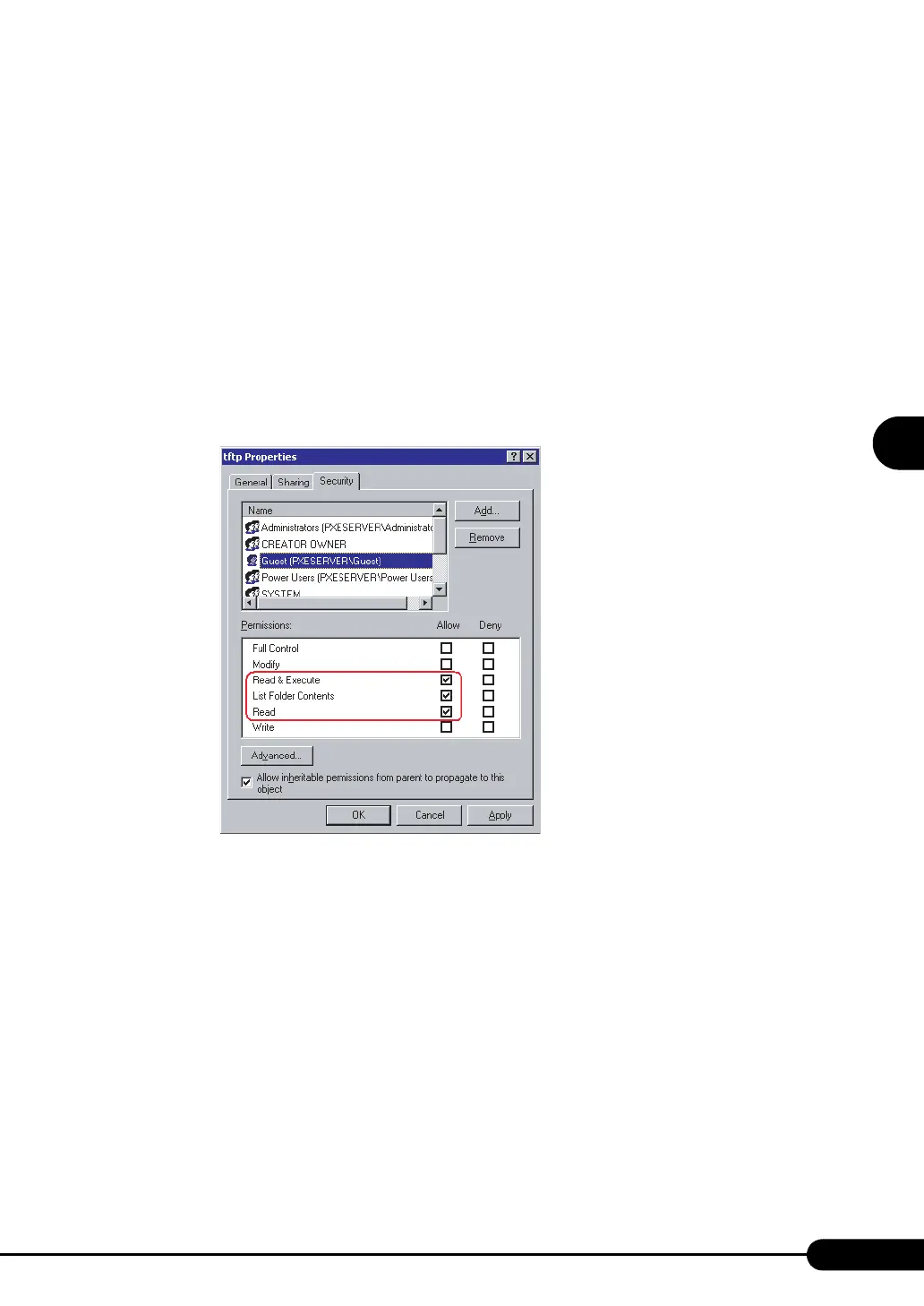
2 Right-click the TFTP folder and click [Properties].
3 Click the [Security] tab, add the Guest account, and set the "Read and
execute", "List Folder Contents", and "Read" access permissions.
The preparation of the PXE server has been completed.
Then, perform "3.4.4 Preparation of Remote Resources" (
Jpg.98).



 To Next Page