211
The printer provides different ways to increase the heat:
• Running the printer slower by changing the print speed via the host commands or the
Media >
Speed menu, allows more heat to transfer at lower print intensity settings.
• Setting the print intensity to a higher value with the Print Intensity function,
accessed via host
commands or through the Media > Image menu. This
causes the printhead to generate more heat to
be transferred into the media.
• The print intensity can be adjusted even higher with the Intensity Shift function, accessed through
the Media > Image menu allowing the actual setting to reach a maximum of 20. This option should
only be used if a slower speed or a higher heat setting was not successful. Using the Intensity Shift
function will shorten the available printhead life expectancy.
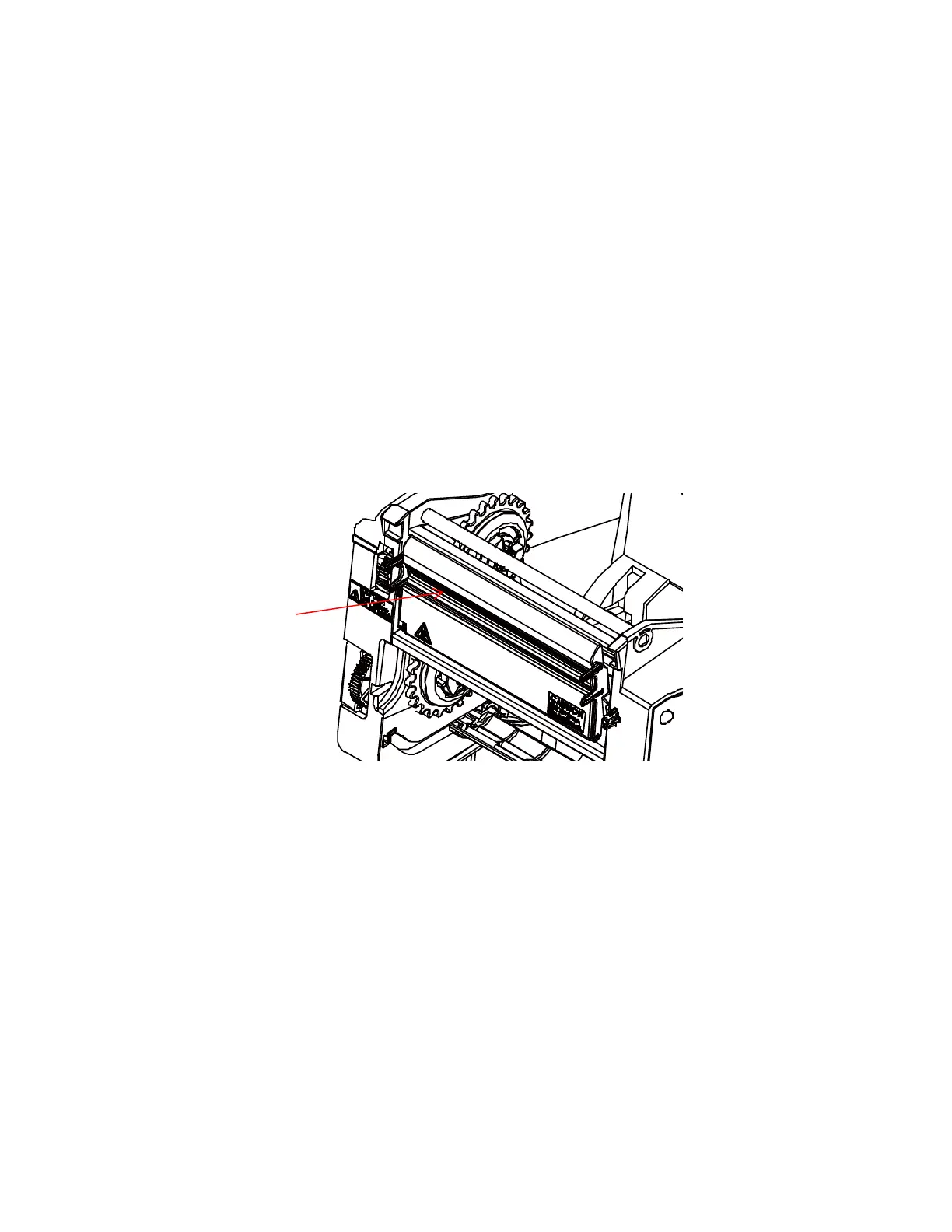
The position of printhead burn line will affect print quality. Please refer to section Printhead Burn Line
Adjustment to adjust
printhead burn line.
Also, the printhead should be cleaned frequently to ensure that foreign
material does not accumulate on
the printhead and interfere with heat
transfer. If smears, voids, or white lines appear in the printed form, the
printhead should be cleaned with a printhead cleaning pen.
The cleaning should be done as a matter of routine whenever you install a
new ribbon (thermal transfer
mode) or when you install new media (direct
thermal mode).
The most common signs of a worn printhead are fixed vertical streaks that are
always the same size and in
the same place on the printout. To determine if
vertical streaks are caused by a worn printhead, follow
these methods:
1.
Clean the printhead thoroughly with the printhead cleaning pen. Test
again for vertical streaks.
2.
Remove the printhead (see Replacing the Printhead) and examine it for contamination
or damage
such as scratches, dents, or other marks on the light brown
area containing the heating elements.
Clean and install it, then test again
for vertical streaks.
3.
Load an alternate roll of media. Test again for vertical streaks.
4.
Load an alternate roll of ribbon. Test again for vertical streaks.
If after performing all these tests you still see fixed vertical streaks, you must
replace the printhead.



 To Next Page