40
values if no Auto or Manual Calibrate was performed.
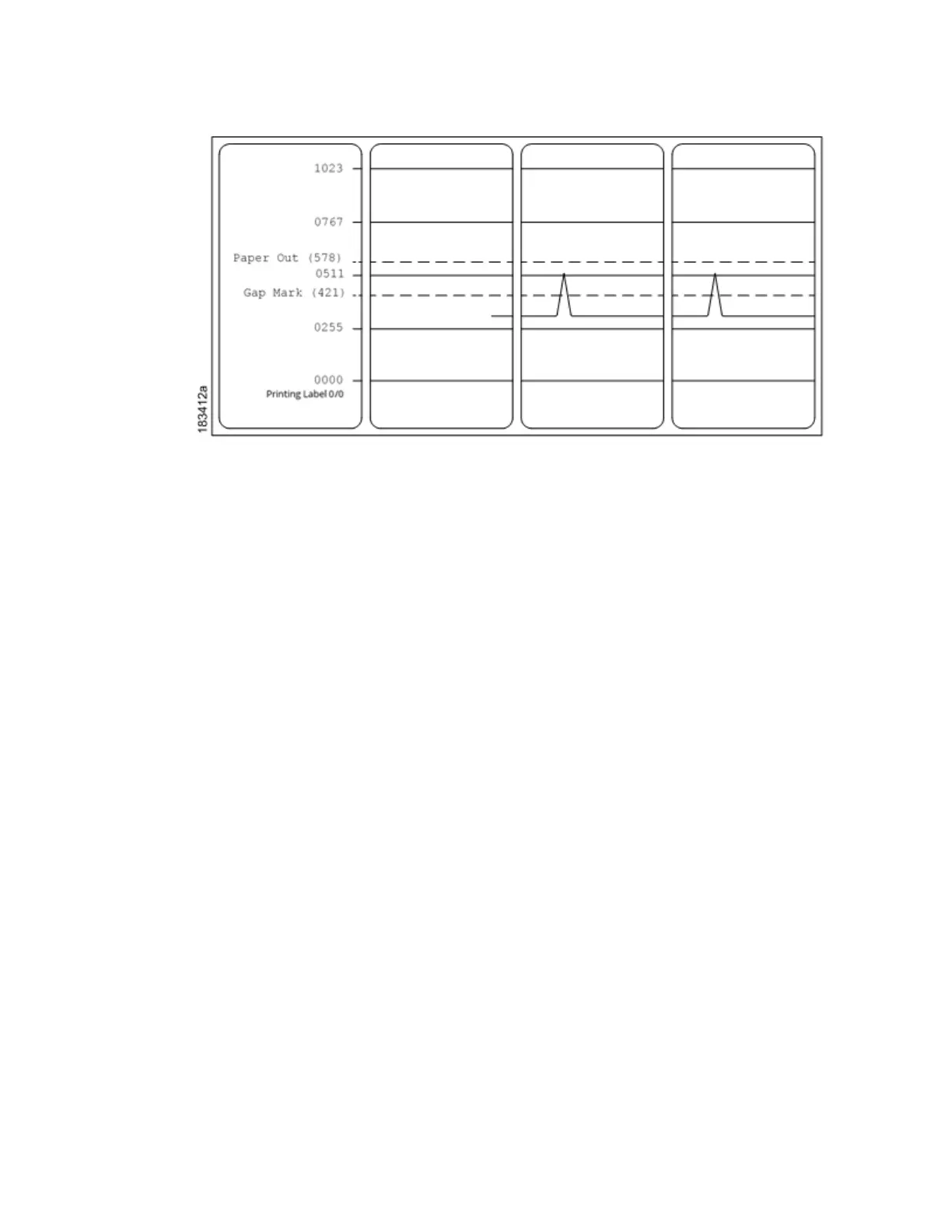
Figure 1 Media Profile Printout
Gap Sensing
This figure shows a Media Profile printout of a RFID label where the Gap/Mark
Sensor is set to Gap in the
Sensors > Control menu.
In this example, the gap threshold value the printer selected (represented by
the Gap/Mark dotted line) is
too close to the value seen for the RFID antenna.
This may cause the printer to falsely use the antenna as
the gap (top-of-form).
NOTE: Refer to the RFID Labeling Reference Manual for full details on how to set up the printer to properly
run RFID labels.



 To Next Page