43
Label Peel-Off (Optional)
You can set up the printer to automatically peel die-cut labels off their liner
(backing) and dispense them
one at a time while rewinding the liner. For installation information, refer to Appendix D.
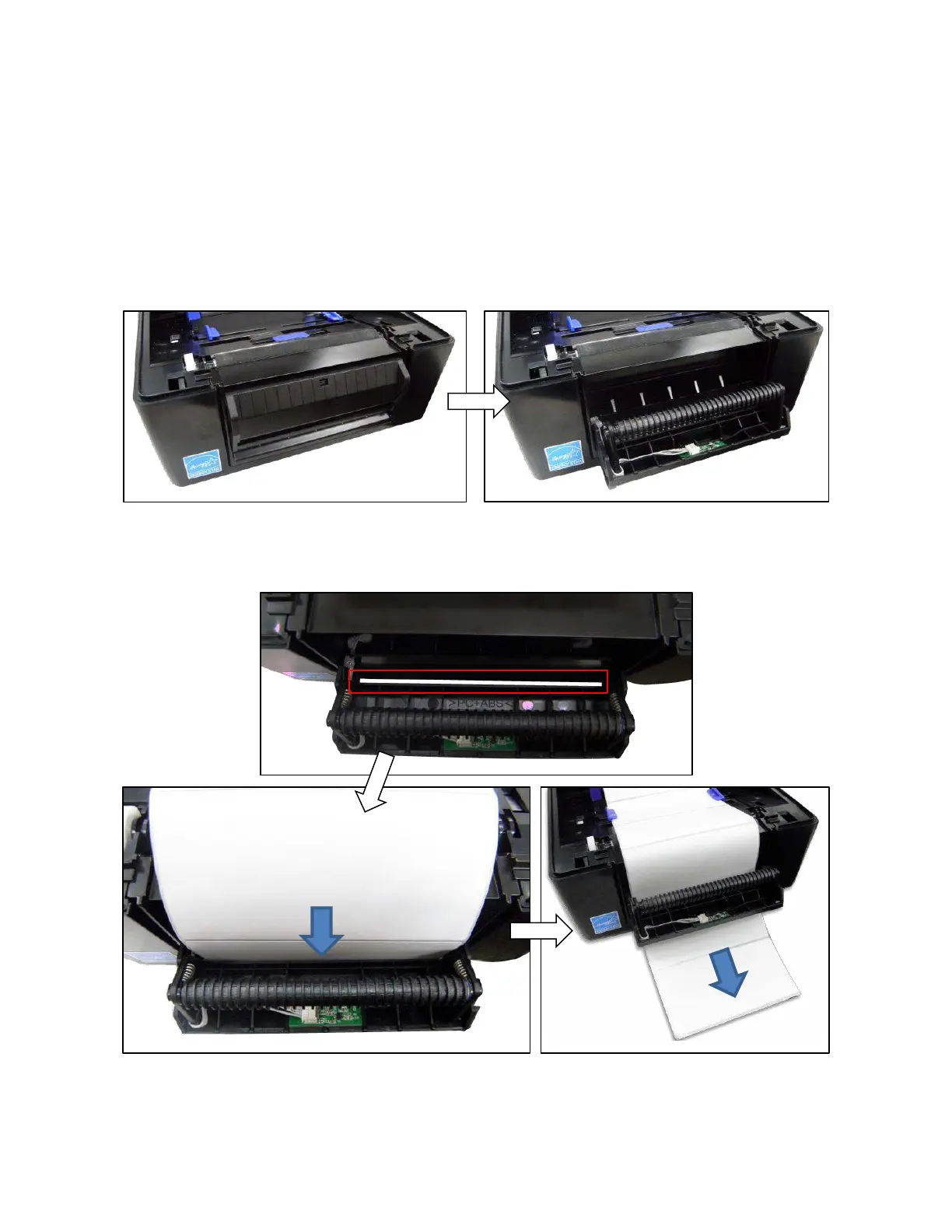
Loading Media Using Peel-Off Mode
1. Please follow Loading Media on page 30 above to load the media and calibrate the sensors before the
next step to avoid paper jams.
2. Open the peel-off front door.
3. Thread the media (label and liner) over the tear bar and around the
peel-off roller, then through the
opening at the bottom of the front door. The label liner will be fed to the floor.



 To Next Page