45
Media Cutter (Optional)
You can set up the printer to automatically cut printed media when the media exits the printer. For
installation information, refer to Appendix C.
Loading Media Using Cutter Mode
1. Please follow "Loading Media" above to load the media and calibrate the sensors before the next step
to avoid paper jams.
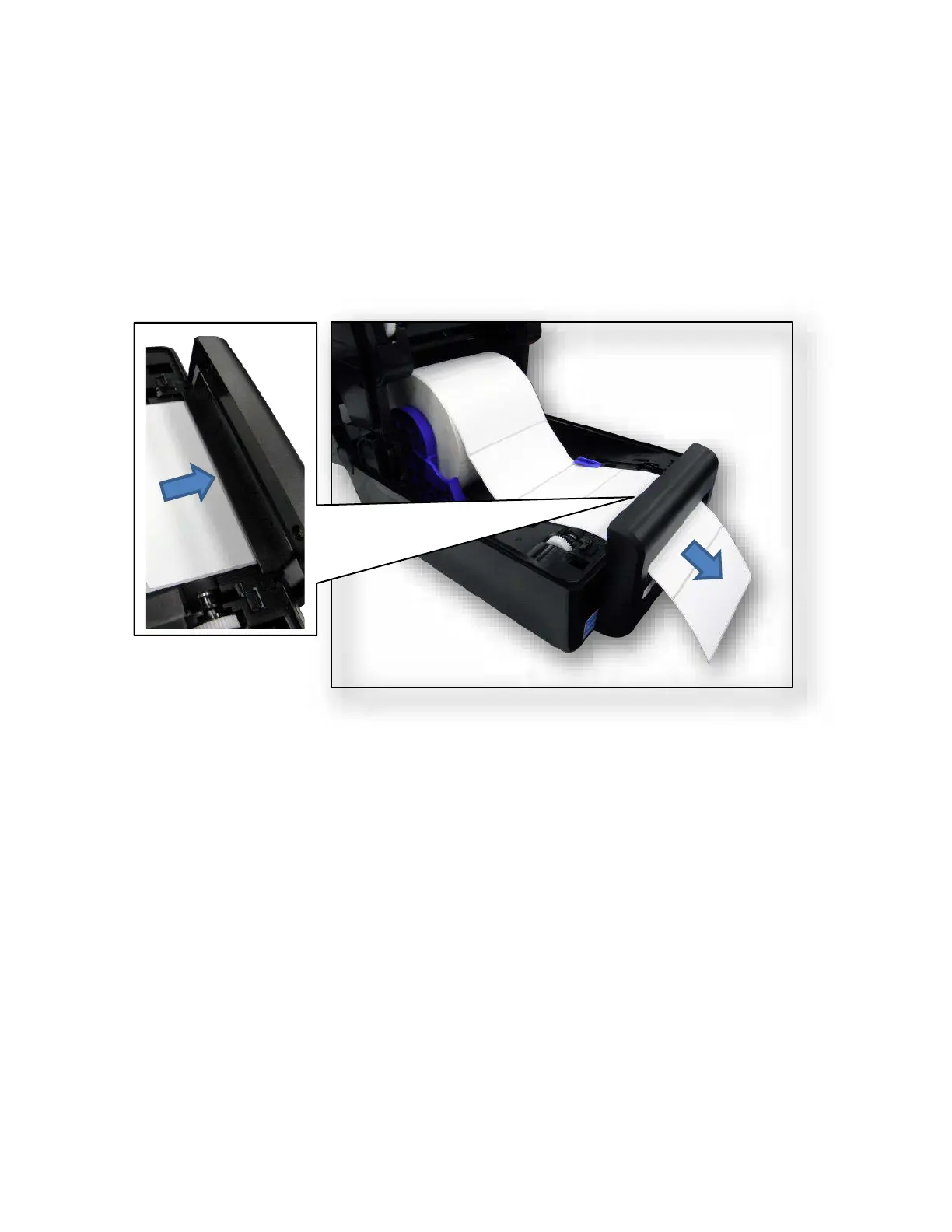
2. Thread the media through the opening at the media cutter.
Configuring the Printer Menu
1. Press the PAUSE key to place the printer OFFLINE (Home Screen).
2. Set Media Handling to “Cut” within the Application Wizard or directly in Media > Handling > Media
Handling menu.
3. Back to ONLINE.
4. The printer is ready on Cut Mode.
5. Press FEED key to test.



 To Next Page