228
Chapter 3 Downloading Emulation And Operating System Software
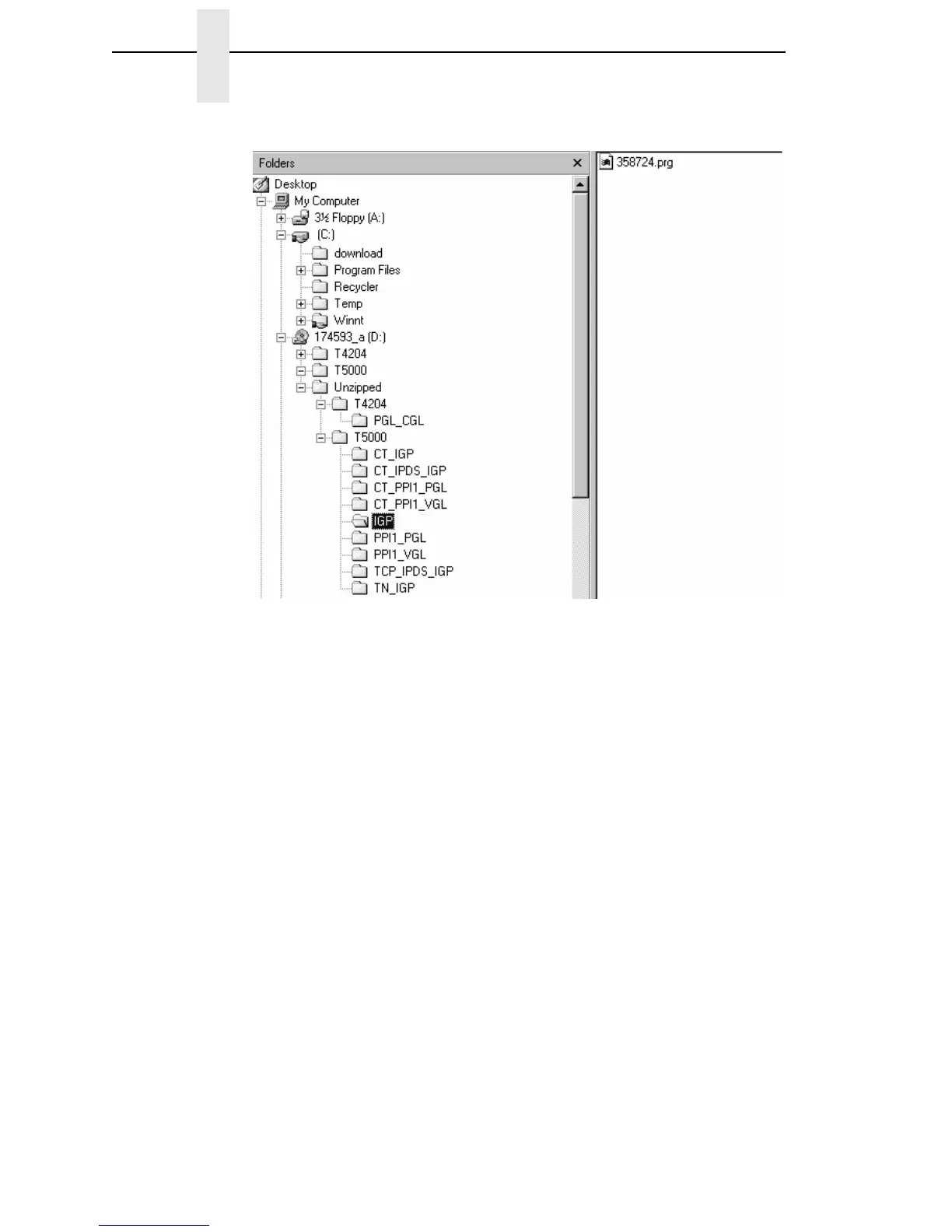
Figure 7. Navigating to the Appropriate Emulation File on the CD
8. Using Windows Explorer, navigate to the appropriate file on the CD (using
the Unzipped directory) based on the printer model number and desired
emulation, e.g., Unzipped
T5000IGP. (See Figure 7.)
IMPORTANT
You must use the Unzipped directory, since this contains the
uncompressed files necessary for NIC download.
9. Make note of the file name, which is a six digit number plus .prg,
e.g., 123456.prg.
This is the file you will download into the NIC.
10. Copy the file to the download directory.
11. Start a command prompt session. (The Start Menu icon is usually labeled
MS-DOS Prompt or Command Prompt.)
12. At the command prompt type:
C:<Enter>
cd \download<Enter>
13. Start the FTP protocol by typing:
ftp xxx.xxx.xxx.xxx<Enter>
(where xxx.xxx.xxx.xxx represents the IP Address of the printer.)
14. Log in to the printer by typing:
root<Enter>
You are given a password prompt.














 To Next Page