EasyManua.ls Logo

Printronix T6000 - User Manual

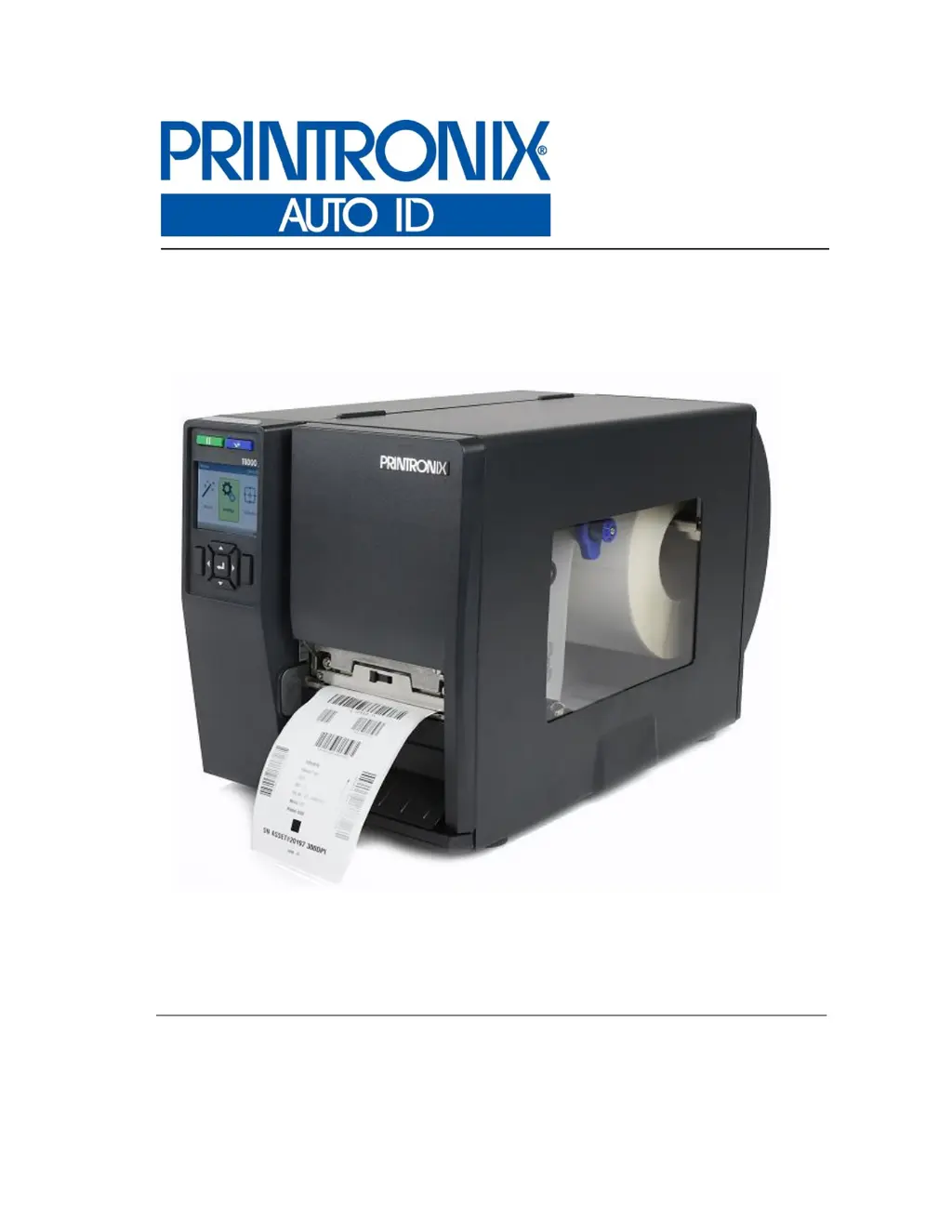
Printronix T6000
320 pages
Print Icon
To Next Page IconTo Next Page
Loading...
Administrators Manual
T6000
Thermal Printers

Table of Contents

Other manuals for Printronix T6000

Questions and Answers

Summary

Introduction

Standard Features

Details the core functionalities and hardware specifications of the T6000 printers.

Operation

Controls and Indicators

Identifies and describes the printer's buttons, LEDs, and display.

Operating Modes

Explains the different operating modes: Online, Offline (Home), Settings, Wizard, and Fault.

Media Handling Modes

Explains different modes for handling media like Continuous, Tear-Off Strip, Peel-Off, and Cut.

Setting Up the Printer

Provides instructions for loading ribbon and media, including important safety precautions.

Loading Ribbon

Step-by-step guide for loading the ribbon into the printer.

Loading Media

Detailed instructions on how to properly load media into the printer.

Printing Adjustments

Guides for adjusting printhead pressure, ribbon tension, and burn line.

Cleaning

Procedures for cleaning exterior, interior, printhead, platen, sensors, and damper.

Configurations

Saving a Configuration

Details how to save printer configurations permanently to FLASH memory.

Media

Media > Image > Print Intensity

Specifies the thermal energy level for print quality, affecting print intensity.

Media > Image > Label Length

Specifies the user-selected label length, matching physical label length.

Media > Image > Label Width

Specifies the physical width of the image to be printed.

Sensors

Sensors > Control

Manages sensor settings, including Gap/Mark Sensor, Auto Calibrate, and Sensed Distance.

Sensors > Calibrate

Provides options for calibrating sensors, including Power-Up Action and HeadClose Action.

System

System > Control

Covers printer settings such as Display Language, LCD Brightness, and Alarms.

Application

Host IO

Host IO > Serial

Serial interface settings like baud rate, word length, stop bits, and parity.

Network

Network > Control

Manages network settings like ASCII Data Port, Keep Alive Timer, and Job Control.

Network > Ethernet

Ethernet configuration including IP Address, Subnet Mask, and DHCP settings.

Network > WLAN

WLAN configuration including IP Address, Subnet Mask, and Gateway Address.

Network > WLAN Params

Parameters for WLAN, including SSID, Min Xfer Rate, Power Mgmt, and WPA modes.

Configs

Configs > Control

Manages printer configurations: Save, Load, Print, Delete, and Power-Up.

Tools

Tools > Print Tests

Runs printer tests like Auto Calibrate, Checkerboard, and Barcode Demo.

Tools > Diagnostics

Provides diagnostic tools such as Print Error Log and Hex Dump Mode.

Downloading Firmware

Firmware Download Methods

Details methods like Web Page, Windows Driver, and Manual downloads.

Manual Two-Key Download Sequence

Step-by-step guide for firmware download using a two-key sequence.

Manual Three-Key Download Sequence

Procedure for firmware download using a three-key sequence for new or corrupt flash.

Reprogramming the Security Key

How to Program the Security Key

Step-by-step procedure for reprogramming the printer's security key using an SPX module.

Diagnostics and Troubleshooting

Printer Tests

Explains how to run test patterns for proper operation and print quality.

Troubleshooting Common Situations

Lists common printer problems and potential solutions.

Controlling Print Quality

Discusses factors affecting print quality: heat, speed, and pressure.

Replacing the Printhead

Provides instructions for replacing the printhead assembly.

Diagnostics for Fatal Error:

Procedure for handling fatal errors, including auto dump and firmware upgrade.

Solving other Printer Problems

Troubleshooting guide for common issues like control panel and power failures.

LCD Message Troubleshooting

Lists common LCD messages and their solutions.

Specifications

Print Method

Details printing specifications like resolution, speed, and width.

Host Interfaces

Lists characteristics of supported host interfaces like Serial, USB, Ethernet, and Parallel.

Printer Options

Media Cutter Installation

4 Inch Printer Media Cutter Installation

Instructions for preparing and installing the 4-inch media cutter.

6 Inch Printer Media Cutter Installation

Procedure for preparing and installing the 6-inch media cutter.

Loading WLAN Certificates

PTX_SETUP Commands

Quick Change Memory Card (QCMC)

Saving the Printer’s Configuration to the QCMC

Procedure for saving printer configuration and firmware to the QCMC.

Copying the QCMC “Snapshot” Image to a Second Printer

Guide for copying the QCMC snapshot image to another printer.

Custom Configuration Module (CCM)

Creating a CCM

Steps to create a CCM SD card for configuring printers.

Using CCM To Configure A Printer

Instructions for using a programmed CCM SD card to configure printers.

Customer Support

Printronix Customer Support Center

Information needed before calling Printronix Customer Support.

Printronix T6000 Specifications

General IconGeneral
Resolution203 dpi, 300 dpi, or 600 dpi
ConnectivityUSB, Ethernet, Serial, Parallel
Media HandlingRoll, fanfold
DisplayLCD
Operating System CompatibilityWindows
Noise Level55 dB
Print TechnologyThermal Transfer

Related product manuals