35
Positioning the Media Sensors
Your printer is equipped with media sensors that detect the top-of-form position on media with label length
indicators (gaps, notches, holes, or black marks). These sensors also detect when a Paper Out condition
exists.
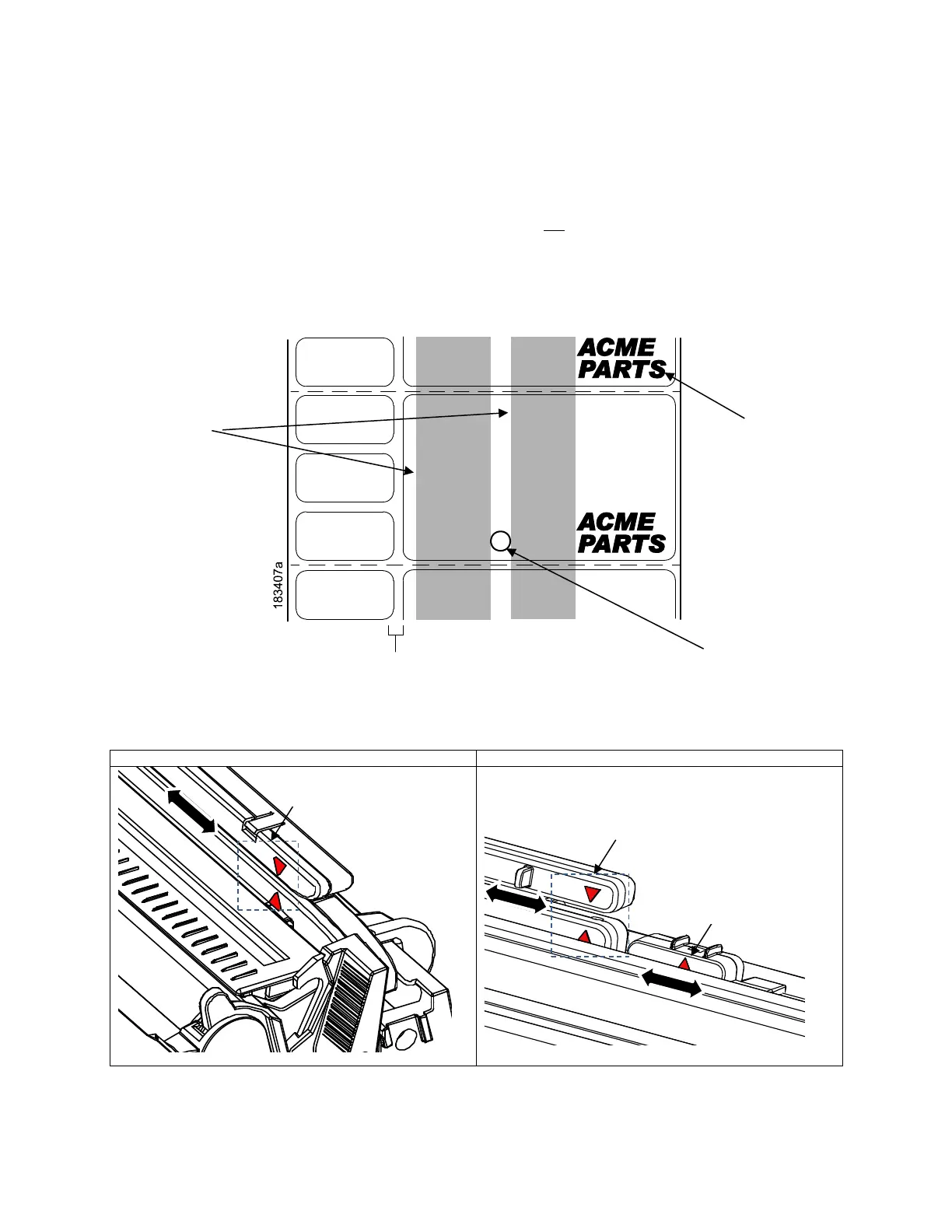
The triangular mark ▽ on the media sensor assembly should not be placed in the path of media features
that could cause false gap detection or paper out faults. Such features are dark pre-printing, rounded
die-cut label corners, vertical gaps associated with side-by-side labels, and extraneous cut-outs, as shown
below.












 To Next Page