16
2 Operation
Controls and Indicators
Power Switch
The power switch is located on the bottom back panel of the printer. To apply
power, place the switch in the
| (ON) position. When you first power on the
printer, an initialization sequence will immediately appear on
the color LCD control panel.
To remove power, place the power switch in the O (OFF) position.
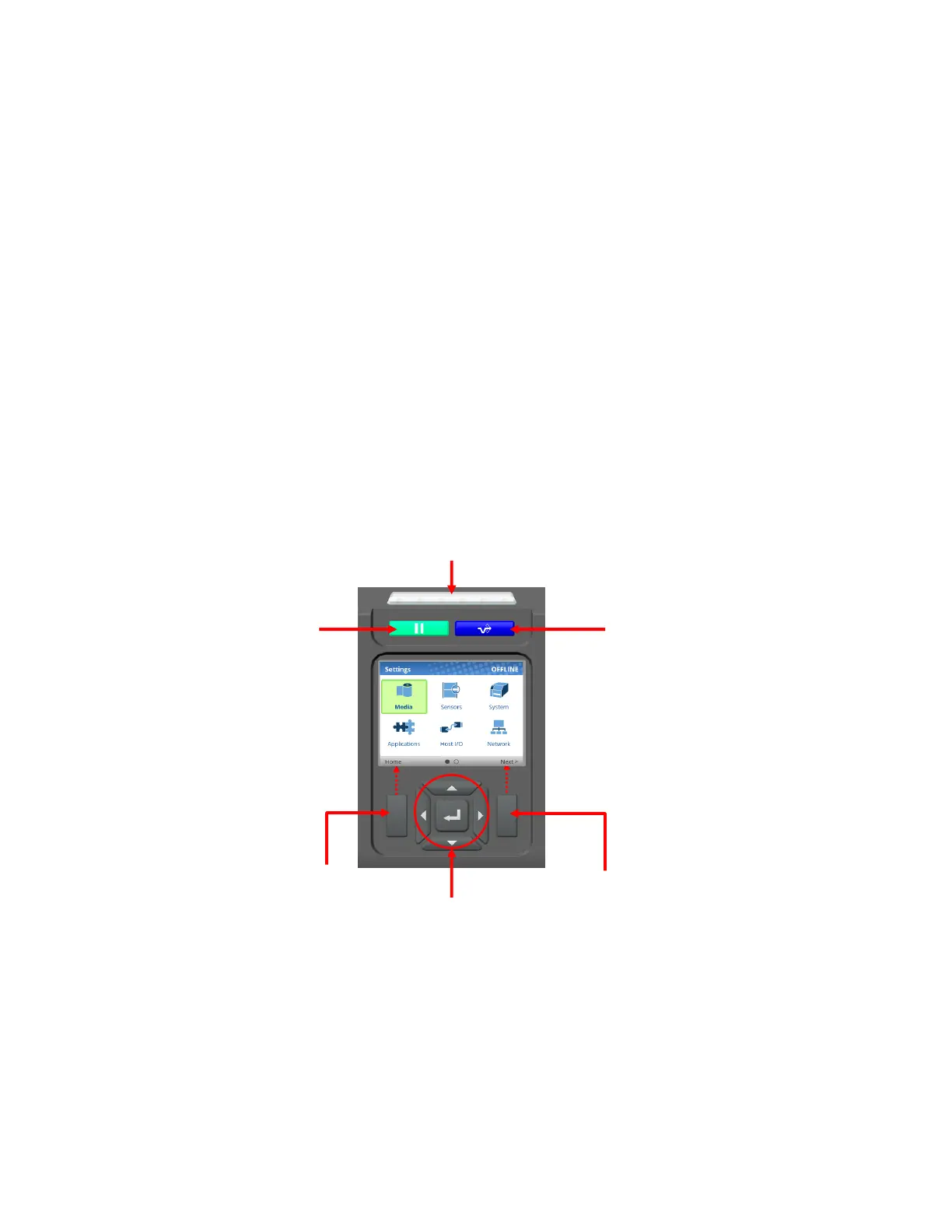
Control Panel
The control panel is located on the front of the printer and includes a Status LED array, QVGA color
display, PAUSE key, FEED key, LEFT SOFT key, RIGHT SOFT key, and navigation keys (buttons) with
the ENTER button in the center. These are described in the following
tables.
The QVGA (quarter VGA) screen is a 320 x 240 pixel color display (non-touch). It is comprised of a Header
that shows the printer state and location with the User Interface (UI), the general display area, and a footer
used to show the purpose of the LEFT and RIGHT SOFT keys (when available).
The status LED indicates when the
printer is ONLINE, OFFLINE,
or when there is a fault
condition:
• LED is on solid: ONLINE and Ready to Print.
• LED is off: OFFLINE and not accepting data.
• LED is flashing: Fault Indicator.












 To Next Page