40
Fig
ure
1
Med
ia
Prof
ile
Prin
tout
Gap Sensing
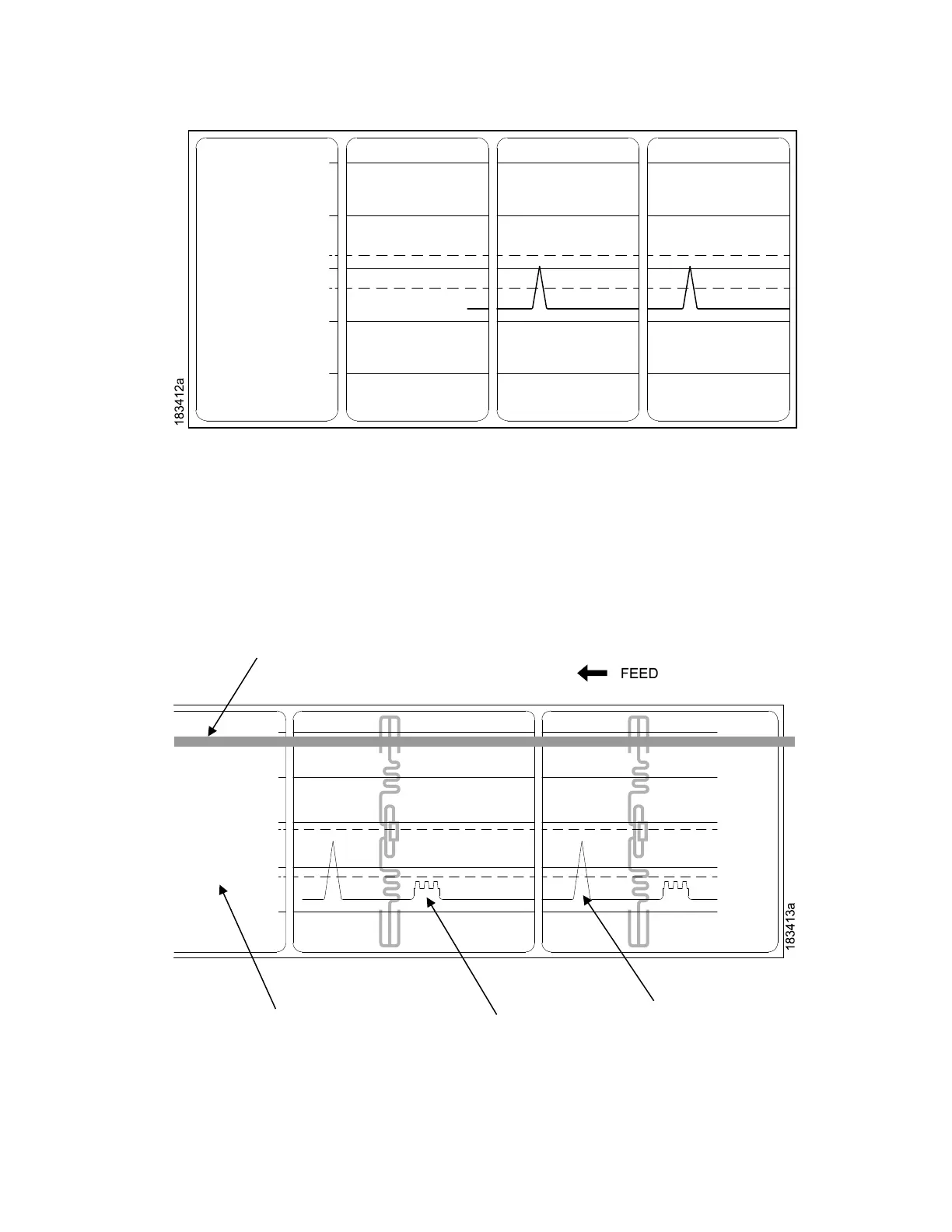
This figure shows a Media Profile printout of a RFID label where the Gap/Mark
Sensor is set to Gap in the
Sensors > Control menu.
In this example, the gap threshold value the printer selected (represented by
the Gap/Mark dotted line) is
too close to the amplitude of the antenna pulse.
This may cause the printer to falsely use the antenna as
the gap (top-of-form).
To
avoid
this
probl
em,
incre
ase
the
Thre
shold
Rang
e
value
to
60%
or
70%
in the
Sensors > Control > Gap/Mark Thresh menu (the default is 50%), then run a Running Auto Calibrate
again, page 38.
Any changes to Threshold Range will not take effect until you run an
Auto Calibrate again.












 To Next Page