26
Loading Media
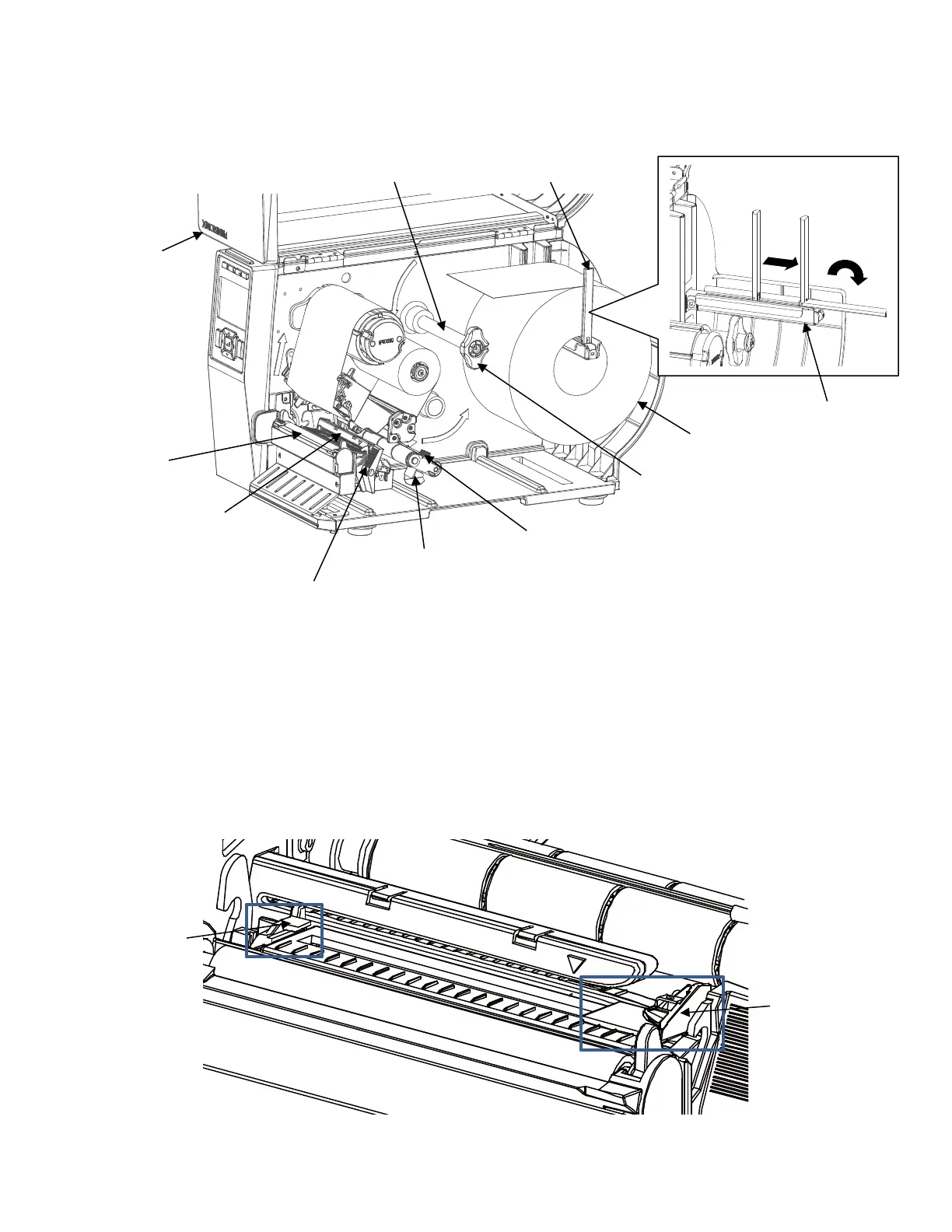
1. Slide the media hanger guide outward to the end of the media hanger (as shown).
2. Place the media roll onto the media hanger and slide the media roll until it is flush with the printer’s
side wall.
3. Slide the media hanger guide against the media roll to prevent horizontal travel.
4. Thread the media above the media guide bar under the media damper and through the media
sensor assembly. Then slide the media bar guide lightly against the outside edge of the media.
5. Now route the media under the inboard and outboard media guides located behind the platen.
Adjust the outboard guide over the outside edge of the media.












 To Next Page