213
Automatic Download (.exe)
The firmware can be downloaded without requiring the user to
manually put the printer into download
mode.
NOTE: This download method requires firmware in the form FILENAME.exe, which should be a six
digit number with the .exe extension (e.g., 123456.exe).
1. Make sure the printer is powered up, in ONLINE mode, and that the
applicable host IO cables are
connected.
2. Navigate to the directory where the target firmware resides.
IMPORTANT For USB connections, the Windows Driver must be installed.
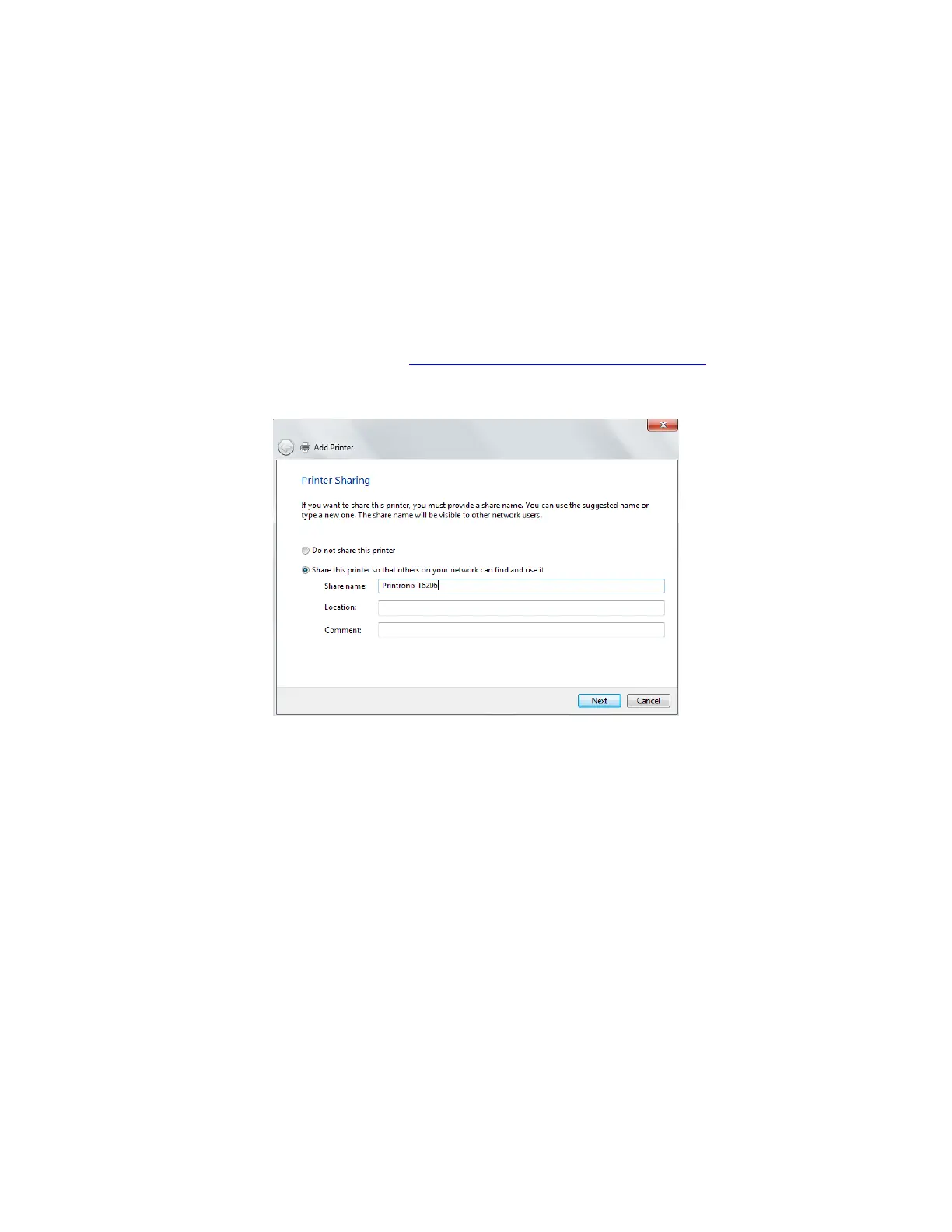
3. Install the Windows Driver from the http://PrintronixAutoID.com/support/drivers/ website. During the
installation, make sure to share
the printer when prompted and record the “Share name”.
Figure 7 Selecting to Share the Printer
IMPORTANT For USB connections, the printer must have a “Share name”
established.
4. The “Share name” will be needed when executing the FILENAME.exe
command. This should be
accomplished during installation, but can be
verified at any time. Select the driver, right-click the
mouse button and
select “Printer Properties”. Click the “Sharing” tab, make sure the “Share
this
printer” box is check marked, and enter the “Share name”.












 To Next Page