EasyManua.ls Logo

Printronix T6000 - Settings Organization

Printronix T6000
320 pages
Print Icon
To Next Page IconTo Next Page
To Previous Page IconTo Previous Page
Loading...
52
Settings Organization
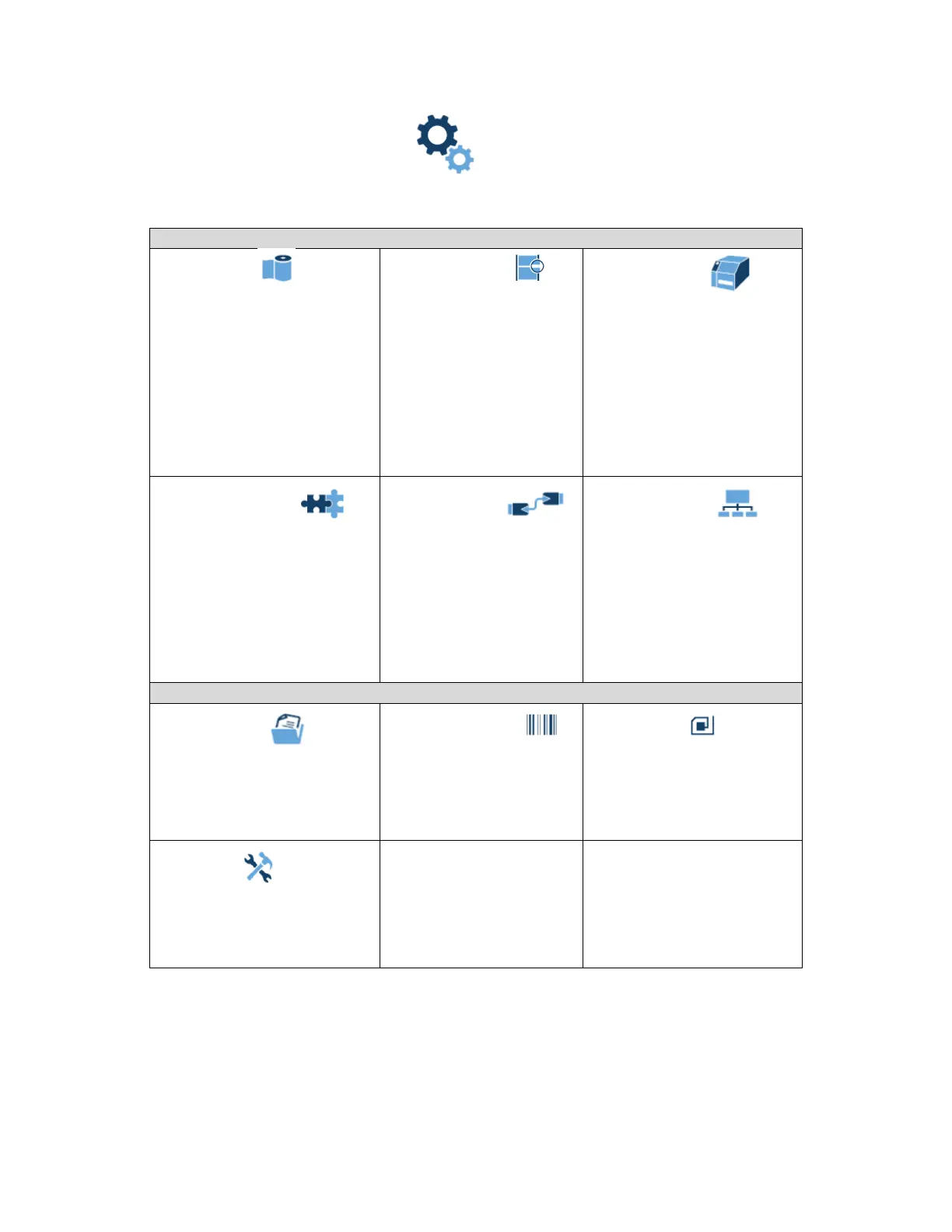
This section will show how the configuration menus are organized under the icons in the Settings section.
Screen #1
Media
Image
Speed
Handling
Ribbon
TOF
Faults
Auto Label Map
Sensors
Control
Calibrate
Diagnostics
System
Control
Energy Star
Flash File View
Flash File Edit
SD File View
1
SD File Edit
1
Printer Mgmt
Date
GPIO
3
Application
Control
PS/PDF Setup
3
IPDS Setup
4
TN 5250 Setup
5
PGL … MGL Setup
LP+ Setup
P-Series … Setup
Fonts
Host I/O
Control
Centronics
6
IEEE-1284
6
USB
Serial
Network
Control
Ethernet
9
WLAN
7
WLAN Params
7
WLAN EAP
7
Screen #2
Configs
Control
Custom
Validator
8
Control
Grading
Scanner
Diagnostics
Statistics
RFID
10
Control
Custom Tag
Diagnostics
Statistics
Tools
Print Tests
Diagnostics
Statistics
About
NOTES:
1
The SD related submenus will only show when the SD card is installed.
2
The GPIO section will be included when the GPIO option is installed.
3
PS/PDF requires the Postscript/PDF firmware and does not include any other emulation.
4
IPDS is an option that can be activated within the standard firmware.
5
TN 5250 requires unique firmware. IPDS and PS/PDF are not available with TN.
6
Parallel is an option and these submenus are included only when Parallel is installed.


Table of Contents

Other manuals for Printronix T6000

Related product manuals