30
Label Peel-Off
You can set up the printer to automatically peel die-cut labels off their liner
(backing) and dispense them
one at a time while rewinding the liner.
Configuring the Printer Menu
1 Set Media Handling to “Peel-Off” within the Application Wizard or directly in Media > Handling > Media
Handling menu.
2. Press the PAUSE key to place the printer OFFLINE (Home Screen).
Loading Media Using Peel-Off Mode
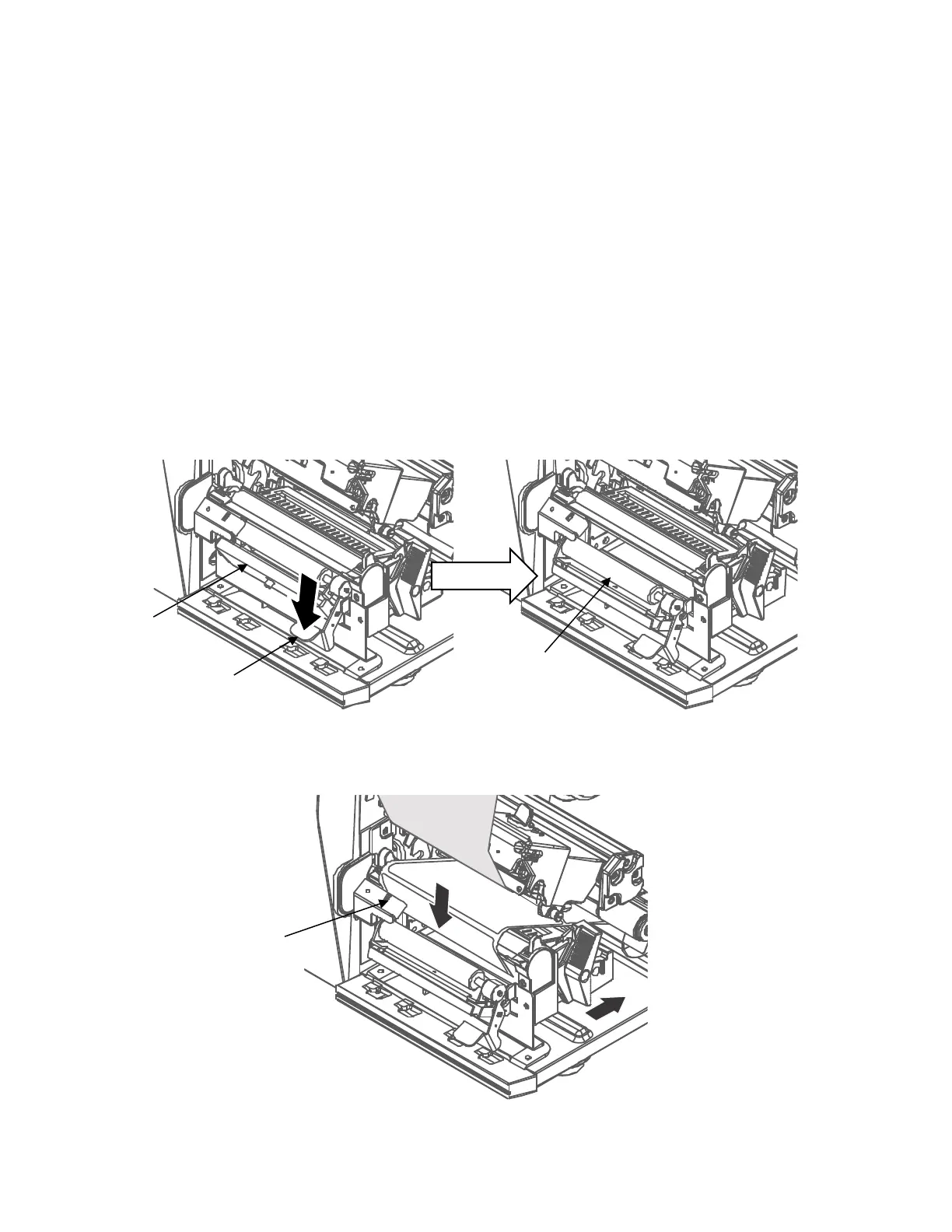
1. Open the media cover and refer to the “Loading Ribbon” and “Loading Media” on page 24 ~ 26.
2. Open the peel-off front door by pushing down the peel-off roller release lever.
For 4” width model
3. Thread the media (label and liner) over the tear bar and around the
peel-off roller, then through the
opening at the bottom of the front door and
into the printer.












 To Next Page